6000-300-000 3–1
3 – Controls and Indicators
General Discussion
The QBC STAR Hematology System has been designed so that there are only two routine user controls:
the “STAR” Button, which has several functions that are described below; and the Door Release Latch,
which is only used to open the door to insert or remove QBC STAR Blood Collection Tubes.
All the instrument controls (buttons, switches, etc.) and indicators (readouts, lights, etc.) are described
below. The following items are discussed:
• Power Switch
• STAR Button
• Door Release Latch
• Liquid Crystal Display
• Printer
• Setup Keypad
Power Switch
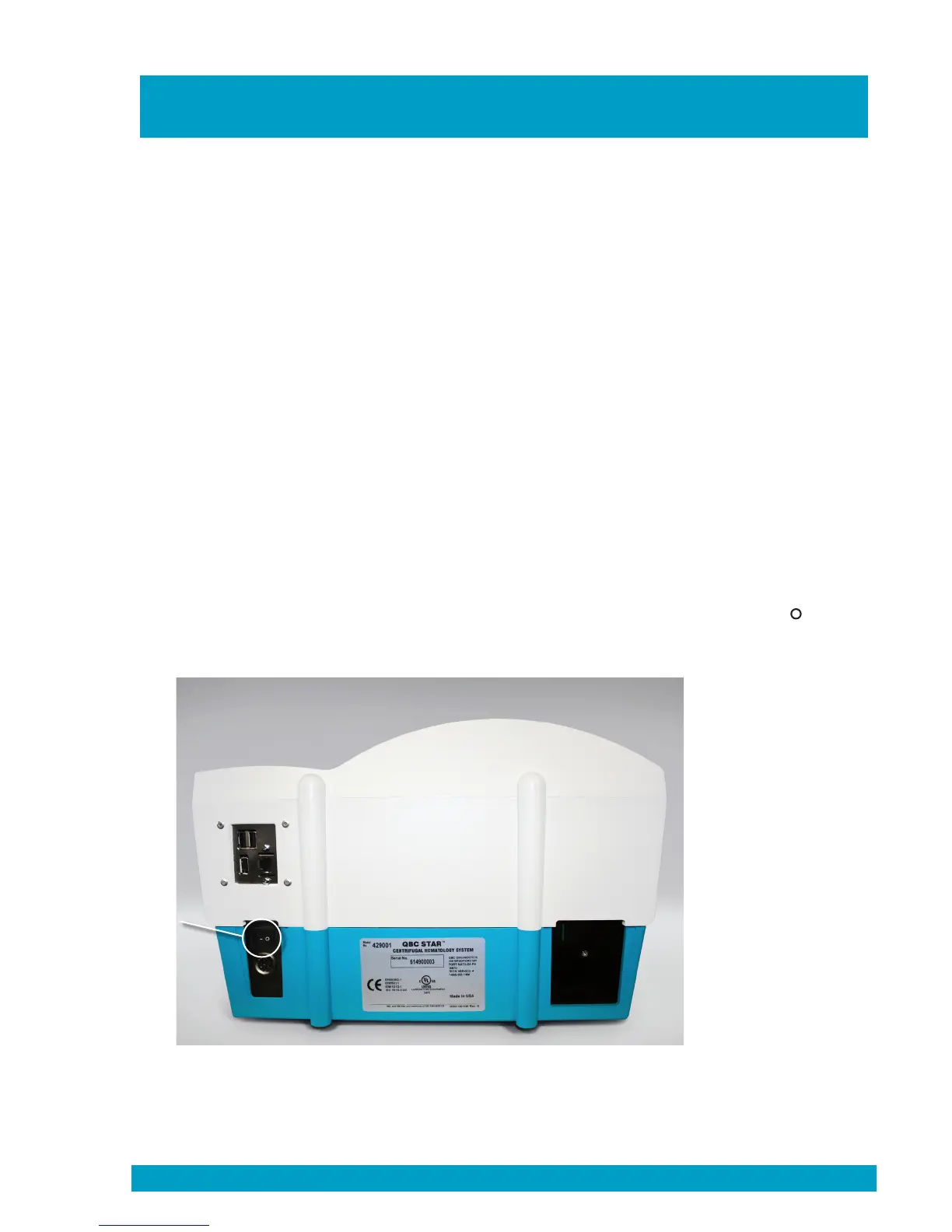
The power switch is located on the rear panel of the QBC STAR instrument (Figure 7) on the left side.
Place the switch in the “
—
” position to turn instrument power on. Place the switch in the “ ” position
to turn instrument power off. Drucker Diagnostics recommends that you turn the power off at the end
of the day’s testing, and keep it in the off position until the device is connected to an AC outlet.
Figure 7 – Power Switch (toward left)
6000-300-000 3-1
Power
Switch


 To Next Page