6000-300-000 2–5
2 – Installation and Setup
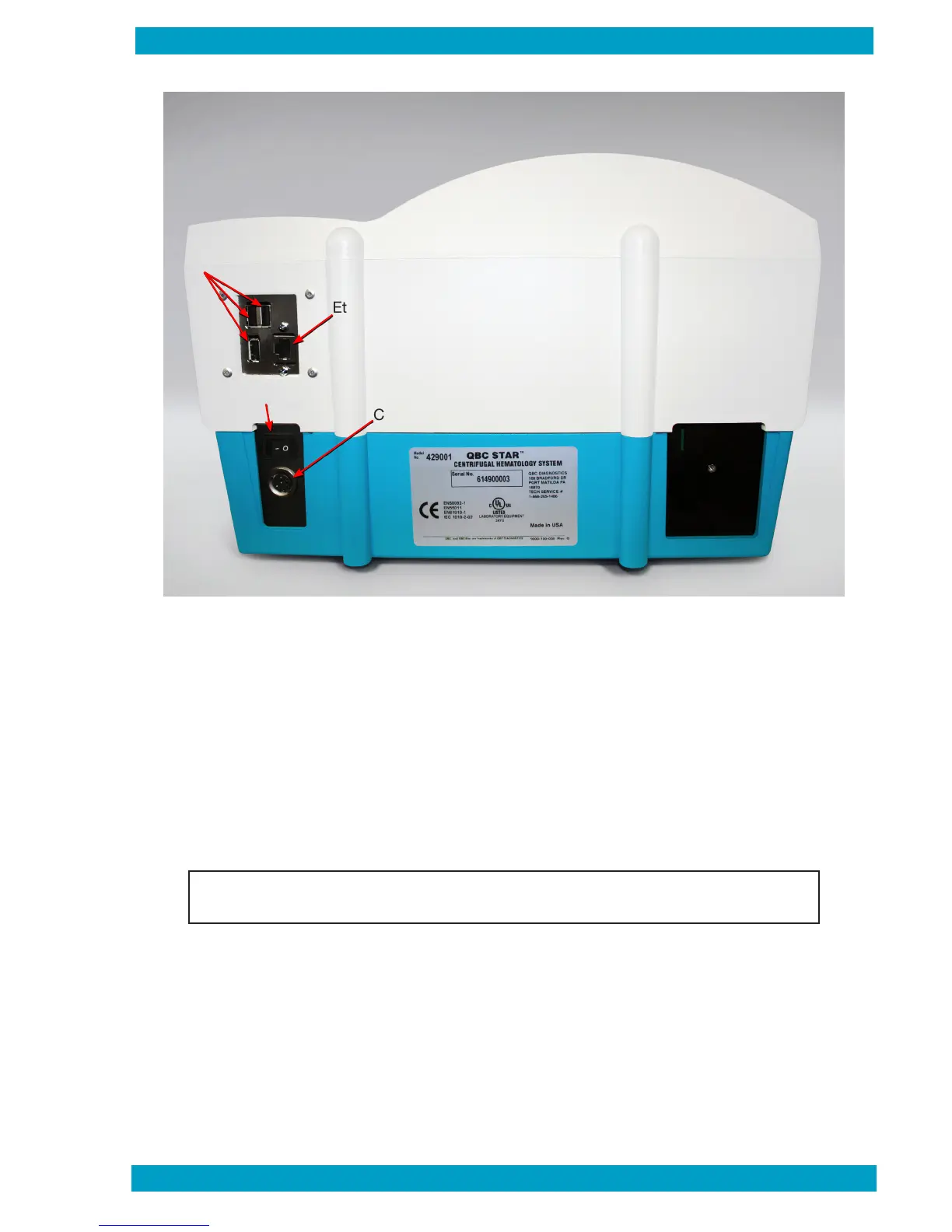
Figure 4 – External Connections
How to attach an external printer:
1 Unpack and set up the printer according to the manufacturer’s operating instructions.
2 Connect the printer to the QBC STAR instrument’s USB port (see Figure 4).
3 Turn on power to the QBC STAR instrument rst.
4 Turn on power to the external printer second.
6000-300-000 2-5
USB Ports
Ethernet Connection
On
/
Off Switch
DC Power
Connection
Note: Please contact Drucker Diagnostics for printer compatibility.


 To Next Page