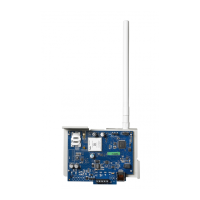
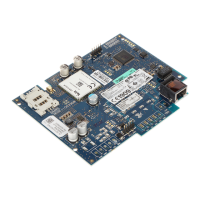
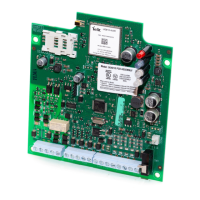
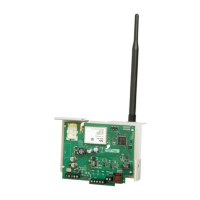
NOTE: Initialization may take several minutes to complete. Red and yellow LEDs will flash together during initialization. Do not
continue to nextstep until the red and yellow LEDs have stopped flashing. (If only the yellow LED is flashing, there is a
communicator trouble and the green LEDs are not valid for communicator placement test). Correct trouble indicated by
flashes on yellow LED before continuing. (See Table 8 for troubleshooting assistance).
7. Perform the communicator placement test below.
8. Mount the panel in final location indicated by placement test.
Communicator Placement Test
3G2080(R)E and TL2803G(R)E only
To confirm that the cellular antenna location is suitable for radio operation, perform the placement test as follows:
NOTE: It might be necessary to relocate the panel or install an optional extension antenna during this procedure, if the radio
signal strength is too low.
1. Confirm that the yellow LED on the communicator is not flashing. A flashing yellow LED indicates trouble on the com-
municator. See Table 8 to troubleshoot and correct the cause of this trouble before continuing to the next step.
2. Confirm that the strength of the radio signal on the yellow LED and the 2 green LEDs on the communicator meet or
exceed the minimum signal level requirement.Minimum signal level: The yellow LED is OFF and the green LED 1 (fur-
thestfrom the yellow LED) is ON (i.e., not flashing) for the panel location to be acceptable. For interpretation of receiver
strength on LEDs, refer to the table “Radio Signal Strength” on page 10.
Cellular Signal Strength Display - LCD Keypad only
The cellular network signal strength can be checked on the keypad LCD screen by entering installer programming section
[850]. The LCD will indicate the SIM card activation status followed by up to five bars of signal strength. This display will auto-
matically update every three seconds. For the relationship between signal strength bars, CSQ level, and signal level in dBm,
refer to “Radio Signal Strength” on page 10.
Table 4: Signal Strength Display
Description Display
SIM card active and current signal strength
SIM card inactive and current signal strength
Radio not registered
NOTE: If the required signal strength is too low with the panel in its current location, the panel mustbe relocated or an external
antenna is required.
If required, the following cellular extension antenna kits are available to the installer:
l GS-15ANTQ - 4.57m (15’) internal antenna extension kit (suitable for interior mounting).
l GS-25ANTQ - 7.62m (25’) external antenna extension kit (suitable for interior/exterior mounting).
l GS-50ANTQ - 15.24m(50’) external antenna extension kit(suitable for interior/exterior mounting).
Specific instructions for the installation of the extension antenna are included with the kit. Observe all the electrical safety instruc-
tions regarding the installation of the antenna. All the wiring of the equipment shall be fully compliant with the local rules and
regulations.
3. If required, install the antenna extension and perform the following steps to determine the best location for placement of
the antenna:
a. Disconnect the white whip antenna from the panel.
b. Attach one end of the antenna extension cable to the threaded antenna connector on the panel and the other end to
the external antenna.
4. Move the extension antenna to various locations while observing the two green LEDs on the panel.
a. Continue to reposition the extension antenna until it receives an acceptable (minimum one green LED ON solid) sig-
nal strength.
NOTE: Minimum strength is: green LED 1 flashing and yellow LED off. If green LED 1 is flashing, relocation
should be considered.
b. Mount the supplied antenna extension bracket at the location that provides the best signal strength.
5. Alternately, reposition the panel to improve signal strength. Dismount the panel and move it to another location to
achieve the required signal strength. Ifthe panel is relocated to improve signal strength, mount it in the new location.
6.
When final panel/antenna location is determined, continue at the Initial Panel Programming section.
NOTE: If the SIM card is not activated, placement test will indicate the signal strength of the nearest cellular tower.
NOTE: In between displaying signal strength, the signal strength LEDs will flash alternately if an inactive SIM card is used. The
flashing indicates that the module is attempting to attach to the cellular network and will only last briefly.
10



 To Next Page
 Loading...