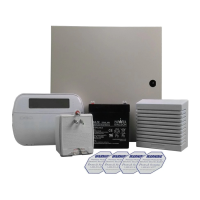
DSC Power Series PC1616 - Quick Guide
https://alpha.adt.com/help/20.html[11/8/2018 11:27:26 PM]
To Quick Arm, press [*] + [0]. To enable or disable the Quick Arm feature on your device, enter [*] +
[9] + [Master Code] + [4].
Disarm:
To disarm, enter your [security code].
For more information on this topic please visit the complete DSC PC1616 manual.
Battery
The DSC Power Series 1616 operates on a UB 1270 battery.
Loss of AC power and use of backup battery power is indicated by NO AC.
A low battery condition is indicated by BAT.
For instructions on replacing your battery, please go to the Battery Replacement Page for this
battery.
Bypass Protected Areas
Bypassing a zone allows you to arm your system with certain protected areas intentionally unarmed or to
access a protected area when the system is armed.
To bypass a zone, press [*] to enter the function menu.
Press [1] OR [*], then your [security code].
Enter the two digit number of the zone to be bypassed OR use the [<>] keys to find the zone.
Press [*] to select a zone.
A [B] will appear once a zone has been bypassed.
To exit bypassing mode and return to Ready state, press [#].
To unbypass a zone, enter the two digit zone number OR use [<>] to find the zone, then press [*].
The [B] will disappear from the display.
For more information on this topic please visit the complete DSC PC1616 manual.
Change Date and Time
Press [*] + [6] + [Master security code] OR use the [<>] to find the [Time and Date] option from the
menu, then press [1].
Either enter the time in 24-hour format, i.e., 16:30 for 4:30pm OR use the [<>] scroll keys to find the
desired time.
Either enter the date in MM:DD:YY format, i.e., 03/02/15 for March 2, 2015 OR use the [<>] scroll
keys to find the desired date.



 To Next Page
 Loading...