18
Option 382
Option 382, sub-option 5, ‘T-Link Interface Enabled’, must be set to On.
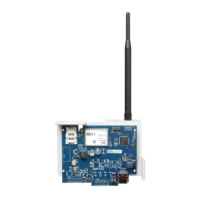
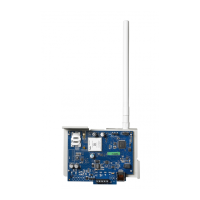
Connecting the TL260GS/TL265GS/GS2060/GS2065 Communicator
• Power Terminal Blocks
• PC-Link Connection
• Ethernet Interface
• Hardware Default Jumper
STATUS LEDs
The module has four onboard surface mount LED indicators. These include a Trouble Status LED on page 18, a Network Con-
nection Status LED on page 20, and two Signal Strength LEDs on page 20.
Trouble Status LED
This Yellow LED will flash to indicate a trouble on the unit. The number of flashes indicates the type of trouble. See the table
below for the types of conditions which will activate the Trouble Status LED.
.
Panel Supervision Trouble
Table 3: Trouble Status LED
# of Flashes Trouble
1 Reserved
2 Panel Supervision Trouble
3 Reserved
4 SIM Lock Trouble
Reserved
5 GSM Trouble
6 Ethernet Trouble
7 Receiver Not Available
8 Receiver Supervision Trouble
9 FTC Trouble
10 Connect24 Configuration SMS Failure
Reserved
11 Remote Programming
12 Remote Firmware Update Pending



 To Next Page