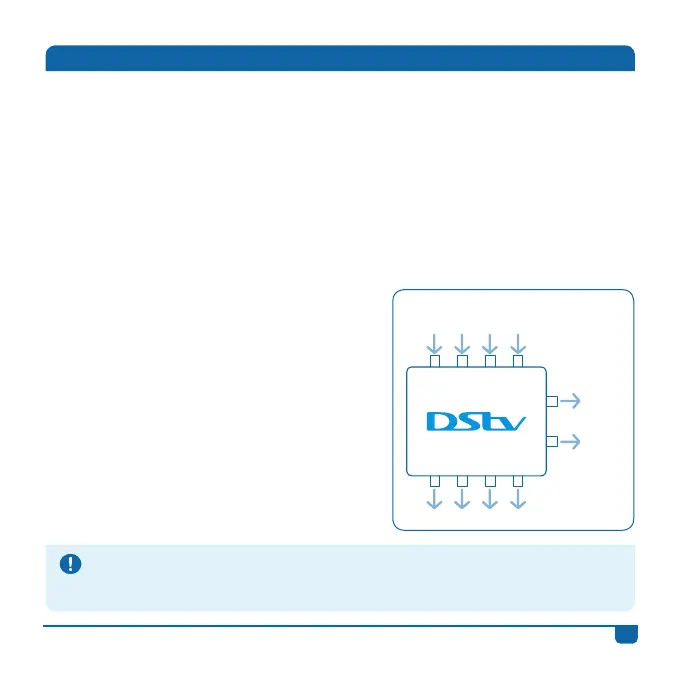
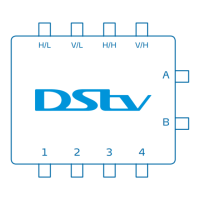
• The DStv Switch (5-1) has:
- Four inputs (labelled H/L, V/L, H/H, V/H);
- Four normal multiswitch outputs (labelled 1 to 4); and
- Two Explora outputs (labelled A and B). The DStv Explora can only be
connected to this output.
• Each multiswitch output (labelled 1 to 4) outputs a signal equivalent to a
normal multiswitch output or a single LNB output.
• The DStv Switch comes with 3 cables. You may need additional cabling,
depending on your set up.
• The DStv Switch self-terminates unused
ports, which means you don’t have to cap
them.
• You’ll know your switch is powered when
the blue light is on.
• Keep in mind - this switch is not a signal
booster.
1 2 3 4
Inputs
H/L V/L H/H V/H
A
B
Multiswitch outputs
Explora
outputs
DStv Switch (5-1)
1
DStv Switch - User Guide
Your DStv Switch (5-1)
Troubleshooting Tip
If the DStv Switch’s blue light is not on (indicating that it’s getting power), check that the outputs to
the decoder(s) are: 1) Securely connected (both to the switch and decoder), and 2) That the decoder(s)
themselves are switched on and getting power.


 To Next Page