43
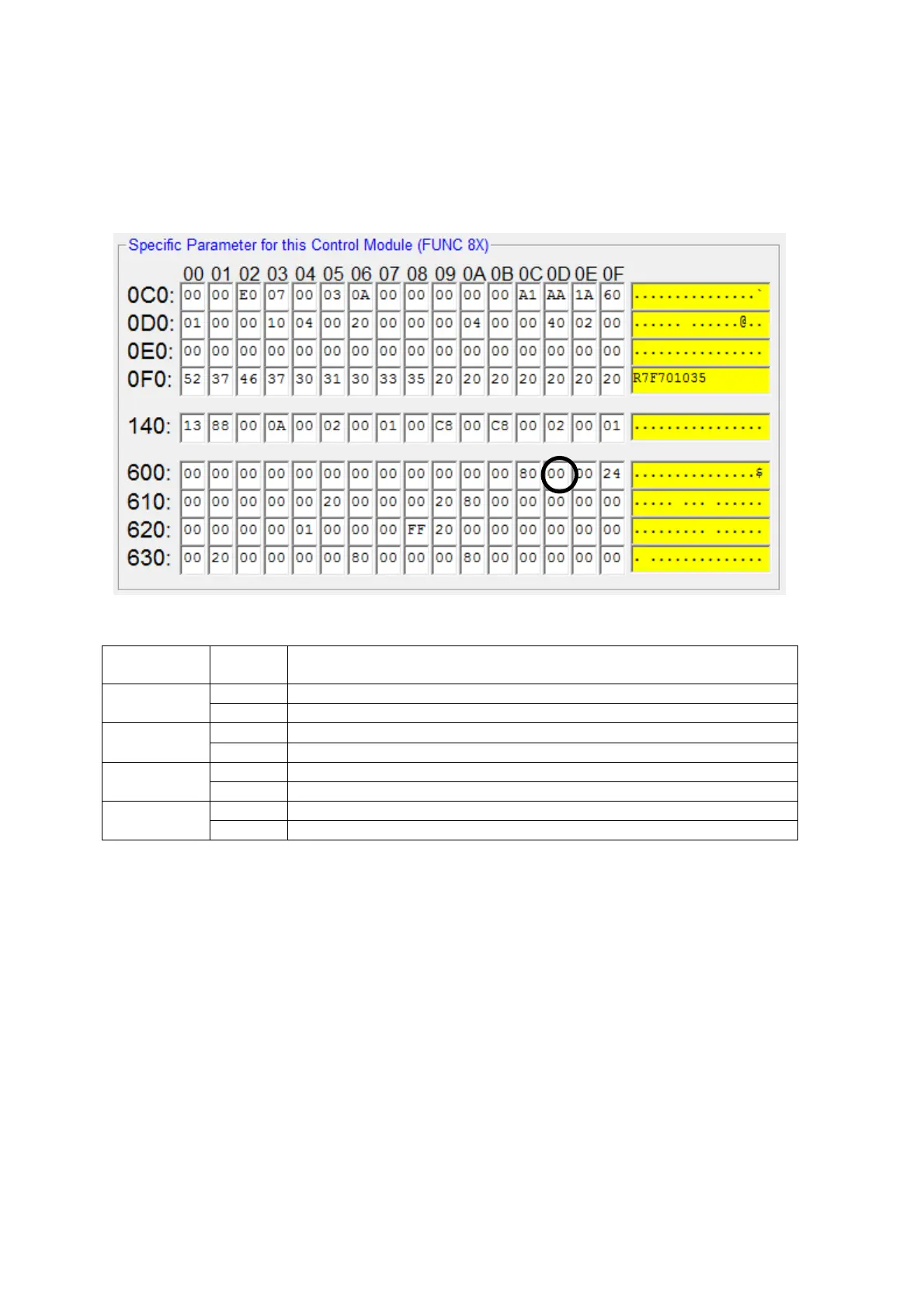
(2) Set the target area of the object file programming mode.
You can select Code Flash1/2, User Boot Flash, and Data Flash for target area.
Set the target area with the value for #60D on [Parameter Table2].
To set the value and behavior of the bit location for #60D, follow the table below.
Bit Location
Setting
Value
Behavior
Bit0
0 Normal program into Code Flash 1
1 Object file program into Code Flash 1
Bit1
0 Normal program into User Boot Flash
1 Object file program into User Boot Flash
Bit2
0 Normal program into Data Flash
1 Object file program into Data Flash
Bit3
0 Normal program into Code Flash 2
1 Object file program into Code Flash 2
For example, when you make target only Data Flash as object programming, set #60D to 04.
(3) Be sure to click the OK button before moving to other tabs so that you can make the changes
of above (1) – (2) valid.
If you do not click the OK button, the changes will not be sent to the Control Module.



 To Next Page