7
2.2 Setting Up Parameters Specific to Target MPU
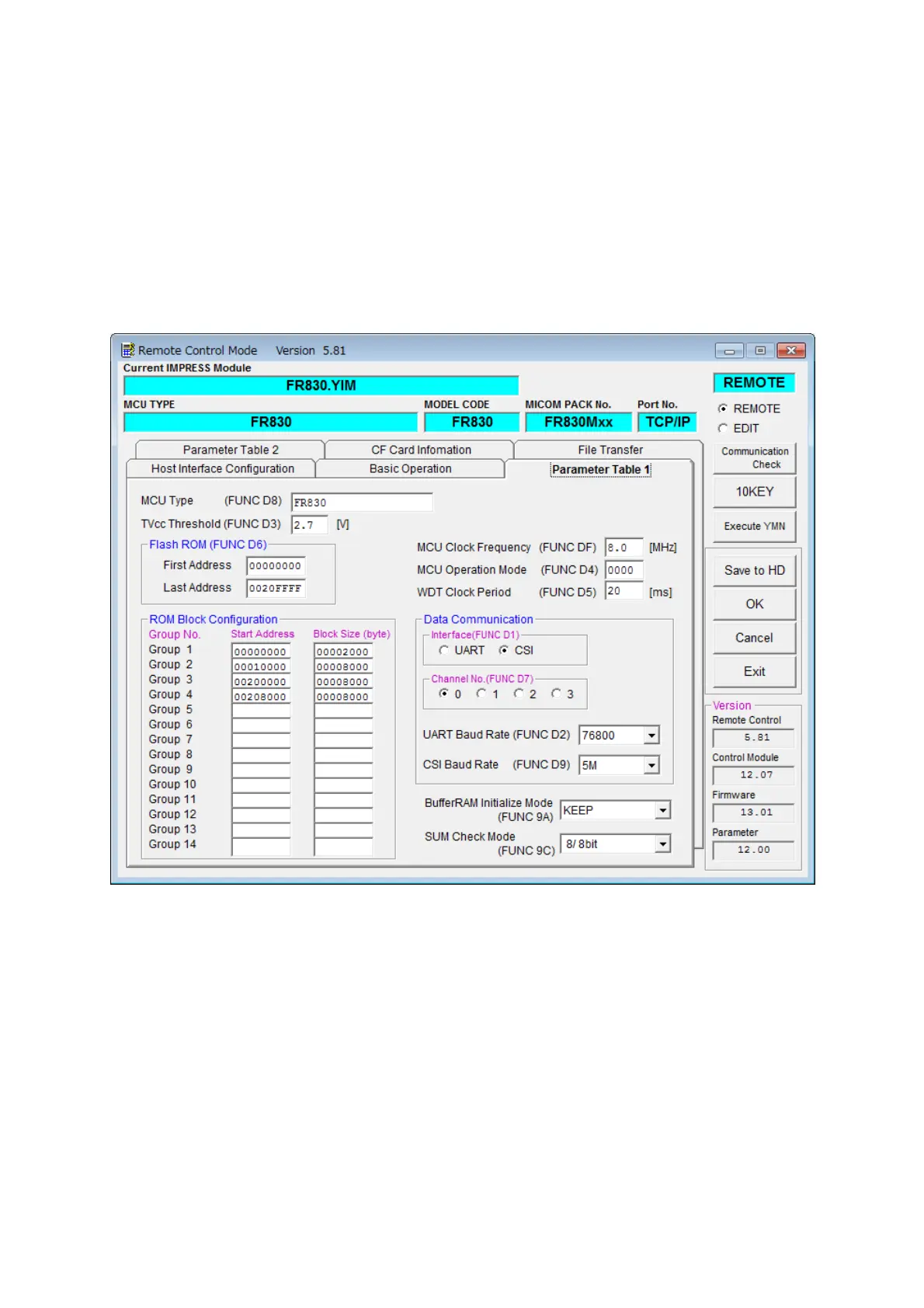
Complete initial setup by using AZ490, the remote controller running on Windows.
For the operating instruction of AZ490, see the AZ490 Instruction Manual.
2.2.1 Parameter Table1 Tab
Set up the parameters for your target microcomputer with the Parameter Table 1 tab.



 To Next Page