15- OPENING THE PROJECTOR HOUSING
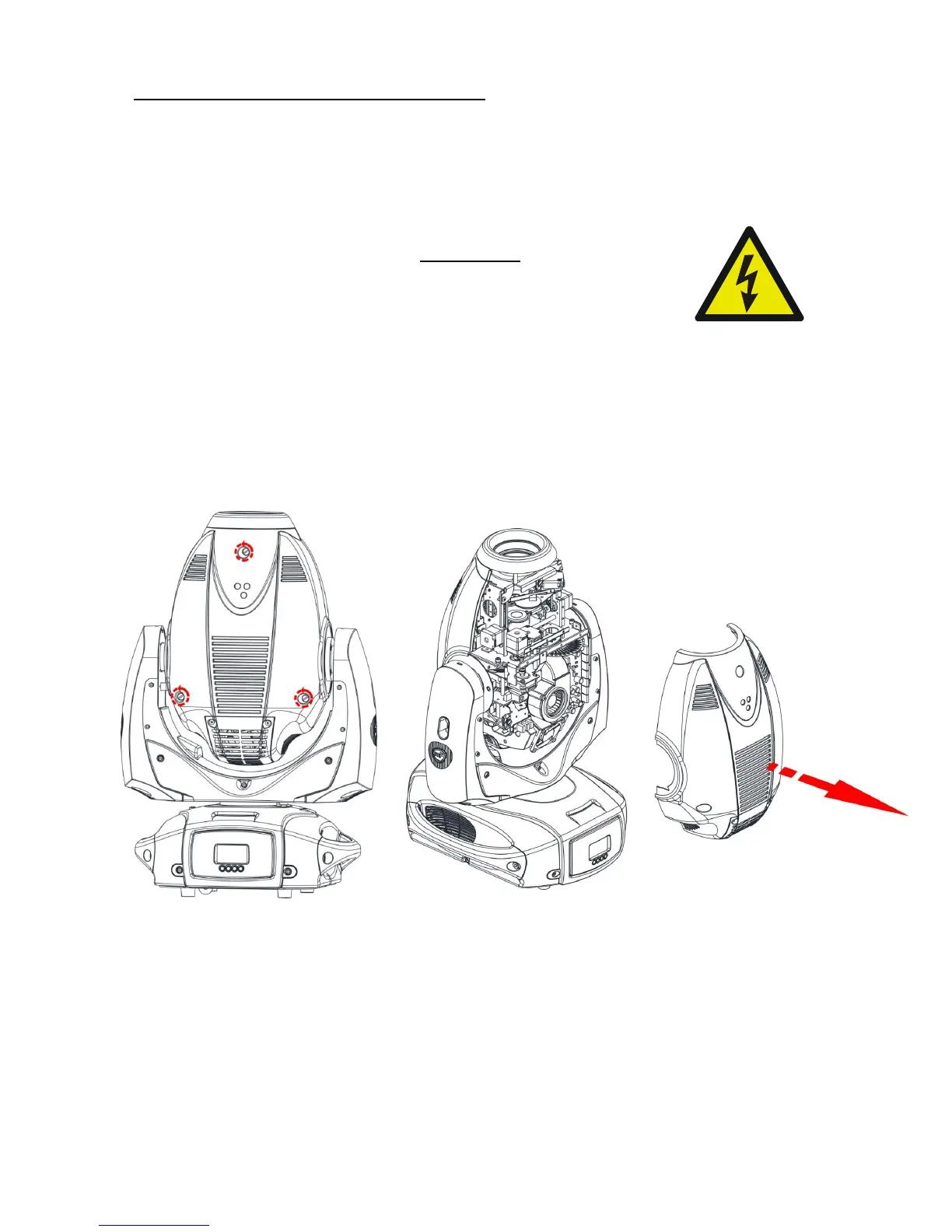
It is possible to inspect the inside of the projector by removing the cover as indicated
below.
ATTENTION
REMOVE MAINS POWER PRIOR TO ACCESSING THE
PROJECTOR’S INTERNAL COMPONENTS.
1) Loosen the 3 “¼ turn” screws which fix the head covers on both sides (picture 1) .
2) Once loosened the screws, simply lift the covers to access the internal components
(picture 2).
PICTURE 1 PICTURE 2


 To Next Page