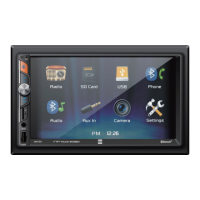
The Dual XVM279BT is a media receiver designed for in-vehicle use, featuring Bluetooth connectivity and a 7-inch touch screen display. This device allows users to enjoy various audio and video sources, manage phone calls, and access navigation features through a user-friendly interface.
Function Description:
The XVM279BT serves as a central entertainment and communication hub in a vehicle. Its primary functions include:
- Radio Tuner: The unit includes an AM/FM tuner, allowing users to listen to their favorite radio stations. It supports both local and distance tuning, stereo and mono modes, and offers preset stations for quick access. An AS/PS function allows scanning and storing the strongest stations automatically.
- Media Playback: The receiver supports playback of audio files from USB devices and microSD cards. It is compatible with MP3 and FLAC audio formats. The 7-inch TFT touch screen displays file information, and users can navigate through files, folders, and control playback (play, pause, repeat, random).
- Bluetooth Connectivity: A core feature of the XVM279BT is its integrated Bluetooth functionality. This enables wireless connection to smartphones for hands-free calling and audio streaming. Users can dial numbers using an on-screen keypad, access phone contacts, and stream music directly from their paired device. The unit supports auto-connect for previously paired devices and auto-answer for incoming calls.
- Voice Activation: The device includes a voice activation button that allows users to access their smartphone's voice assistant (Siri® or Google Assistant™) via Bluetooth. This feature enhances safety by enabling voice commands while driving.
- Auxiliary Input: A 3.5mm auxiliary input on the front panel allows for direct connection of external audio/video devices, expanding the range of compatible media sources.
- Rear Camera Input: The XVM279BT is equipped with a rear camera input (RCA connector) for an optional rear view camera. This feature enhances safety by providing a visual aid when reversing. The unit can automatically switch to camera mode when the vehicle is in reverse, or users can manually select it.
- Navigation Hot Button: A dedicated "Navi" hot button allows users to quickly connect their receiver to their phone for navigation. This streams audio from navigation apps on a connected smartphone through the car's speakers via Bluetooth.
- Dual iPlug P1 Smart App Remote Control: The receiver can be controlled remotely using the Dual iPlug P1 Smart App on Apple or Android smartphones. This app allows users to change modes, stations, songs, volume, and settings without direct line-of-sight to the unit.
Usage Features:
The XVM279BT is designed for intuitive operation, primarily through its touch screen and a few physical controls:
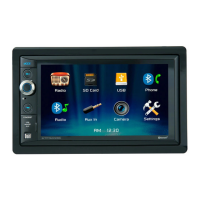
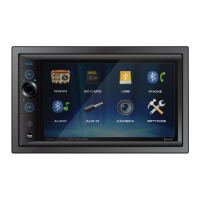
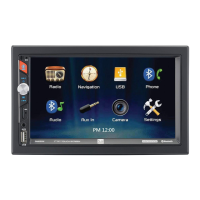
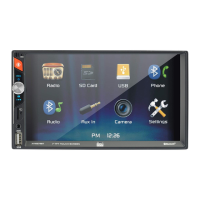
- Touch Screen Interface: The 7-inch TFT touch screen serves as the main control interface, displaying various menus and playback information. Icons on the screen allow direct access to different modes (Radio, microSD, USB, Bluetooth Phone, Bluetooth Music, Auxiliary Input, Rear Camera, Settings).
- Physical Controls:
- Power On/Off: A dedicated button allows users to turn the unit on or off by pressing and holding.
- Volume Knob: A rotary knob controls the audio volume, increasing or decreasing it with rotation.
- Mute Function: Pressing the volume knob momentarily mutes the audio and pressing it again restores the previous volume.
- Mode Button: A "MODE" button cycles through all available input modes.
- Voice Activation Button: Activates the smartphone's voice assistant.
- Tune/Track Up/Down: Buttons for navigating radio frequencies or media tracks.
- Power/Volume/Mute: A multi-function knob for power, volume, and muting.
- microSD Card Slot: Located on the top of the unit for inserting microSD cards.
- Auxiliary Input: A 3.5mm jack on the front panel.
- USB Port: Located on the side of the unit for USB devices.
- Settings Menu: The "Settings" menu, accessible from the Main Menu, provides options to customize various aspects of the unit, including time settings, beep sounds, camera settings, loudness, radio area, touch screen calibration, and viewing software version information. Users can also restore default factory settings.
- Audio Settings: A dedicated "Audio" menu allows adjustment of sound effects, EQ, treble/bass, and balance/fader settings to optimize the audio experience.
- Bluetooth Settings: The "Bluetooth" menu offers options to enable or disable auto-connect and auto-answer features for Bluetooth devices.
- Dimmer: A touch screen control allows users to dim the display for comfortable viewing, especially at night.
- Navigation Access: A touch screen control provides direct access to the navigation app on a connected smartphone.
Maintenance Features:
Maintaining the XVM279BT involves simple care and troubleshooting steps:
- Cleaning: The monitor should be cleaned with a dry silicone cloth or soft cloth. Abrasive materials or volatile solvents (like paint thinner or alcohol) should be avoided as they can scratch the screen or remove printing.
- Fuse Replacement: The unit uses a 10 amp ATC mini style fuse located on the power connector. When replacing a fuse, it is crucial to use a new one with the prescribed rating to prevent malfunction. Disconnecting the wiring harness first is recommended to prevent short circuits.
- Reset Function: In case of abnormal operation or if the unit becomes inoperable, a "RESET" button (typically accessed with the tip of a pen) can be pressed. This will reset the main processor to its default settings, often resolving minor issues.
- Troubleshooting Guide: The manual provides a troubleshooting guide to help users identify and resolve common issues such such as the unit not turning on, lack of sound, blown fuses, or video display problems. This guide offers potential causes and recommended actions.
- Professional Installation: Due to the technical nature of the installation, it is highly recommended that the XVM279BT be installed by a professional installer or an authorized dealer. This ensures proper wiring and functionality, especially given that the product is designed for 12VDC negative ground vehicles.
- Technical Support: If problems persist after troubleshooting, users are advised to consult their nearest DUAL dealer or contact technical assistance via a toll-free number or email.
- Warranty Information: The product comes with a limited one-year warranty covering defects in material and workmanship. The manual outlines the terms of the warranty, including who is covered, what is covered, and the procedure for obtaining service. It also specifies exclusions such as damage from accident, misuse, or improper installation.
- Registration: Users are encouraged to register their product online to facilitate warranty claims and support.


 To Next Page
 General