EasyManua.ls Logo

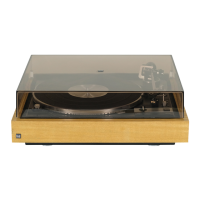
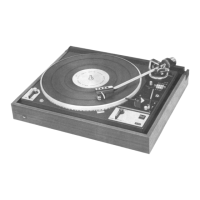
Dual 1237 A - Unpacking and Installation; Start and Operation; Balancing the Tonearm

Dual 1237 A
Print Icon
To Next Page IconTo Next Page
To Previous Page IconTo Previous Page
Loading...
Unpacking
and
installation
Please
also
note
if
your
1237
A
is
part
of
a
compact
unit
or
a
console
follow
the
instructions
of
the
latter
manufacturer.
Remove
all
transport
protection
information
sheets
and
the
packing
material
from
the
turntable.
Please
read
all
notes
before
removal.
Loosen
the
transit
safety
screws
(Fig.
1)
by
turning
them
clock-
wise
until
they
slide
downward
(about
15
mm)
releasing
the
chassis
from
the
base
and
continue
turning
them
clockwise
to
tighten
the
screws
into
the
top
of
the
chassis.
The
turntable
is
now
My
spring-supported
position
required
for
play
position
(Fig.
B
Take
the
tonearm
counterbalance
out
of
its
Styrofoam
insert.
Loosen
the
set
screw
(2)
at
the
rear
of
the
tonearm,
then
insert
the
shaft
of
the
counter
balance
in
the
opening
provided
for
this
purpose.
The
triangular
shaped
notch
of
the
shaft
must
point
in
downward
direction
(Fig.
2).
Pages
12
and
13
explain
how
to
balance
the
tonearm
and
then
apply
oA
pressure
and
anti-skating.
The
separate
Technical
Data
sheet
advises
you
on
setting
tracking
pressure
for
the
cartridge
already
inserted
in
the
unit.
Later
transport
Be
sure
the
tonearm
is
locked
and
the
sty!us
guard
flipped
down.
Also,
release
the
transport
safety
screws
them
counterclock-
wise,
then
pull
them
up
and
tighten
again
by
continuing
to
turn
so
as
to
secure
the
chassis
against
the
base.
The
tonearm
coun-
terweight
should
be
removed.
|
should
shipping
of
your
Dual
unit
become
necessary,
make
sure
that
the
packing
is
adequate.
Use,
if
possible,
the
original
packing
material
in
which
you
received
your
unit.
Attention:
After
each
transport
or
installation,
the
unit
must
be
started
once
with
the
tonearm
in
locked
position
for
auto-
matic
adjustment
of
the
shut-off
mechanism.
To
initiate
the
automatic
‘‘Start”’
or
Stop”
function,
press
the
start
switch
all
the
way
in
each
direction.
:
Start
and
operation
Single
play
operation
Insert
the
short,
single-play
spindle
(13)
and,
for
45
rom
re-
cords,
the
centerhole
adapter
(17),
then
place
the
desired
record
on
the
platter.
select
the
platter
speed
33
1/3
or
45
rpm,
release
the
tonearm
and
raise
the
stylus
guard.
1.
Automatic
start.
Indexing
is
interlocked
with
the
speed
selector,
so
the
tonearm
will
set
down
into
the
lead-in
groove
of
12”’
(80
cm)
records
when
switched
to
33
1/3
rpm,
and
into
the
lead-in
groove
of
a
7”
(17
cm)
record
when
set
to
45
rom.
To
initiate
‘’start’’
func-
tion,
press
the
switch
(8)
all
the
way.
The
switch
returns
to
its
neutral
position
immediately
after
its
release.
The
tonearm
moves
to
the
record,
lowers
slowly
and
sets
the
stylus
gently
in
the
lead-in
groove
of
the
record.
2.
Manual
start
|
a)
Move
cue
control
lever
(6)
to
position
©.
b)
Move
tonearm
by
hand
over
the
desired
point
on
the
record.
c)
Tap
control
lever
to
position
»
Attention!
With
the
cue
control
lever
in
position
¥
and
automatic
start,
the
tonearm
moves
to
the
setdown
position.
By
tapping
the
control
lever
the
tonearm
will
descend
to
the
record.
12:
The
height
of
the
stylus
tip
over
the
record
in
the
raised
tone-
arm
position
¥
can
be
varied
about
approx.
6
mm
by
turning
the
adjustment
screw
(5).
3.
lf
a
record
is
to
be
played
repeatedly
or
played
once
more
from
the
start
Move
switch
to
,,start’’.
4.
Interruption
of
play
Move
cue
control
lever
to
position
¥..
After
repositioning
the
tonearm,
and
after
operating
the
con-
trol
lever
reproduction
is
started
again
with
the
last
few
reals
which
were
played.
5.
Shut-off
Move
switch
to
position
,,stop”’.
The
tonearm
will
return
to
its
rest
position
and
the
unit
will
shut
off
automatically.
:
Note:
Records
with
a
different
diameter,
such
as
older
25
cm
records,
are
played
as
described
in
‘’2.
Manual
start’.
After
the
record
has
been
played,
shut-off
and
tonearm
return
is
automatic
irrespective
of
having
started
the
unit
manually
or
automatically.
The
tonearm
should
then
be
locked
and
the
sty-
lus
tip
protector
moved
down
again.
Automatic
record
change
(For
30
cm
records/33
1/3
U/min
or
17
cm
records/45
U/min
only).
Insert
the
changing
spindle
(18)
or
the
automatic
changer
spindle
(16)*
so
that
pin
fits
into
the
slot
in
the
shaft.
secure
the
spindle
or
automatic
changer
spindle
in
place
by
pressing
down
on
it
and
turning
it
to
the
right
until
it
stops.
load
up
to
six
records
of
either
17
cm
45
rpm
or
30
cm
33
1/3
rpm,
on
the
spindle
or
automatic
changing
spindle.
Move
the
operating
switch
to
,,start’’.
This
will
cause
the
first
record
to
drop
and
the
tonearm
to
be
set
down
in
the
lead-in
groove.
Should
you
want
to
interrupt
any
record
and
cause
the
next
to
drop,
move
the
operating
switch
to
,,start’’.
Note:
Records
already
played
can
be
lifted
back
onto
the
spindle
platform
for
replay
or
FoMOVER
entirely.
The
spindle
need
not
be
removed.
*
The
special
automatic
changer
spindle
AS
12
for
17
cm
re-
cords
with
a
large
center
hole
is
available
from
your
spe-
cialist
dealer
as
an
accessory.
Balancing
the
tonearm
Precise
tonearm
balance
ts
most
important
for
cartridges
with
low
stylus
pressure.
Balancing
need
be
done
only
once.
We
re-
commend,
however,
that
you
occasionally
inspect
the
tone-
arm.
The
pickup
arm
is
correctly
balanced
If
it
remains
in
a
horizon-
tal
position
when
released,
i.e.
if it
does
not
rest
against
the
lower
or
upper
end
stops
and
If
it
returns
to
a
horizontal
posi-
tion
if
defleated
vertically
by
a
small
distance.
Shifting
the
counterbalance
(1)
on
its
shaft
balances
the
tone-
arm
coarsely;
turning
the
counterbalance
weight
balances
the
tonearm
exactly.
1.
With
the
pick-up
arm
still
locked
on
the
arm
support,
turn
the
turntable
a
few
revolutions
in
a
clockwise
direction
by
hand.
2.
Set
the
tracking
force
(3)
and
anti-
-skating
(4)
controls
to
“QO”,
unlock
the
tonearm,
and
Jift
it
from
the
tonearm
rest.
3.
If
the
tonearm
does
not
come
to
rest
horizontally,
loosen
setscrew
(2)
and
slide
the
counterbalance
with
its
shaft
until
an
approximate
balance
is
has
been
achieved.

Related product manuals