9
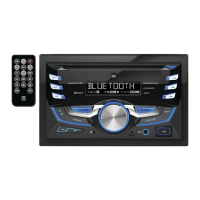
DC535Bi
General Operation
Gain Setup Menu
Menu Function Options
Tuner Gain
Rotate the volume knob to adjust the tuner gain.
(-6 minimum / +6 maximum)
Disc Gain
Rotate the volume knob to adjust the gain for disc playback.
(-6 minimum / +6 maximum)
Aux Gain
Rotate the volume knob to adjust the gain for the front auxiliary input.
(-6 minimum / +6 maximum)
Bluetooth
Rotate the volume knob to adjust the gain for the rear auxiliary input.
(-6 minimum / +6 maximum)
USB Gain
Rotate the volume knob to adjust the gain for USB playback.
(-6 minimum / +6 maximum)
iPod Gain
Rotate the volume knob to adjust the gain for iPod playback.
(-6 minimum / +6 maximum)
Pandora Gain
Rotate the volume knob to adjust the gain for Pandora playback.
(-6 minimum / +6 maximum)
Screen Setup Menu
Menu Function Options
Demo
Rotate the volume knob to to enable (ON) or disable (OFF) the demonstration
mode.
Backlight
Rotate the volume knob to adjust the brightness settings of the display screen
from 1 to 7.


 To Next Page