11
General Operation
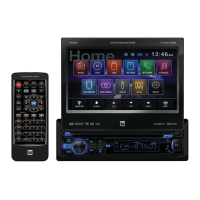
DV605 OPERATION
Time:
• Hour - Press < or > to adjust the hour down or up.
• Minute - Press < or > to adjust the minutes down or up.
• Format - Select between a 12HR or 24HR clock display.
• AM/PM - Select between AM and PM for current clock time.
Video:
• Color - Drag to adjust between -20 and 20.
• Brightness - Drag to adjust between -20 and 20.
• Contrast - Drag to adjust between -20 and 20.
• Tint - Drag to adjust between -20 and 20.
Language:
• English - Set the unit language to English.
RGB Illumination:
• Red/Green/Blue - Drag each level to manually adjust the unit's
illumination color.
• Color Selector - Use the color selector at the bottom of the
screen to select the unit's illumination color.
• Auto Color - Select this option to restore automatic color
settings.
Calibration:
• Calibrate the Screen - Press YES to calibration the touch screen.
To resolve abnormal operation or if the unit is inoperable, use the tip
of a pen to press the RESET button (located in the bottom left corner).
The unit will reset the main processor to the default settings.
Setup Menu
Reset


 To Next Page