16
CD/USB Operation
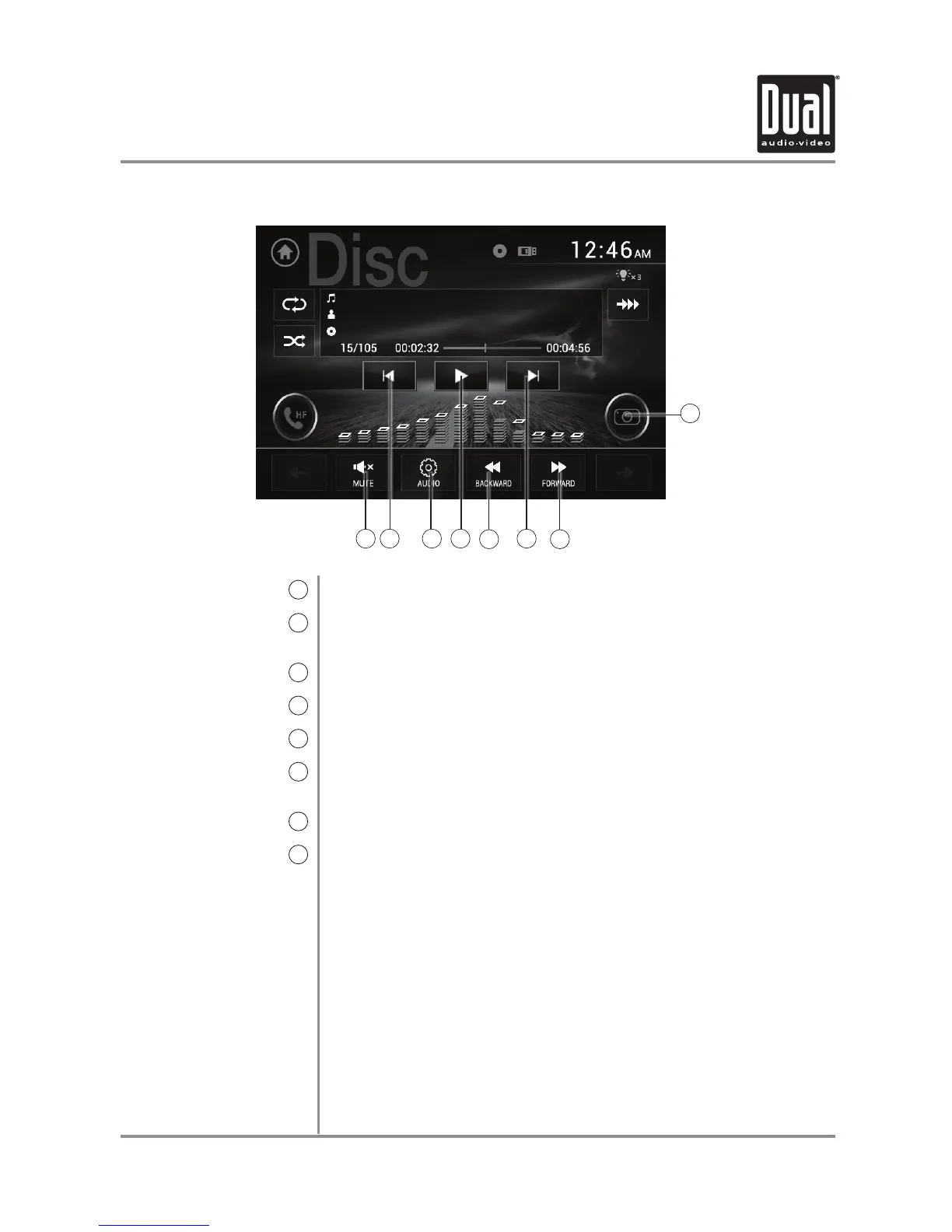
Camera
7
Mute
8
Previous File/Track
9
Audio
10
Play / Pause
11
Backward
12
Next File/Track
13
Forward
14
Press to access the Camera when the camera function is enabled.
Press to mute the unit's sound. Press again to unmute, or sound can be
restored by adjusting the volume knob of the front panel.
Press to go back to the previous file or track.
Press to adjust Audio options (refer to page 13 for details).
Press to pause or resume playback.
Press to fast reverse the current track at various speeds: FRx2, FRx4,
FRx8 or FRx20.
Press to advance to the next file or track.
Press to fast forward the current track at various speeds: FRx2, FRx4,
FRx8 or FRx20.
DV605 OPERATION
7
119 138 10
1412


 To Next Page