EasyManua.ls Logo

Dual MXD337BT - User Manual

Dual MXD337BT
14 pages
Print Icon
To Next Page IconTo Next Page
Loading...
INSTALLATION/OWNER'S MANUAL
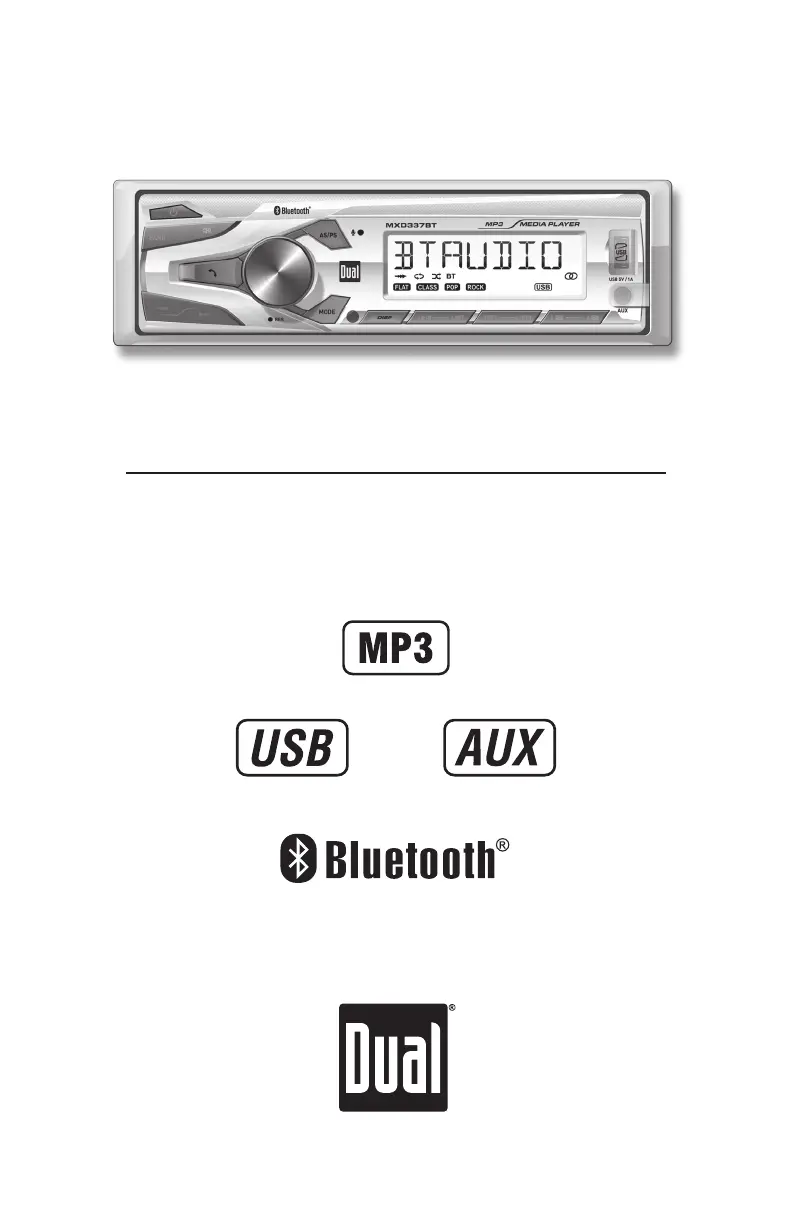
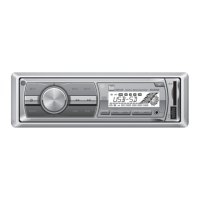
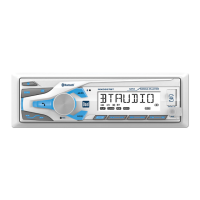
AM/FM Marine Receiver with Bluetooth and Fixed Face
MXD337BT

Questions and Answers

Summary

Installation Guide

Installation Preparation

Steps and considerations before installing the unit.

Mounting Method

Illustrates the typical front-load DIN mounting.

Wiring and Power

Wiring Diagram Details

Explains wiring for power, ground, speakers, and remote.

Fuse Specifications

Details correct fuse type and amperage for the unit.

Control Layout

Head Unit Controls Overview

Identifies and describes buttons and knobs on the main unit.

Remote Control Functions

Details the buttons and functions of the included remote control.

General Operation

Basic Unit Functions

Power, modes, volume, mute, and auxiliary input operations.

Settings and Navigation

Setting clock, display, and navigating audio/menu functions.

AM;FM Tuner Usage

Tuning and Band Management

How to seek, manually tune, and switch between AM/FM bands.

Radio Preset Handling

Storing, recalling, and automatically storing radio presets.

USB Media Playback

USB File Management

Inserting USB devices and selecting MP3 files for playback.

USB Playback Features

Using track select, FF/RW, pause, repeat, random, and intro.

Bluetooth Connectivity

Bluetooth Pairing Process

Steps to prepare and pair a Bluetooth device with the head unit.

Bluetooth Audio Streaming

How to stream audio from a Bluetooth device and control playback.

Troubleshooting Guide

Common Unit Issues

Solutions for power, sound, and blown fuse problems.

Display Error Resolution

Addressing "NO FILE" or "NO SUPPORT" display messages on the unit.

Warranty Information

Warranty Terms and Exclusions

Defines what the warranty covers, exclusions, and service procedure.

Regulatory Compliance

FCC Rules Compliance

Device compliance with FCC rules and conditions for operation.

Interference Management

Information on potential interference and methods to correct it.

Technical Specifications

Tuner Performance Specs

Detailed performance specifications for FM and AM tuners.

Unit Physical and Power Specs

Unit dimensions, speaker impedance, line output, and power output details.

Overview

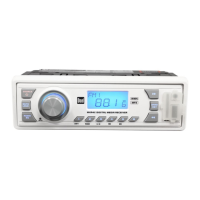
The MXD337BT is an AM/FM Marine Receiver with Bluetooth connectivity and a fixed face, designed for use in marine environments. It supports MP3 playback from USB devices and features an auxiliary input for other audio sources.

Function Description:

The receiver offers multiple modes of operation, including AM/FM radio, USB playback, Auxiliary Input, and Bluetooth audio streaming. Users can switch between these modes using the MODE button.

AM/FM Tuner Operation:

  • Seek Tuning: Allows users to quickly find the next or previous strong station by pressing the TUNE << or TUNE >> buttons.
  • Manual Tuning: For precise frequency selection, users can press and hold TUNE << or TUNE >> to enter manual tuning mode, then momentarily press the same buttons to change the radio frequency one step at a time. Holding the buttons down will advance quickly.
  • Band Selection: The BAND button cycles through FM1, FM2, FM3, AM1, and AM2 bands.
  • Storing Presets: The unit can store up to 18 FM stations and 12 AM stations. To store a station, select the desired band and station, then press and hold a preset button (1-6) for more than two seconds. The preset number will appear on the display upon successful storage.
  • Recalling Presets: Stored stations can be recalled by pressing the corresponding preset button.
  • Automatically Store (AS/PS): Pressing and holding the AS/PS button for more than two seconds automatically stores 18 FM stations and 12 AM stations.
  • Preset Scan Stations: Momentarily pressing AS/PS recalls each preset station stored in the memories for the current band.

USB Operation (MP3 Playback):

  • Playing MP3 Files: Insert a USB device containing MP3 files into the USB port.
  • Track Select: Use TUNE >> to skip to the beginning of the next track, and TUNE << to skip to the beginning of the previous track.
  • Fast Forward and Reverse: Press and hold TUNE >> or TUNE << to fast forward or reverse through a track.
  • Pause/Play: The ►/II button temporarily stops USB playback; pressing it again resumes playback.
  • Folder Access: Users can navigate folders by pressing Folder Up or Folder Down. After approximately one second, the first file in the selected folder will begin playing.
  • Repeat (RPT): Toggles between RPT ALL (plays all tracks on the USB device) and RPT ONE (continuously repeats the selected track).
  • Random (RDM): Plays tracks in random order; pressing again cancels the function.
  • Intro (INT): Plays the first 10 seconds of each track; pressing again cancels the function.

Bluetooth Operation:

  • Preparation: Ensure Bluetooth is activated on the mobile device before pairing.
  • Pairing a New Device: The head unit constantly broadcasts its pairing signal when no devices are connected. Complete the pairing sequence from the Bluetooth device. The device name is "Dual Media Player," and the Bluetooth passcode is "1234." The head unit can be in any mode during pairing.
  • Streaming Audio (A2DP): Supports wireless streaming audio from a Bluetooth mobile device.
    • Skip Track: Use >> to skip to the next available audio track.
    • Previous Track: Use << to skip to the previous audio track.
    • Play/Pause: Use ►/II to toggle between play and pause.

General Operation:

  • Power On/Off: Press the button to turn the unit on or off.
  • Volume Control: Adjust volume using the volume knob (range 00-43).
  • Mute: Press to silence the audio; press again to resume at the previously selected volume.
  • Auxiliary Inputs: Insert a 3.5mm cable into the front AUX port.
  • Reset: Press the RESET button (located on the front panel) to restore factory settings in case of abnormal operation.
  • Setting the Clock: With the unit on, press DISP to show the clock. Press and hold DISP until the hours flash, then use TUNE << and TUNE >> to adjust hours. Press DISP again, and the minutes will flash; use TUNE << and TUNE >> to adjust minutes. Press DISP momentarily to save.
  • Display: Press DISP to toggle between various displayed information.
  • Audio / Menu: Momentarily press the volume knob to select audio functions. Press and hold for more than two seconds to select menu functions. Rotate the volume knob left/right to adjust or activate the desired function/audio.

Important Technical Specifications:

  • FM Tuner:
    • Tuning range: 87.5MHz-107.9MHz
    • Usable sensitivity: 8.5dBf
    • 50dB quieting sensitivity: 10dBf
    • Stereo separation @ 1kHz: >30dB
    • Frequency response: 30Hz-13kHz
  • AM Tuner:
    • Tuning range: 530kHz-1710kHz
    • Usable sensitivity: <42dBu
    • Frequency response: 30Hz-2.2kHz
  • General:
    • Speaker output impedance: 4~8 ohms
    • Line output voltage: 2 Volts RMS
    • Dimensions: 7" x 3.8" x 2" (178 x 97 x 50 mm)
  • CEA-2006 Power Standard Specifications (reference: 14.4VDC +/- 0.2V, 20Hz~20kHz):
    • Power Output: 16 Watts RMS x 4 channels at 4 ohms and < 1% THD+N
    • Signal to Noise Ratio: 75dBA (reference: 1 watt into 4 ohms)
  • USB Port: 5V/1A output.
  • ID3 Tags: Supports Version 1.0 to 2.0 ID3 tags for MP3 files.

Usage Features:

  • User-Friendly Interface: Clearly labeled buttons and a volume knob for intuitive control.
  • Fixed Face: Provides a robust and secure design suitable for marine environments.
  • Bluetooth Connectivity: Seamless wireless audio streaming from compatible devices.
  • MP3 Playback: Supports MP3 files from USB drives, allowing for a wide range of music options.
  • Auxiliary Input: Provides flexibility for connecting non-Bluetooth audio devices.
  • Clock Display: Convenient time display function.
  • Multiple Presets: Ample storage for favorite radio stations across different bands.
  • Audio Customization: Access to various audio functions and menu settings via the volume knob.

Maintenance Features:

  • Installation:
    • Requires disconnecting the negative battery terminal before installation.
    • Avoid installation in areas with high temperatures, direct sunlight, dust, dirt, or excessive vibration.
    • Involves removing the trim ring, sliding the unit out of the mounting sleeve using supplied keys, installing the sleeve by bending tabs, connecting wiring harness and antenna, testing, and then sliding the unit back in and snapping the trim ring into place.
    • Consult a qualified technician if unsure about wiring.
    • Certain vehicles may require an installation kit and/or wiring harness adapter (sold separately).
  • Fuse Replacement: When replacing the fuse, ensure the new fuse is of the correct type and amperage (10 amp AGC fuse located beside the Heat Sink). Using an incorrect fuse can damage the radio.
  • Troubleshooting Guide: The manual includes a comprehensive troubleshooting section to address common issues such as no power, no sound, blowing fuses, or display errors.
    • No Power: Check connections for proper voltage (11~16VDC), ground connection, and replace blown fuses.
    • No Sound: Check speaker wire connections and insulate any bare wires to prevent short circuits.
    • Blowing Fuses: Check for pinched yellow or red wires, speaker wires touching chassis ground, and ensure the correct fuse rating is used.
    • "NO FILE" on Display: Ensure the USB device contains valid MP3 files.
    • "NO SUPPORT" on Display: Verify that MP3 files have ID3 tags within the supported versions (1.0 to 2.0).
  • FCC Compliance: The device complies with Part 15 of FCC Rules, ensuring it does not cause harmful interference and accepts received interference. Users are advised on measures to correct interference, such as reorienting the antenna, increasing separation from other equipment, or consulting a technician.
  • Warranty: Dual Electronics Corp. offers a limited one-year warranty covering defects in material and workmanship from the original purchase date. It provides repair or replacement services. For service, users should pack the product carefully, include the original receipt, a written problem description, return shipping address, and daytime phone number, then ship it to an authorized service center. Contact information for support is provided (toll-free number and email).

Dual MXD337BT Specifications

General IconGeneral
BrandDual
ModelMXD337BT
CategoryMarine Equipment
LanguageEnglish

Related product manuals