EasyManua.ls Logo

Dual XDCPA11BT - User Manual

Dual XDCPA11BT
28 pages
Print Icon
To Next Page IconTo Next Page
Loading...
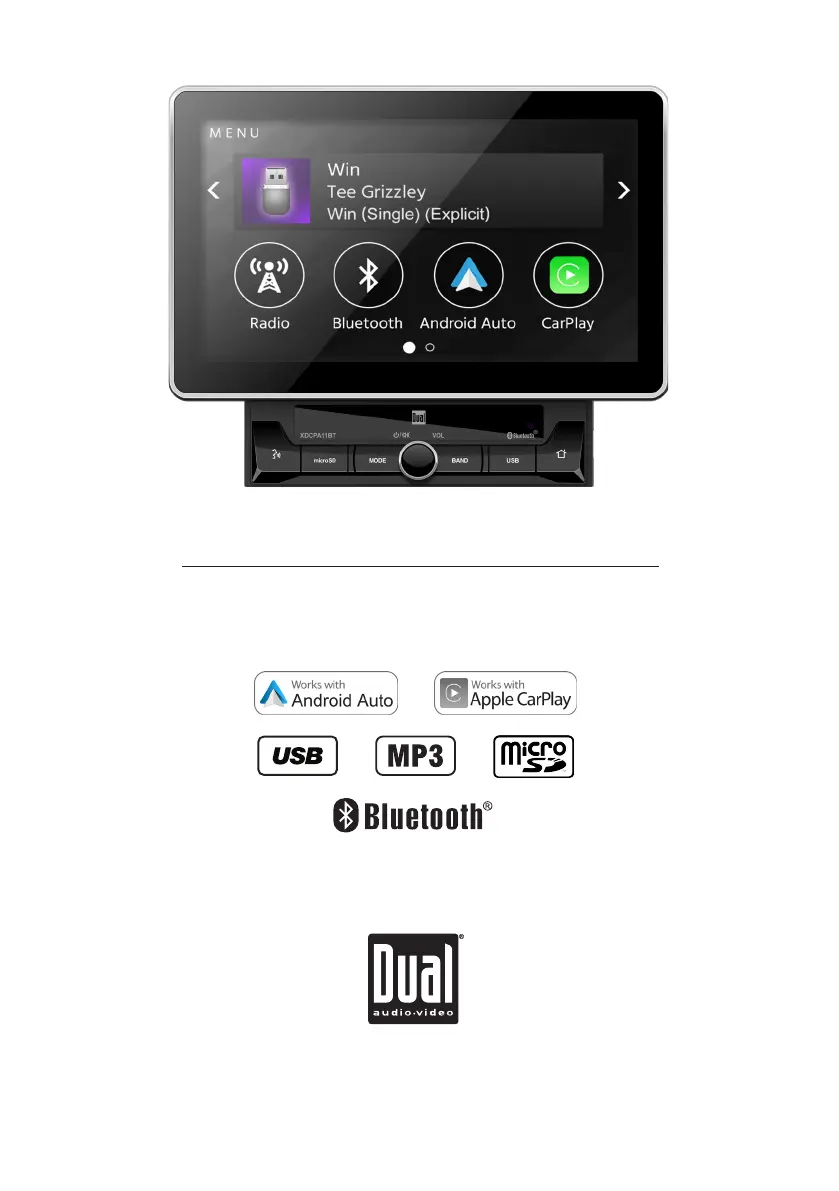
INSTALLATION/OWNER’S MANUAL
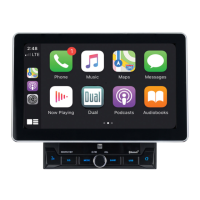
Multimedia Receiver with Android Auto™ and CarPlay™
featuring a 10.1" digital TFT Display
XDCPA11BT

Questions and Answers

  • B
    brittany72Aug 16, 2025
    What to do if my Dual XDCPA11BT has power but no sound?
    • E
      Emily WhiteAug 16, 2025
      If your Dual Car Video System has power but no sound, consider these potential issues: * Speaker wires might not be connected properly. Check the connections at the speakers. * One or more speaker wires could be touching each other or the chassis ground. Insulate all bare speaker wires from each other and the chassis ground.
  • L
    longmarcusAug 22, 2025
    What to do if my Dual Car Receiver unit blows fuses?
    • P
      petersonelizabethAug 22, 2025
      If your Dual Car Receiver unit keeps blowing fuses, it could be due to several reasons: * The yellow or red wire might be touching the chassis ground. Check for any pinched wires. * Speaker wires might be touching the chassis ground. Inspect for pinched wires. * The fuse rating might be incorrect. Ensure you are using fuses with the correct rating.
  • T
    Tina OliverAug 26, 2025
    How to troubleshoot Dual Car Receiver when there is power but no sound?
    • F
      fwalshAug 26, 2025
      If your Dual Car Receiver has power but no sound, here's what you can check: * Speaker wires might not be connected. Check the connections at the speakers. * One or more speaker wires might be touching each other or the chassis ground. Insulate all bare speaker wires from each other and the chassis ground.
  • A
    Austin NashAug 28, 2025
    What to do if my Dual Car Receiver has audio but no video?
    • C
      Carl TaylorAug 28, 2025
      If your Dual Car Receiver has audio but no video, it could be due to: * The parking brake safety circuit not being connected. Check the connections at the parking brake. * The parking brake not being applied. Apply the parking brake.
  • G
    george98Aug 31, 2025
    Why Dual Car Receiver IR remote does not work?
    • R
      Rebecca RussellAug 31, 2025
      If the IR remote for your Dual Car Receiver isn't working, the most likely cause is a dead battery. Replace the battery.
  • W
    William JohnsonSep 3, 2025
    How to fix a Dual XDCPA11BT that won't turn on?
    • V
      vdavenportSep 3, 2025
      If your Dual Car Video System is not turning on, there are several possible causes: * The yellow or red wire might not be connected properly or have incorrect voltage. Check the connections to ensure they have the correct voltage (11~16VDC). * The black wire may not be connected. Verify the connection to ground. * The fuse might be blown. Replace the fuse(s).
  • J
    Joseph SimpsonSep 6, 2025
    Why does my Dual XDCPA11BT Car Video System keep blowing fuses?
    • S
      Shane AndersonSep 6, 2025
      Your Dual Car Video System might be blowing fuses due to several reasons: * The yellow or red wire could be touching the chassis ground. Check for any pinched wires. * Speaker wires might be touching the chassis ground. Inspect for pinched wires. * The fuse rating might be incorrect. Ensure you are using fuses with the correct rating.
  • C
    Craig NewmanSep 9, 2025
    Why does my Dual XDCPA11BT have audio but no video?
    • S
      Sarah MyersSep 9, 2025
      If your Dual Car Video System has audio but no video, the parking brake safety circuit might not be connected, or the parking brake may not be applied. Check the connections at the parking brake.
  • C
    chris01Sep 10, 2025
    Why Dual Car Receiver unit will not turn on?
    • S
      Shane SalinasSep 12, 2025
      If your Dual Car Receiver unit isn't turning on, there are several potential causes: * The yellow wire might not be connected properly or have incorrect voltage. Check the connections to ensure they have the proper voltage (11~16VDC). * The black wire might not be connected. Verify the connection to ground. * The fuse might be blown. In this case, replace the fuse(s).
  • R
    Rachael MarquezSep 12, 2025
    How to fix a Dual XDCPA11BT IR remote that is not working?
    • M
      misty94Sep 12, 2025
      If the IR remote for your Dual Car Video System is not working, the battery might be dead. Try replacing the battery.

Summary

Important Safety Warnings

Driver Distraction Prevention

Emphasizes avoiding unit operation while driving to prevent accidents.

Parking Brake Lock-out Function

Details the necessity of the parking brake lock-out feature for safe operation.

Installation Preparation Guide

Wiring Diagram and Connections

External Input;Output Ports

Identification of all connectors for audio, video, camera, and microphone.

General Unit Operations

Power, Volume, and Mode Selection

Basic controls for turning the unit on/off, adjusting sound, and changing input sources.

AM;FM Radio Tuning

Station Seeking and Presets

Methods for automatically seeking stations and storing/recalling presets.

USB Media Playback

Navigating USB Files and Folders

Browsing files, accessing folders, and searching for music tracks.

Playback Controls and Audio Settings

Managing playback, repeat, random modes, and equalizer for USB audio.

Bluetooth Device Pairing

Connecting and Pairing Process

Step-by-step guide for pairing new Bluetooth devices and auto-connecting.

Apple CarPlay System

CarPlay Features Overview

Voice control for navigation, music, messages, and other apps using iPhone.

Compatible Devices and Setup

Lists supported iPhone/iPod models and initial connection steps for CarPlay.

Controlling Apple CarPlay

Interface Navigation and Gestures

Using touch, swipe, and Siri commands to operate CarPlay applications.

Android Auto System

Android Auto Features Overview

Utilizing Google Assistant, navigation, calls, and messages from an Android phone.

Device Compatibility and Connection

Requirements for Android Auto and the process of connecting the compatible device.

Using and Exiting Android Auto

Home Screen and Voice Commands

Navigating the Android Auto home screen and interacting via voice commands.

Troubleshooting Common Problems

Power and Audio Issues

Solutions for units that won't turn on or lack sound output.

Dual XDCPA11BT Specifications

General IconGeneral
Resolution1024 x 600
BluetoothYes
TouchscreenYes
Built-in MicrophoneYes
Apple CarPlayNo
Android AutoYes
Backup Camera InputYes
Steering Wheel Control CompatibleYes
USB PortYes
AM/FM RadioYes
DVD PlayerNo
InputsUSB
OutputsRCA
Power Output50 watts x 4 channels
Screen Size10.1 inches

Related product manuals