EasyManua.ls Logo

Dual DV715B - User Manual

Dual DV715B
26 pages
Print Icon
To Next Page IconTo Next Page
Loading...
INSTALLATION/OWNER’S MANUAL
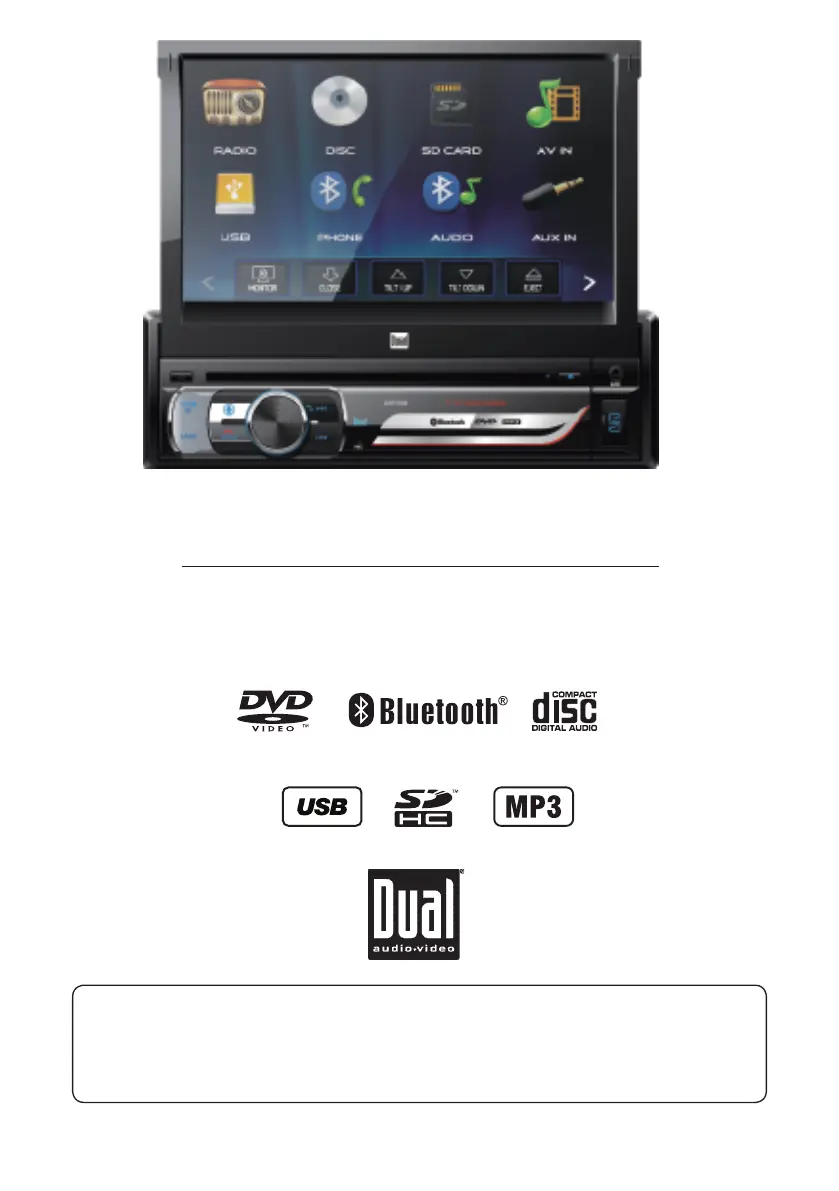
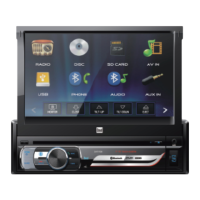
DVD Multimedia Receiver with Bluetooth®
featuring a 7" Touch Screen Display
DV715B
The DVD video display of the in-dash unit will not operate while the vehicle is moving. This is a safety
feature to prevent driver distraction. In-dash DVD video functions will only operate when vehicle is in
Park and the parking brake is engaged. It is illegal in most states for the driver to view video while the
vehicle is in motion.
Safety Notes:

Questions and Answers

Overview

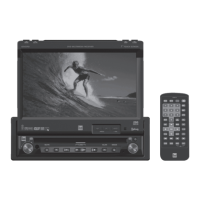
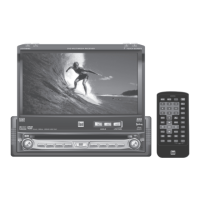
The Dual DV715B is a DVD Multimedia Receiver with Bluetooth, featuring a 7-inch touch screen display, designed for in-dash installation in vehicles. This device offers a wide range of audio and video playback options, along connectivity features for external devices and a rear camera.

Function Description

The DV715B serves as a central entertainment and information hub in a vehicle. Its primary functions include:

  • DVD/CD Playback: The unit can play various disc formats, including DVD Video, DVD+R/RW, DVD-R/RW, CD-DA, CD-ROM (ISO), CD-R, and CD-RW. This allows users to watch movies or listen to music from physical media.
  • AM/FM Tuner: It includes an integrated AM/FM tuner for radio reception, allowing users to listen to their favorite stations. The tuner supports both local and distance tuning, as well as stereo and mono reception.
  • USB/SD Card Playback: The device features a USB port and a microSD slot, enabling playback of MP3 audio files, AVI video files, and JPG photos from compatible USB devices and microSD cards.
  • Bluetooth Connectivity: The DV715B is equipped with Bluetooth for wireless audio streaming (Bluetooth Audio) and hands-free calling (Bluetooth Phone). It supports auto-connect and auto-answer features for convenience.
  • Auxiliary Inputs: It provides both front 3.5mm auxiliary input and rear RCA A/V inputs, allowing connection of external audio/video devices.
  • Rear Camera Input: The unit supports an optional rear view camera, which can be manually selected or automatically activated when the vehicle is in reverse.
  • Steering Wheel Control (SWC) Compatibility: The built-in SWC interface allows for integration with PAC steering wheel control modules, enabling control of various unit functions directly from the steering wheel.

Usage Features

The DV715B is designed for user-friendly operation with its 7-inch touch screen display and intuitive controls.

  • Touch Screen Interface: The main interface is a touch screen, providing easy access to all functions. The screen can be opened and closed, and its angle can be adjusted for optimal viewing.
  • Main Menu: A house icon in the top left corner of the open monitor accesses the Main Menu, which serves as the central hub for selecting different input modes (Radio, Disc, SD Card, AV In, USB, Bluetooth Phone, Bluetooth Audio, Auxiliary Input, Rear Camera, and Settings).
  • General Operation Controls:
    • Power On/Off: A momentary press of the power button turns the unit on or off.
    • Volume Control: A rotary knob allows for increasing or decreasing the volume level.
    • Mute: A momentary press of the MUTE button silences the audio, and another press restores the previous volume.
    • Mode Selection: The MODE button cycles through all available input modes.
    • LCD Control: The OPEN button opens or closes the LCD screen, while UP and DOWN buttons adjust the screen angle.
    • Disc Eject: A dedicated eject button allows for easy removal of discs.
  • Setup Menu: Accessible from the Main Menu, the Setup menu allows users to customize various settings across General, Audio, Video, and Bluetooth categories.
    • General Settings: Includes OSD Language, Wallpaper selection, Screen Calibration, Radio Area, Time Setting (12/24-hour clock), Beep (on/off), Camera (on/off), Version information, and Restore Default options.
    • Audio Settings: Offers Sound Effect sub-menus, EQ presets (Classic, Rock, Pop, Jazz, Beat, Flat, User), Subwoofer frequency and volume control, Loudness (on/off), and Loudness Cut off Frequency.
    • Video Settings: Allows adjustment of Aspect Ratio (4:3PS, 4:3LB, 16:9), Brightness, Contrast, Hue, Saturation, Sharpness, and Panel backlight settings (10s, 20s, 30s, Off).
    • Bluetooth Settings: Configures Auto Connect and Auto Answer features.
  • AM/FM Tuner Operation:
    • Tune Frequency: Dedicated buttons allow tuning the radio to lower or higher frequencies, one step at a time.
    • Band Selection: Cycles between 2 AM and 3 FM bands.
    • Local/Distance Tuning: Toggles between local and distance tuning modes.
    • AS/PS (Auto Store/Preset Scan): Scans presets, listens to the first 10 seconds of each, and can automatically find and store the strongest stations.
    • Stereo/Mono Tuning: Toggles between stereo and mono reception.
    • Preset Stations: Allows setting and recalling desired stations.
  • CD/USB/microSD Card Operation:
    • Automatic Playback: Playback begins automatically upon inserting a disc or connecting a USB/microSD device.
    • Repeat Options: Selects between Repeat 1, Repeat Folder, or Repeat Off.
    • Random Playback: Enables or disables random playback.
    • File/Track Navigation: Buttons for previous file/track, play/pause, and next file/track.
    • Folder Access: Allows access to all folders on the device.
  • DVD Operation:
    • Chapter/Track Navigation: Buttons for previous chapter, play/pause, and next chapter.
    • Random Playback: Plays chapters in random order.
    • Audio Language Settings: Adjusts audio language options.
    • Screen Setup: Adjusts screen color settings.
    • Zoom: Zooms in or out on an image.
    • Subtitle Options: Accesses subtitle settings.
    • Monitor Standby: Puts the monitor into standby mode.
  • Bluetooth Phone Operation:
    • Pairing: The unit broadcasts a pairing signal, and users can connect their Bluetooth devices using the device name "DV715B" and passcode "0000".
    • Phone Keypad: Dials phone numbers directly from the screen.
    • Bluetooth Music: Accesses Bluetooth music streaming.
    • Available Devices: Views a list of available Bluetooth devices.
    • Talk/End Call: Connects or ends a call.
  • Safety Features: The DVD video display is designed not to operate while the vehicle is moving to prevent driver distraction. In-dash DVD video functions only operate when the vehicle is in Park and the parking brake is engaged. The unit includes a parking brake lock-out feature, requiring the parking brake detect wire to be properly connected. It is illegal in many states for the driver to view video while the vehicle is in motion.

Maintenance Features

  • Fuse Replacement: When replacing a fuse, it is crucial to use the correct type and amperage (10 amp ATC mini style fuse). Disconnecting the wiring harness first is recommended to prevent short circuits.
  • Cleaning the Monitor: The monitor should be wiped only with a dry silicone cloth or soft cloth. Stiff cloths or volatile solvents like paint thinner and alcohol should be avoided as they can scratch the surface or remove printing.
  • Troubleshooting Guide: The manual includes a troubleshooting guide to help users diagnose and resolve common issues, such as the unit not turning on, no sound, blowing fuses, no video, or DVD playback problems.
  • Reset Function: A reset button is available (located behind the faceplate) to address malfunctions.
  • Professional Installation: Due to its technical nature, professional installation by a qualified installer or authorized dealer is highly recommended.
  • Technical Assistance: In case of persistent problems, users can contact DUAL tech assistance.
  • Warranty: The product comes with a limited one-year warranty covering defects in material and workmanship. Users are advised to keep their original sales receipt for warranty service.

Dual DV715B Specifications

General IconGeneral
Display Size7 inches
Resolution800 x 480 pixels
DVD PlaybackYes
BluetoothNo
USB PortYes
SD Card SlotYes
Remote ControlYes
Power Source12V DC
Aspect Ratio16:9
Audio FormatsMP3, WMA
Built-in SpeakerYes
Audio OutputRCA
Video OutputRCA
Screen TypeLCD
Headphone JacksYes
Mounting StyleHeadrest
Power Supply12V DC

Related product manuals