EasyManua.ls Logo

Dual XDVD8182 - User Manual

Dual XDVD8182
64 pages
Print Icon
To Next Page IconTo Next Page
Loading...
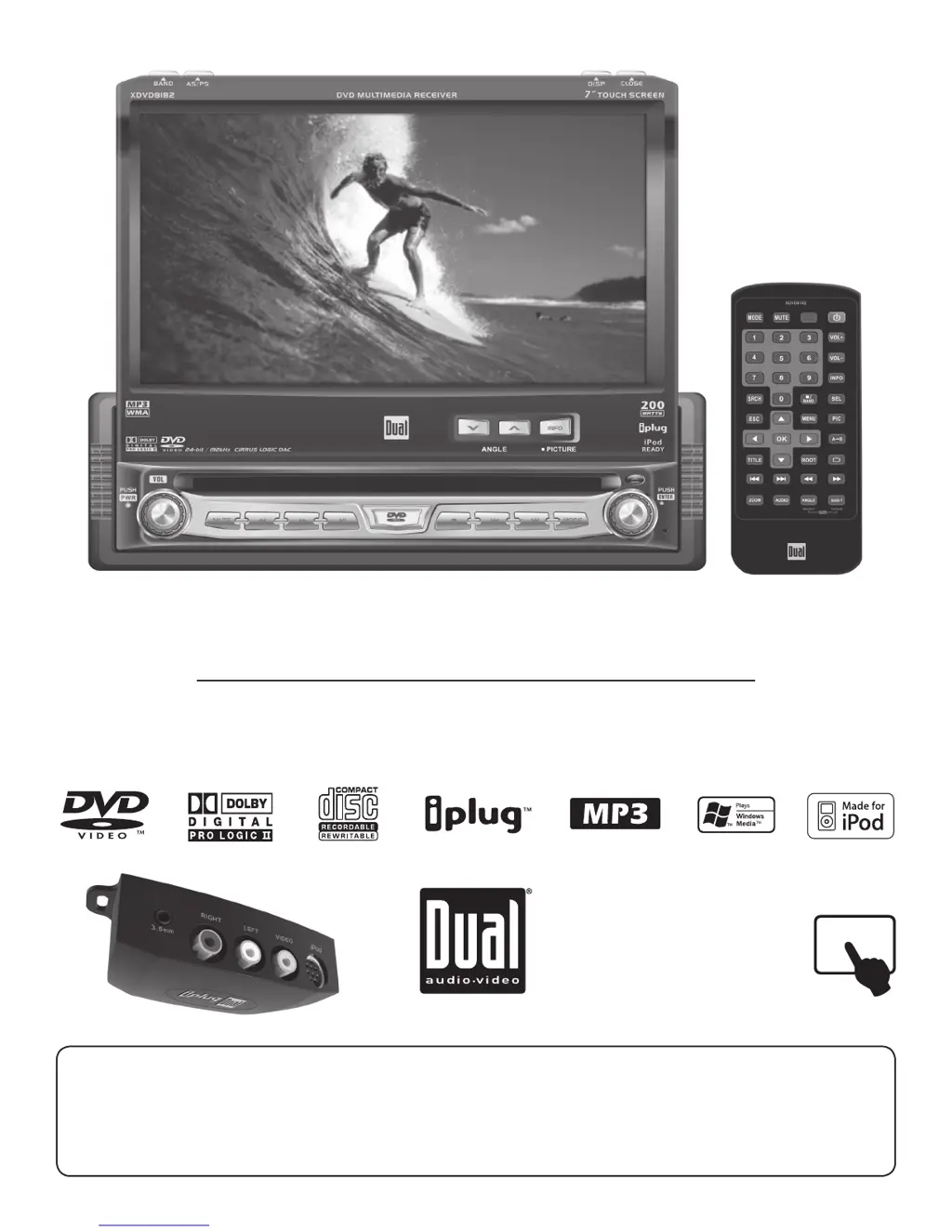
INSTALLATION/OWNER’S MANUAL
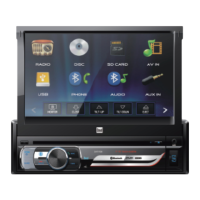
DVD Multimedia Receiver with 7” Touch Screen Display
XDVD8182
The DVD video display of the in-dash unit will not operate while the vehicle is moving. This is a safety feature to
prevent driver distraction. In-dash DVD video functions will only operate when vehicle is in Park and the parking
brake is engaged. It is illegal in most states for the driver to view video while the vehicle is in motion.
Safety Notes:
TOUCH

Questions and Answers

  • G
    Gabriel McdonaldAug 18, 2025
    What to do if my Dual XDVD8182 Car Video System has power but no sound?
    • M
      Mark HamptonAug 18, 2025
      If your Dual Car Video System is on but you're not hearing any sound, it could be due to a couple of things. Check the speaker wire connections to make sure they are properly connected. Also, ensure that none of the bare speaker wires are touching each other or the chassis ground; if they are, insulate them.
  • P
    Phillip KellyAug 20, 2025
    Why Dual Car Video System won't turn on?
    • M
      Mark WalshAug 21, 2025
      If your Dual Car Video System isn't powering on, there are a few potential reasons. First, the yellow wire might not be connected properly or have the correct voltage (11~16VDC), so check those connections. Second, the black wire might not be connected to ground, so verify that connection as well. Finally, the fuse might be blown, so try replacing it.
  • R
    Robert MartinezAug 23, 2025
    How to fix Dual XDVD8182 Car Video System that blows a fuse?
    • A
      Anne NewmanAug 23, 2025
      If your Dual Car Video System keeps blowing fuses, there are a few possible causes. A yellow or red wire might be touching the chassis ground, so check for any pinched wires. Speaker wires might also be touching the chassis ground, so inspect those for pinches as well. Finally, you might be using the wrong fuse rating, so make sure you're using a fuse with the correct rating.
  • J
    Jacqueline BoyleAug 26, 2025
    What to do if my Dual Car Video System has audio but no video?
    • S
      Sarah Jones MDAug 26, 2025
      If your Dual Car Video System has audio but no video, it might be related to the parking brake safety circuit. Check the connections at the parking brake. Also, make sure the parking brake is applied.
  • M
    Morgan GibsonAug 28, 2025
    Why is there no video display when reversing with my Dual XDVD8182?
    • R
      robert59Aug 28, 2025
      If you're not getting a video display when you put your car in reverse using the Dual Car Video System, start by checking the connections at the reverse lamp for the reverse circuit. Also, ensure that the vehicle is actually in reverse gear. Finally, check if the rear view setting is turned to OFF.
  • V
    Vicki HunterAug 30, 2025
    How to troubleshoot DVD playback issues on Dual XDVD8182?
    • R
      Rachel JacksonAug 30, 2025
      If your DVD isn't starting playback on your Dual Car Video System, check the disc for any physical defects like scratches. Also, confirm that you are using discs labeled 'Region 1' or 'All'.
  • J
    Jennifer Hernandez MDSep 2, 2025
    Why Dual Car Receiver won't turn on?
    • E
      ecampbellSep 2, 2025
      If your Dual Car Receiver isn't powering on, the yellow or red wires might not be properly connected, or the voltage could be incorrect. Check these connections to ensure they're receiving the correct voltage (11~16VDC). Also, verify the black wire is properly connected to ground. Lastly, inspect the fuse and replace it if it's blown.
  • A
    Andre RodriguezSep 4, 2025
    What to do if Dual Car Receiver has power but no sound?
    • E
      Edward DavisSep 4, 2025
      If your Dual Car Receiver has power but isn't producing any sound, start by checking the speaker wire connections at the speakers. Also, make sure that none of the bare speaker wires are touching each other or the chassis ground. If they are, insulate them to prevent contact.
  • J
    Jeffrey HarrisSep 7, 2025
    What to do if my Dual Car Receiver blows a fuse?
    • M
      Madeline Jones DDSSep 7, 2025
      If your Dual Car Receiver keeps blowing fuses, it could be due to a yellow or red wire touching the chassis ground. Check for any pinched wires. Also, speaker wires touching the chassis ground can cause this issue, so inspect those for pinches as well. Finally, make sure you're using a fuse with the correct rating.
  • O
    Olivia FisherSep 9, 2025
    What to do if Dual Car Receiver has audio but no video?
    • A
      Alejandro CastilloSep 10, 2025
      If your Dual Car Receiver is playing audio but not displaying video, the parking brake safety circuit might not be connected. Check the connections at the parking brake. Also, ensure that the parking brake is applied.

Summary

Safety Notes and Product Overview

Safety Notes

Key warnings for safe operation and legal compliance regarding video display.

Important Safety Warnings

Driver Distraction and Safety

Warns against operating the unit while driving and details parking brake lock-out requirements.

General Safety and Handling

Installation Preparation

Wiring Diagrams

Expanded Wiring Diagram - Inputs;Outputs

Illustrates all input and output connections for the unit.

Control Locations - Monitor Closed

Control Locations - Monitor Open

Remote Control Layout

General Operation

Power and Monitor Management

Covers turning the unit on/off and opening/closing the monitor.

General Operation - Modes and Volume

General Operation - Menu Navigation

General Setup Menu

General Setup Options Overview

Overview of available settings in the General Setup menu.

General Setup - Anti-theft Code

Screen Setup Menu

Screen Setup Options Overview

Overview of available settings for screen adjustments.

Screen Setup - Touch Screen Calibration

AM;FM Tuner Operation

AM;FM Tuner TFT Display

Explains the interface elements of the AM/FM tuner display.

AM;FM Tuner Functions

DVD Operation - Safety Features

Parking Brake Initialization Procedures

Step-by-step procedures to enable video playback by initializing the parking brake.

DVD Operation - Touch Screen Controls

DVD Setup Menu - Language

DVD Setup Menu - Audio

Audio Setup Controls

Controls for pink noise, DRC, and channel delay settings.

DVD Setup Menu - Audio Settings

DVD Setup Menu - Video

Video Setup Options

Settings for TV shape, angle mark, and view mode.

DVD Setup Menu - Speaker

Speaker Mode and Front Speaker Configuration

Configuration for speaker output mode and front speaker size.

DVD Setup Menu - Speaker Configuration

DVD Setup Menu - Pro Logic II

Pro Logic II Decode and Panorama Settings

Settings for Pro Logic II decode mode and panorama effect.

DVD Setup Menu - Pro Logic II Settings

DVD Setup Menu - Rating

Parental Lock and Rating Configuration

How to enable parental lock and select content ratings.

CD Operation

CD User Interface and Controls

Explains the display and controls for CD playback.

CD Operation - Playback Methods

MP3;WMA Operation

MP3;WMA User Interface

Describes the display and controls for MP3 and WMA file playback.

MP3;WMA Operation - Track Selection

Media Compatibility

Supported and Unsupported Media Types

Lists supported and unsupported disc/file types.

Media Compatibility - MP3;WMA Details

iPod Operation (Optional)

iPod Operation - Music Selection

iPod Operation - Photo and Video

Limited One Year Warranty

Troubleshooting Guide

Common Problems and Solutions

A guide to diagnose and resolve common issues with the unit.

Technical Specifications

Unit Specifications Overview

Detailed technical data of the unit's components and performance.

Dual XDVD8182 Specifications

General Specifications IconGeneral Specifications
frequency response (DVD Player)10Hz-20kHz
channel separation @ 1kHz>65dB
D/A converter24 Bit
FM Tuner IconFM Tuner
tuning range87.5MHz-107.9MHz
usable sensitivity8.5dBf
50dB quieting sensitivity10dBf
stereo separation @ 1kHz40dB
frequency response30Hz-13kHz
AM Tuner IconAM Tuner
tuning range530kHz-1720kHz
usable sensitivity22uV
frequency response30Hz-2.2kHz
Monitor IconMonitor
panel size7” (177.8 mm) diagonal measurement
view angle (up/down/left/right)30/60/60/60
resolution480 W x 234 H
brightness350 cd/m²
contrast ratio300:1
elements336, 960
Power IconPower
operating voltage11-16 VDC, negative ground
speaker output impedance4~8 ohms
line output voltage2 Volts
line output impedance200 ohms
power output17 Watts RMS x 4 channels at 4 ohms and < 1% THD+N
signal to noise ratio80dBA (reference: 1 watt into 4 ohms)
Weight and Dimensions IconWeight and Dimensions
chassis dimensions7" x 7" x 2" (178 x 178 x 51 mm)

Related product manuals