2
XDM290BT INSTALLATION
Preparation
Please read entire manual before installation.
Before You Start
• Disconnect negative battery terminal. Consult a qualified technician for
instructions.
• Avoid installing the unit where it would be subject to high temperatures, such
as from direct sunlight, or where it would be subject to dust, dirt or excessive
vibration.
Getting Started
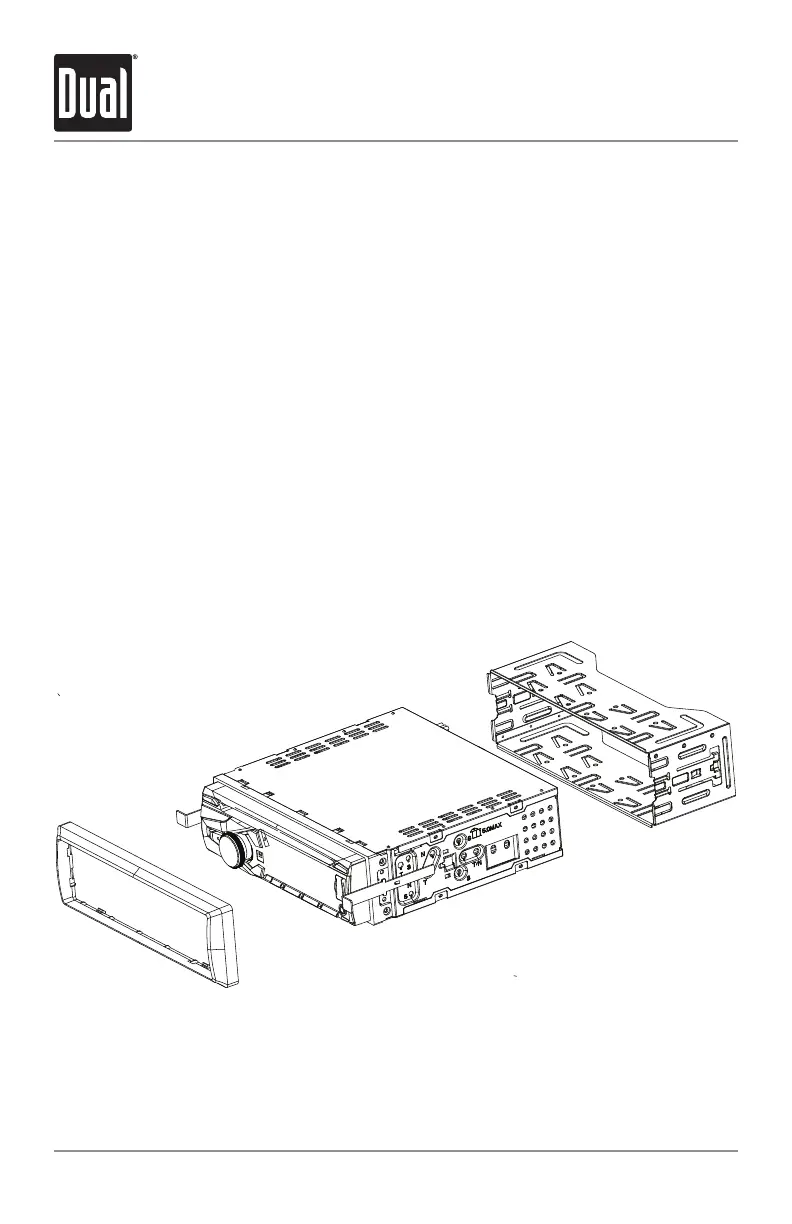
• Remove trim ring from unit.
• Remove 2 transit screws located on top of the unit.
• Insert the supplied keys into the slots as shown, and slide the unit out of the
mounting sleeve.
• Install mounting sleeve into opening, bending tabs to secure.
• Connect wiring harness and antenna. Consult a qualified technician if you are
unsure.
• Certain vehicles may require an installation kit and/or wiring
harness adapter (sold separately).
• Test for correct operation and slide into mounting sleeve to secure.
TYPICAL FRONT-LOAD DIN MOUNTING METHOD


 To Next Page