EasyManua.ls Logo

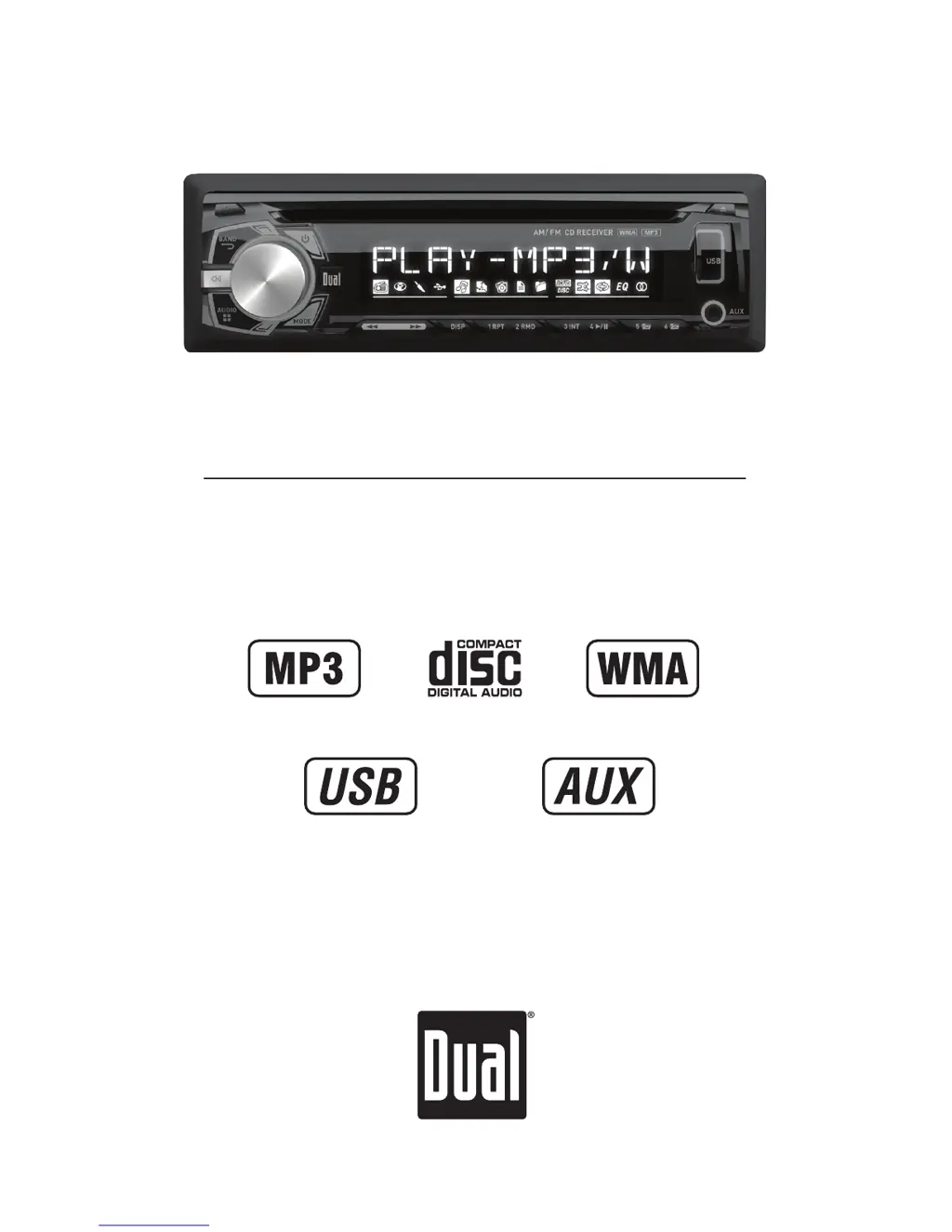
Dual XDM260 - User Manual

Dual XDM260
20 pages
Print Icon
To Next Page IconTo Next Page
Loading...
INSTALLATION/OWNER'S MANUAL
AM/FM/CD Receiver with Detachable Face
XDM260

Questions and Answers

  • R
    Ryan OrtegaAug 13, 2025
    How to fix Dual XDM260 Car Receiver that won't turn on?
    • M
      Mark BallAug 13, 2025
      If your Dual Car Receiver won't turn on, start by checking the yellow wire connection to ensure it has the correct voltage (11~16VDC). Also, verify the black wire is properly connected to ground. Lastly, inspect the fuse and replace it if it's blown.
  • D
    Deanna MitchellAug 16, 2025
    Why does my Dual XDM260 Car Receiver keep blowing fuses?
    • C
      Carrie LeeAug 17, 2025
      If your Dual Car Receiver is blowing fuses, check the yellow or red wire to see if it's touching the chassis ground, looking for any pinched wires. Also, inspect the speaker wires for the same issue. Finally, ensure you are using a fuse with the correct rating.
  • H
    hardydeannaAug 20, 2025
    What to do if my Dual XDM260 Car Receiver has power but no sound?
    • A
      andersonleahAug 20, 2025
      If your Dual Car Receiver has power but no sound, first check the speaker wire connections at the speakers. Then, make sure that none of the bare speaker wires are touching each other or the chassis ground; insulate them if they are.
  • G
    Gerald CostaAug 25, 2025
    How to fix 'ERR FILE' on Dual XDM260 Car Receiver?
    • J
      Jeffery MorrisAug 25, 2025
      If your Dual Car Receiver displays 'ERR FILE', try pressing the eject button or the reset button. If that doesn't work, the WMA file might be copy-protected by DRM. Try writing the disc using WMA files that are not copy-protected.
  • B
    Brandon ParkerAug 28, 2025
    Why is my Dual XDM260 Car Receiver skipping a lot?
    • L
      Laura HernandezAug 28, 2025
      If your Dual Car Receiver is skipping excessively, check the mounting sleeve and backstrap support to ensure the unit is mounted correctly and the backstrap is secure. Also, inspect the media (CD, CD-R, or CD-RW) for any physical defects like scratches.
  • J
    juanmosleySep 1, 2025
    What does 'NO FILE' mean on my Dual Car Receiver?
    • R
      Ronald LopezSep 1, 2025
      If your Dual Car Receiver displays 'NO FILE', it means that no playable MP3/WMA files were found on the device. Check the device to ensure it contains valid MP3/WMA files.
  • T
    thomas17Sep 4, 2025
    How to fix Dual Car Receiver that won't accept a disc?
    • W
      Wanda ValentineSep 4, 2025
      If your Dual Car Receiver will not accept a disc, press the EJECT button to reset the CD mechanism position. Also, remove the two transit screws located on top of the unit.
  • L
    Linda MillerSep 8, 2025
    What does 'NO SUPPORT' mean on my Dual Car Receiver display?
    • K
      kenneth51Sep 8, 2025
      The Dual Car Receiver displays 'NO SUPPORT' because an invalid ID3 tag version is present. The receiver supports version 1.0 to 2.0 ID3 tags.

Summary

Installation Preparation

Before Installation

Essential steps before beginning the installation process, including battery disconnection.

Installation Steps

Sequential guide for physically mounting the head unit and connecting essential components.

Wiring Diagram

Receiver Control Overview

General Operation

Faceplate and Basic Controls

Procedures for removing/re-installing the faceplate and operating primary functions like power and mode.

Clock and Setup Menu

Instructions for setting the clock, understanding 12/24 hour format, and accessing the setup menu.

Audio Settings

Audio Adjustment Menu

Guide to adjusting Bass, Treble, Balance, and Fader settings using the volume knob.

AM;FM Tuner Operation

Tuning and Scanning

Methods for seeking strong stations and manually tuning radio frequencies.

Band and Presets

Switching between FM/AM bands and storing/recalling favorite stations using preset buttons.

CD Player Operation

CD Handling and Basic Playback

Inserting, ejecting, and controlling playback of standard CDs, including track selection.

CD Playback Features

Utilizing Intro, Repeat, and Random playback modes for CD discs.

CD Compatibility Notes

Information on which types of CDs and recording methods are compatible or may cause issues.

MP3;WMA CD Playback

Playing and Displaying MP3;WMA Files

How to play MP3/WMA discs, display file information, and character support limits.

MP3;WMA Playback Modes

Using Repeat, Random, and Intro functions for MP3/WMA file playback.

MP3;WMA File Compatibility

Media and Recording Format Compatibility

Details on compatible media types, recording formats, and file system standards for discs.

Playback Order and Limitations

Understanding playback sequence, folder structure limits, and character restrictions for MP3/WMA discs.

MP3;WMA File Details

Additional MP3;WMA Information

Notes on file extensions, playing mixed discs, and tag display limitations.

Sampling and Bit Rates

Specifications for sampling frequency and bit rates for MP3/WMA files.

Tag Display and Settings

Information on MP3 tag display versions and recommended settings for disc burning.

USB Device Operation

Connecting and Music Playback

Connecting USB devices, initial playback, and basic music navigation controls.

USB Information and Playback Modes

Displaying file information, and using Repeat, Random, and Intro modes for USB playback.

USB File Compatibility

Character Support and Media Types

Display limits for file/folder names and compatible/incompatible file types for USB.

Playback Order and Capacity Limits

Understanding playback sequence, maximum file/folder counts, and folder level depth for USB.

USB Device Requirements

Specifications for USB device class, file system, and maximum capacity for compatibility.

USB MP3;WMA File Details

Additional USB File Information

Notes on file extensions, playing mixed discs, and tag display limitations for USB.

Sampling, Bit Rates, and Tag Display

Specifications for sampling frequency, bit rates, and ID3 tag version support for USB.

Troubleshooting

Limited One Year Warranty

FCC Compliance

Specifications

Dual XDM260 Specifications

General IconGeneral
BrandDual
ModelXDM260
CategoryCar Receiver
LanguageEnglish

Related product manuals