EasyManua.ls Logo

Dual XDMA6438 - User Manual

Dual XDMA6438
24 pages
Print Icon
To Next Page IconTo Next Page
Loading...
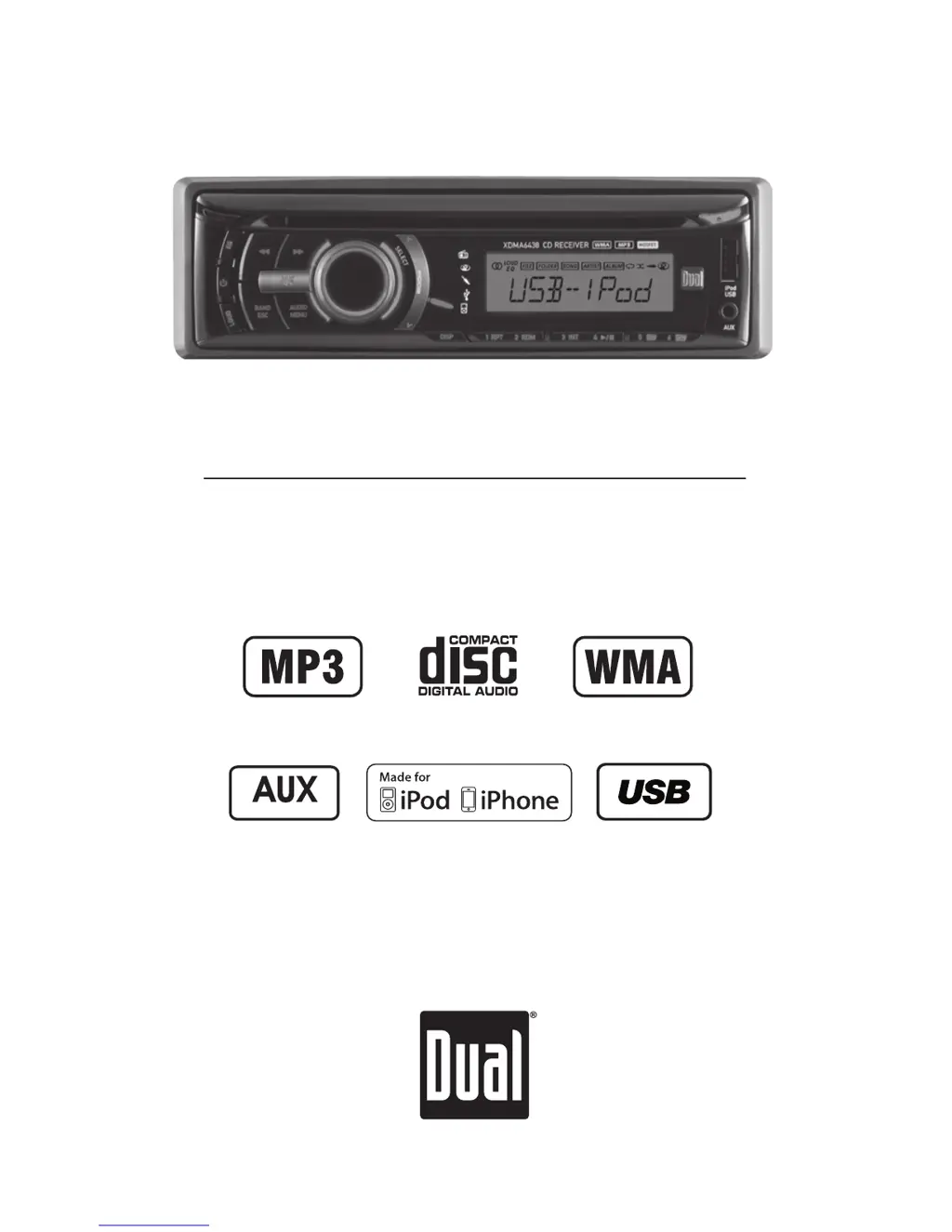
INSTALLATION/OWNER'S MANUAL
AM/FM/CD Receiver with Detachable Face
XDMA6438
Front and Rear Inputs

Questions and Answers

  • D
    donaldhallAug 15, 2025
    Why does my Dual Car Receiver unit blow fuses?
    • M
      martinjacobAug 15, 2025
      Your Dual Car Receiver might be blowing fuses due to several reasons. It could be that the yellow or red wire is touching the chassis ground, so check for any pinched wires. Alternatively, speaker wires might be touching the chassis ground, so inspect those for pinches as well. Finally, the fuse might have an incorrect rating, so ensure you are using a fuse with the correct rating.
  • P
    Patrick SmithAug 18, 2025
    What to do if my Dual Car Receiver unit will not turn on (no power)?
    • J
      Justin MorseAug 18, 2025
      If your Dual Car Receiver isn't turning on, there are a few things to check: * First, ensure the yellow wire is correctly connected and has the proper voltage (11~16VDC). * Second, verify the black wire is properly connected to the ground. * Lastly, check if the fuse is blown and replace it if necessary.
  • B
    Brandon AlexanderAug 21, 2025
    What to do if my Dual Car Receiver unit has power but no sound?
    • F
      Fernando CarlsonAug 21, 2025
      If your Dual Car Receiver has power but isn't producing any sound, here's what you can do: First, check the speaker wire connections at the speakers to ensure they are properly connected. Second, inspect the speaker wires to ensure that none of them are touching each other or the chassis ground; insulate any bare wires to prevent this.
  • K
    Kathleen LynnAug 25, 2025
    Why does my Dual XDMA6438 show 'PROTECT' on the display?
    • J
      Joy Williams DVMAug 25, 2025
      If your Dual Car Receiver displays 'PROTECT', it means the WMA file you're trying to play is copy-protected by DRM (Digital Rights Management). To resolve this, use WMA files that are not copy-protected when writing the disc.
  • D
    doughertyallenAug 28, 2025
    How to fix excessive skipping on Dual XDMA6438 Car Receiver?
    • J
      Julie CooperAug 28, 2025
      If your Dual Car Receiver is skipping excessively, it could be due to a couple of reasons. First, make sure the unit is mounted correctly and that the backstrap is secure; check the mounting sleeve and backstrap support. Second, inspect the media (CD, CD-R, or CD-RW) for any physical defects like scratches.
  • S
    Shirley NguyenAug 31, 2025
    Why does my Dual Car Receiver unit will not accept a disc?
    • A
      Amber GutierrezAug 31, 2025
      If your Dual Car Receiver won't accept a disc, it could be due to the CD mechanism being out of alignment. Press and hold the EJECT button for 3 seconds to reset the CD mechanism position. Also, check if the CD transit screws are still in place and remove the 2 transit screws located on top of the unit.
  • R
    randy62Sep 4, 2025
    What does ERROR 2 mean on my Dual XDMA6438 display?
    • S
      shaundavidsonSep 4, 2025
      If you see 'ERROR 2' on your Dual Car Receiver display, it indicates a disc read error or that the disc is inserted upside down. Try pressing the eject button or the RESET button.
  • W
    Willie CherrySep 7, 2025
    Why does my Dual XDMA6438 display 'NO FILE'?
    • J
      Jill HarringtonSep 7, 2025
      If your Dual Car Receiver displays 'NO FILE', it means the selected file is not available in direct or alphanumeric search modes. Try repeating the search using valid parameters.
  • T
    Tonya GriffithSep 12, 2025
    Why does my Dual XDMA6438 Car Receiver display 'NO SUPPORT'?
    • D
      David CastilloSep 12, 2025
      The 'NO SUPPORT' message on your Dual Car Receiver indicates that an invalid ID3 tag version is present or that an ID3 tag character is not supported. Version 1.0 to 2.4 ID3 tags are supported, and only ASCII characters are supported.

Summary

XDMA6438 Installation and Owners Manual Overview

Installation Preparation Steps

Initial Checks Before Installation

Safety precautions and preliminary checks.

Unit Installation Procedure

Steps for physically mounting the receiver.

XDMA6438 Wiring Diagram

Receiver Control Locations

Remote Control Layout

General Operation: Basic Functions

Power, Mode, and Input Operations

Basic unit control and source/input selection.

Volume, Display, Reset, and Clock Access

Adjusting settings, resetting the unit, and accessing clock.

General Operation: Setup Menu Details

Auto Station Store and Tuning Configuration

Saving stations and selecting tuning modes.

iPod Control, Clock Display, and Aux Input Settings

iPod modes, clock, and aux input configurations.

Beep, Volume, Message, Scrolling, and Dimmer Settings

Audio feedback, startup volume, display options.

Demonstration Mode Activation

Enabling or disabling the demonstration mode.

General Operation: Audio Settings

Bass, Treble, Balance, Fader, and Subwoofer Adjustments

Fine-tuning audio tone and speaker balance.

Equalization (EQ) Curve Selection

Choosing preset sound profiles like POP, JAZZ, ROCK.

Source Volume Level Adjustment

Optimizing volume for individual audio sources.

AM;FM Tuner Operation

Tuning and Band Selection Methods

Methods for finding and switching radio stations.

Station Preset Management

Saving and accessing favorite radio frequencies.

CD Player Operation: Basic Functions

Inserting, Ejecting, and Track Selection

Basic CD handling and navigation.

CD-R;CD-RW Compatibility Information

Details on supported disc types.

CD Player Operation: MP3;WMA File Display

MP3;WMA Disc Playback Initiation

Starting playback and initial disc reading.

Displaying MP3;WMA File Information

Viewing song title, artist, and file name.

MP3;WMA Icon Indicators

Icons for song title, artist, folder, and file.

MP3;WMA Character Display Limits

Maximum characters for file information.

CD Player Operation: MP3;WMA File Search

MP3;WMA Folder;File Search Mode

Navigating folders to find specific files.

Searching and Selecting MP3;WMA Files

Steps for locating and playing desired songs.

CD Player Operation: MP3;WMA Playback Modes

Folder Access for MP3;WMA Discs

Navigating between folders on MP3/WMA discs.

MP3;WMA Repeat Playback Options

Repeating all tracks, selected track, or folder.

MP3;WMA Random Playback Options

Playing tracks in random order by track or folder.

MP3;WMA Intro Playback Options

Playing the first 10 seconds of tracks or folders.

CD Player Operation: MP3;WMA Compatibility

Compatible MP3;WMA Media and File Types

Supported discs and data formats.

Incompatible MP3;WMA Media and File Types

Unsupported DRM, lossless, or WAV formats.

MP3;WMA Playback Order Logic

How files are played based on recording order.

MP3;WMA Compatible Recording Formats

ISO9660 standards and format requirements.

CD Player Operation: MP3;WMA Technical Details

MP3;WMA Additional Information (ESP)

Electronic Skip Protection for smooth playback.

MP3;WMA Sampling Frequency and Bit Rates

Technical specifications for audio files.

MP3 Tag Display Capabilities

Supported ID3 tag versions.

USB Operation: Basic Functions

USB Device Connection and Music Playback

Connecting devices and starting playback.

USB Track Selection and Playback Controls

Navigating tracks and using playback functions.

USB File Search Mode Steps

Navigating folders and selecting files on USB.

USB Operation: File Information Display

USB Information Display Options

Viewing file details like title, artist, and time.

USB Folder Access and Playback Modes

Navigating folders and using repeat/random/intro.

USB Song Title and Artist Icon Indicators

Icons showing displayed song/artist information.

USB Operation: Compatibility and Capacity

USB Character Support and Display Limits

Maximum characters for file information.

Compatible USB Media and File Types

Supported MP3/WMA files.

Incompatible USB Media and File Types

Unsupported DRM, lossless, or WAV files.

USB Playback Order and Capacity Limits

File sequence and maximum number of files/folders.

USB Device Compatibility Requirements

Mass storage class and FAT/FAT32 formatting.

USB Operation: Technical File Details

USB Additional MP3;WMA Information

File extensions and ESP.

USB Sampling Frequency and Bit Rates

Technical specifications for audio files.

USB MP3 Tag Display Support

Supported ID3 tag versions.

iPod Operation: Connection and Search

Connecting iPod and Displaying Information

Connecting the device and what data is shown.

iPod Search Mode Navigation Options

Finding music by playlist, artist, album, etc.

iPod Control Modes and Firmware Update

Switching control types and firmware requirements.

iPod Device Compatibility List

List of supported iPod/iPhone models.

iPod Operation: Playback and Compatibility

iPod Song Selection and Playback Controls

Navigating tracks and using playback functions.

iPod Repeat, Random, and Intro Modes

Advanced playback features.

iPod Character Support and Display Limits

Character display capabilities and limitations.

iPod Devices Not Compatible with Manual Control

Specific devices that don't support manual mode.

Troubleshooting Common Issues

Technical Specifications

FCC Compliance Information

Dual XDMA6438 Specifications

General IconGeneral
Screen Size6.2 Inches
TouchscreenYes
BluetoothYes
USB InputYes
SD Card InputYes
AM/FM TunerYes
Backup Camera InputYes
Steering Wheel Control CompatibleYes
Auxiliary InputYes
MP3 PlaybackYes
WMA PlaybackYes
Display TypeLCD
Resolution800 x 480
Subwoofer OutputYes

Related product manuals