EasyManua.ls Logo

Dual XDMA6510 - User Manual

Dual XDMA6510
28 pages
Print Icon
To Next Page IconTo Next Page
Loading...
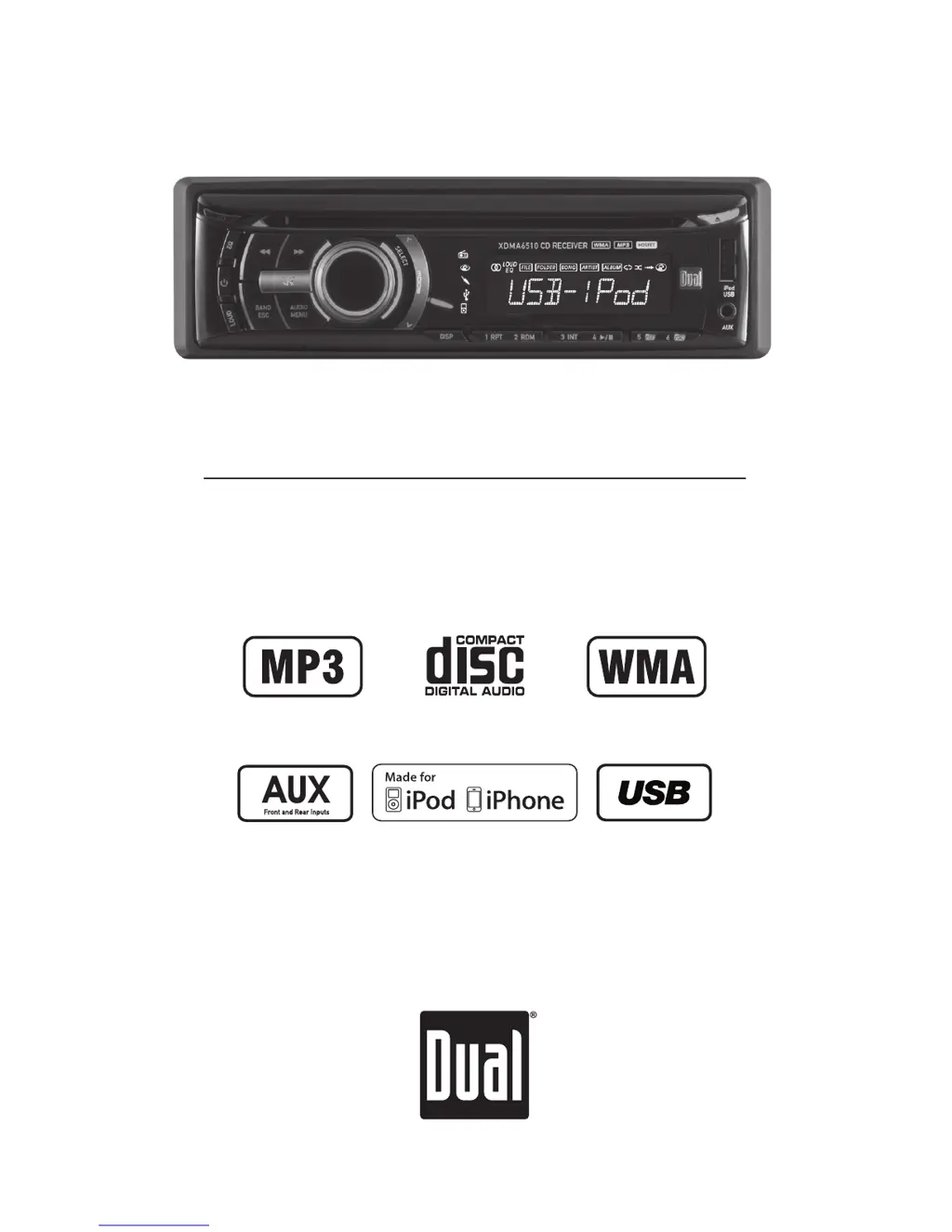
INSTALLATION/OWNER'S MANUAL
AM/FM/CD Receiver with Detachable Face
XDMA6510

Questions and Answers

  • M
    Michele RangelAug 15, 2025
    How to fix a Dual XDMA6510 Car Receiver that won't turn on?
    • T
      Timothy Miles MDAug 15, 2025
      If your Dual Car Receiver isn't powering on, check the following: * Ensure the yellow and red wires are properly connected and receiving the correct voltage (11~16VDC). * Verify the black wire is securely connected to ground. * Inspect the fuse and replace it if it's blown.
  • B
    brianfoleyAug 18, 2025
    What to do if my Dual XDMA6510 has power but no sound?
    • R
      Raymond MarshallAug 18, 2025
      If your Dual Car Receiver turns on but produces no sound, the issue might be with the speaker connections. First, check that all speaker wires are properly connected at the speakers. Also, make sure that no bare speaker wires are touching each other or the chassis ground; insulate any that are.
  • K
    Kenneth HawkinsAug 21, 2025
    Why does my Dual XDMA6510 keep blowing fuses?
    • A
      Ashley MitchellAug 21, 2025
      If your Dual Car Receiver is blowing fuses, there could be a wiring issue. Check if the yellow or red wire is touching the chassis ground, and look for any pinched wires. Also, ensure that the speaker wires are not touching the chassis ground. Finally, verify that you are using a fuse with the correct rating.
  • J
    jenkinslaurenAug 25, 2025
    How to stop my Dual Car Receiver from skipping?
    • G
      Gregory KingAug 25, 2025
      Excessive skipping on your Dual Car Receiver can often be resolved by checking the unit's installation. Ensure the unit is correctly mounted and the backstrap is securely in place. Additionally, inspect the media (CD, CD-R, or CD-RW) for any physical defects such as scratches.
  • H
    heathervelazquezAug 28, 2025
    What to do if my Dual XDMA6510 Car Receiver won't accept a disc?
    • A
      alangrayAug 28, 2025
      If your Dual Car Receiver refuses to accept a disc, try these steps. First, press and hold the EJECT button for 3 seconds to reset the CD mechanism position. Also, check for and remove the 2 transit screws located on top of the unit.
  • M
    Miranda RangelSep 1, 2025
    What does ERROR 2 mean on my Dual XDMA6510 Car Receiver?
    • B
      Barbara RowlandSep 1, 2025
      If ERROR 2 appears on the display of your Dual Car Receiver, it indicates a disc read error or that the disc is inserted upside down. Try pressing the EJECT button or the RESET button.
  • R
    Richard SmithSep 4, 2025
    Why does 'PROTECT' appear on the display of my Dual XDMA6510?
    • A
      Adam PrinceSep 4, 2025
      The 'PROTECT' message on your Dual Car Receiver indicates that the WMA file you're trying to play is copy-protected by DRM (Digital Rights Management). To resolve this, use WMA files that are not copy-protected when writing the disc.
  • C
    Crystal GibbsSep 7, 2025
    What does 'NO FILE' mean on my Dual Car Receiver display?
    • H
      hperkinsSep 7, 2025
      The 'NO FILE' message on your Dual Car Receiver means that the selected file isn't available in direct or alphanumeric search modes. Try repeating the search using valid parameters.
  • J
    Jared CunninghamSep 12, 2025
    What does 'NO SUPPORT' mean on my Dual XDMA6510's display?
    • R
      rrossSep 12, 2025
      The 'NO SUPPORT' message on your Dual Car Receiver indicates that an invalid ID3 tag version is present or that an ID3 tag character is not supported. Version 1.0 to 2.4 ID3 tags are supported, and only ASCII characters are supported.

Summary

XDMA6510 Installation and Owners Manual

Installation Preparation

Before You Start: Installation Precautions

Essential steps and precautions before installing the unit.

Getting Started: Installation Steps

Step-by-step guide for the initial installation process.

Wiring Diagram

General Operation Overview

Setup Menu Configuration

Audio Adjustments

Tone, Balance, and Fader Adjustments

Adjusting Bass, Treble, Balance, and Fader for optimal sound.

Subwoofer and Equalizer Settings

Configuring subwoofer output and selecting equalization presets.

Source Volume Level Management

Matching volume levels across different audio sources.

AM;FM Tuner Operation

CD Player Operation

MP3;WMA CD Playback

Playing MP3;WMA Files and Displaying Info

How to play MP3/WMA files and what information is displayed.

MP3;WMA File and Folder Search

Navigating MP3;WMA Folders and Files

Step-by-step guide to searching and selecting MP3/WMA files by folder.

Advanced MP3;WMA Playback Features

Folder Access and Playback Repeat;Random

Controlling folder navigation and playback modes for MP3/WMA discs.

MP3;WMA Media Compatibility

Compatible and Incompatible File Types

Lists compatible and incompatible media and file formats for MP3/WMA.

MP3;WMA Technical Specifications

MP3;WMA File Information and ESP

Additional info on MP3/WMA files, including Electronic Skip Protection.

USB Device Operation

Connecting and Playing USB Media

Steps to connect a USB device and start music playback.

USB File and Folder Search

Navigating through folders and files on a connected USB device.

USB Media Playback Details

USB Folder Navigation and Playback Modes

Navigating folders and using repeat/random/intro modes for USB files.

USB Compatibility and Capacity

USB Technical Specifications

iPod Device Operation

iPod Playback Features

Limited One Year Warranty

Troubleshooting Guide

Common Unit Problems and Their Causes

Identifies common issues like no power, no sound, or excessive skipping.

Error Messages and Disc-Related Issues

Solutions for error codes, copy-protected files, and disc reading problems.

Product Specifications

Dual XDMA6510 Specifications

General IconGeneral
BluetoothYes
Audio Formats SupportedMP3, WMA
DisplayLCD
TouchscreenNo
SD Card InputNo
DVD PlayerNo
AM/FM TunerYes
Backup Camera InputYes
Steering Wheel Control CompatibleYes
AUX InputYes
Radio TunerAM/FM
Presets18 FM, 12 AM
Remote ControlYes
Channels4
Power Output200 Watts
USB Ports1

Related product manuals