EasyManua.ls Logo

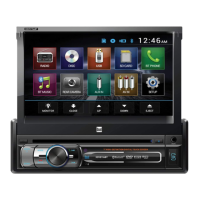
Dual AXXERA XDMA7800 - User Manual

Dual AXXERA XDMA7800
36 pages
Print Icon
To Next Page IconTo Next Page
Loading...
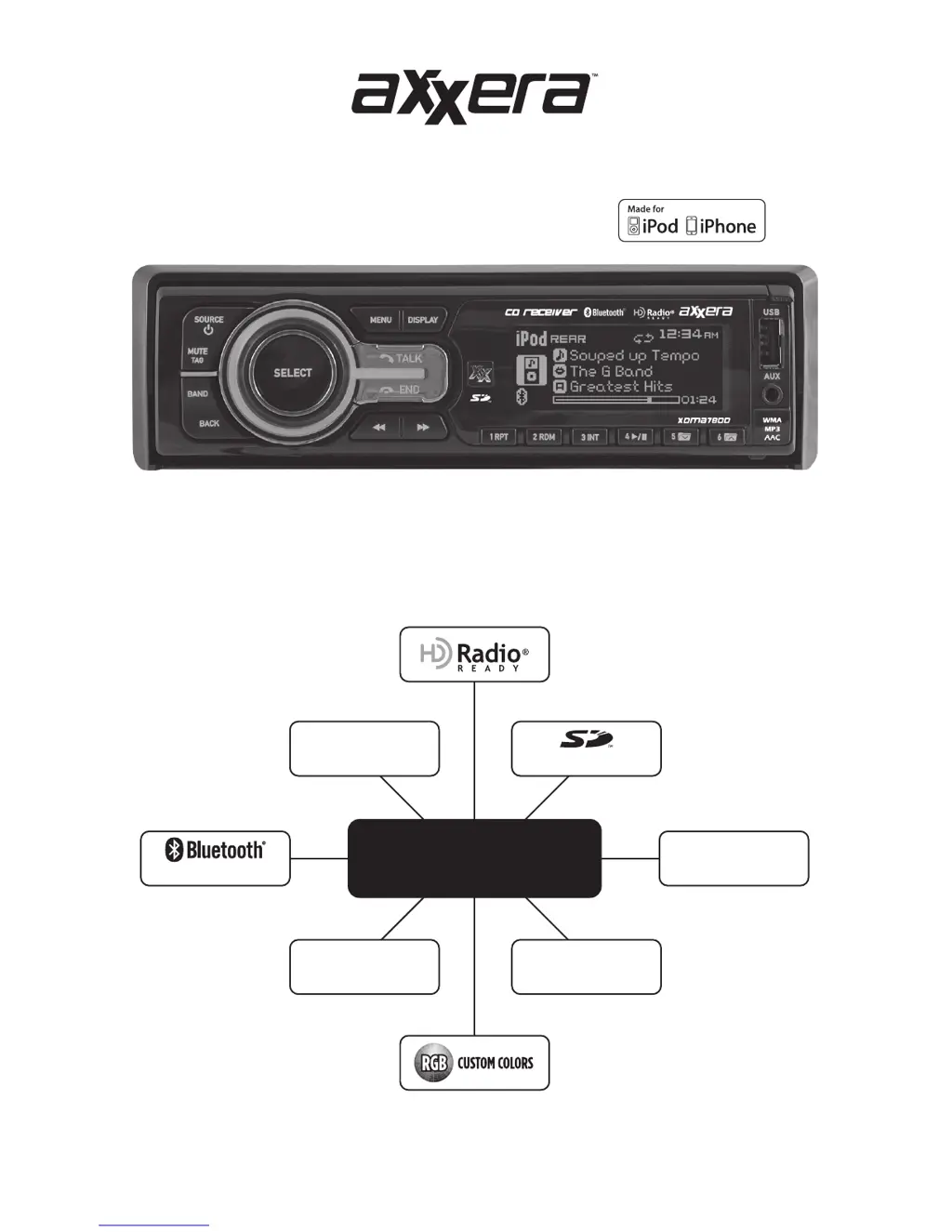
CD Receiver
Installation & Owner's Manual
2 USB Ports
iPod®/iPhone®/Flash Drive
CD
CD-R/RW Compatible
SDHC Supported
Aux
3.5mm Input
MP3/WMA/AAC
Playback
XDMA7800
HFP/A2DP/AVRCP/PBAP

Questions and Answers

  • L
    linda28Aug 13, 2025
    What to do if my Dual AXXERA XDMA7800 says 'MEMORY FULL CONNECT iPod'?
    • B
      Barbara TaylorAug 13, 2025
      The 'MEMORY FULL CONNECT iPod' message indicates that the internal memory of your Dual Car Receiver, which can hold 64 tags, is full. To resolve this, connect an iPod to transfer the tags, or delete existing tags before tagging more songs.
  • E
    Eric WrightAug 16, 2025
    What to do if my Dual AXXERA XDMA7800 displays 'TRANSFER FAILED'?
    • L
      Lisa HowardAug 16, 2025
      If your Dual Car Receiver shows 'TRANSFER FAILED', there may be a connection error. Ensure your iPod is powered on, then try reconnecting it until you see a 'TAGS SENT' confirmation.
  • J
    jmartinezAug 20, 2025
    Why does my Dual AXXERA XDMA7800 say 'ALREADY TAGGED'?
    • K
      Kimberly EvansAug 20, 2025
      The 'ALREADY TAGGED' message on your Dual Car Receiver means the same song from the same radio station has already been tagged and saved in the memory. You can't tag the same song twice unless it's from a different radio station, the tags are sent to an iPod, or the tags are erased.
  • N
    Nicole MccoyAug 25, 2025
    What does 'CHECK iPod VER' mean on my Dual AXXERA XDMA7800 Car Receiver?
    • R
      rnelsonAug 25, 2025
      The 'CHECK iPod VER' message on your Dual Car Receiver indicates a compatibility issue with the connected iPod. Check the list of compatible iPod devices. If your iPod is compatible, update its firmware to the latest version using iTunes.
  • G
    Gregory WadeAug 27, 2025
    What to do if my Dual AXXERA XDMA7800 says 'iPod FULL'?
    • T
      Tiffany Schroeder MDAug 27, 2025
      If your Dual Car Receiver displays 'iPod FULL', it means there isn't enough space on your connected iPod to transfer the iTunes Tags. To fix this, free up space on your iPod using iTunes.
  • C
    Caleb BerrySep 1, 2025
    Why does my Dual Car Receiver say 'NO TAG INFO'?
    • S
      Sherri McgeeSep 1, 2025
      The 'NO TAG INFO' message on your Dual Car Receiver means there isn't enough information (artist or title) available to tag the song. Some HD Radio™ stations or certain songs might not fully support iTunes Tagging.
  • M
    Michael RichardsonSep 4, 2025
    What does it mean if my Dual AXXERA XDMA7800 Car Receiver says 'TAGGING FAILED'?
    • A
      Amy ScottSep 4, 2025
      If your Dual Car Receiver displays 'TAGGING FAILED', it means there was an error saving the Tag information to the internal memory. Try pressing and holding the MUTE/TAG button again.
  • C
    Christopher HaynesSep 8, 2025
    What does 'NO TAGS STORED' mean on my Dual AXXERA XDMA7800 Car Receiver?
    • N
      npowellSep 8, 2025
      The message 'NO TAGS STORED' on your Dual Car Receiver indicates that there are no tags saved in the internal memory. The DELETE TAGS function can only delete tags that are saved in the internal memory.

Summary

Wiring Diagram

RCA Preamp Output Connections

Details on audio output connections for external amplifiers.

Receiver Controls

Source;Power Control

Controls power and switches between audio sources.

Bluetooth Talk Function

Manages phone calls and related functions.

Front USB Port

Connects USB devices like flash drives or iPods.

Bluetooth End Call

Ends the current Bluetooth phone call.

IR Remote Controls

Power and Source Control

Controls power and switches between audio sources.

Volume Adjustment

Increases or decreases the audio volume level.

Phone Call Management

Answers, ends, or manages phone calls.

General Operation

Powering the Unit On;Off

Instructions for turning the device on and off.

Source Selection

Selecting different audio input modes.

Volume and Mute Controls

Adjusting audio output level and silencing sound.

Setup Menu

Audio Settings Configuration

Adjusting audio equalizer, balance, fader, and levels.

iPod Menu Options

Controls for iPod/iPhone connection and operation.

Bluetooth Menu Options

Settings for Bluetooth functionality.

HD Radio Tuner Operation (HDM90)

HD Radio Tuning Process

Tuning into HD Radio stations and understanding display indicators.

iTunes Tagging Operation (HDM90)

Overview of iTunes Tagging

Explains the iTunes tagging feature using the HDM90.

Tagging Music Steps

Steps for tagging songs and transferring information to iPod/iTunes.

iTunes Tagging Operation (HDM90) Troubleshooting

Troubleshooting Displayed Messages

Troubleshooting messages and their meanings.

CD Player Operation

Inserting and Ejecting CDs

How to insert and remove CDs from the player.

CD Playback Control

Fast forward, reverse, pause, intro, repeat, and random playback.

CD Player Operation - MP3;WMA;AAC

Playing MP3;WMA;AAC Discs

How the unit handles MP3/WMA/AAC discs.

MP3;WMA;AAC Playback Modes

Repeat, random, and intro playback options for MP3/WMA/AAC.

CD Player Operation - MP3;WMA;AAC (continued)

File;Folder Search Navigation

Navigating the file/folder search interface and menus.

MP3;WMA;AAC File;Folder Compatibility

Lists compatible file types, limits, and character support.

MP3;WMA;AAC File;Folder Search

How to search for files and folders on discs.

Controls for File;Folder Search

Details on using controls for searching files and folders.

Operation of iPod;iPhone

Connecting iPod;iPhone Devices

How to connect iPod/iPhone devices via USB.

Controlling iPod;iPhone with Head Unit

Operating iPod/iPhone features using the head unit controls.

Operation of iPod;iPhone (continued)

iPod;iPhone Music Search Functionality

Using the unit to search for music on iPod/iPhone.

Manual Control of iPod;iPhone

Using the iPod/iPhone directly for control functions.

USB;SD Card Operation

Connecting USB and SD Card Devices

How to connect USB storage devices and insert SD cards.

USB;SD Card Music Playback

How music playback begins from USB/SD devices.

USB;SD Card Playback Modes

Repeat, random, and intro playback options for USB/SD.

USB; SD Card Operation (continued)

USB;SD Card File and Folder Search

Searching for files and folders on USB/SD devices.

USB;SD Search Menu Navigation and Controls

Navigating search menus and using controls for searching.

Bluetooth Operation

Bluetooth Operation (continued)

Troubleshooting - General

Dual AXXERA XDMA7800 Specifications

General IconGeneral
BrandDual
ModelAXXERA XDMA7800
CategoryCar Receiver
LanguageEnglish

Related product manuals