EasyManua.ls Logo

Dual XD1228 - User Manual

Dual XD1228
12 pages
Print Icon
To Next Page IconTo Next Page
Loading...
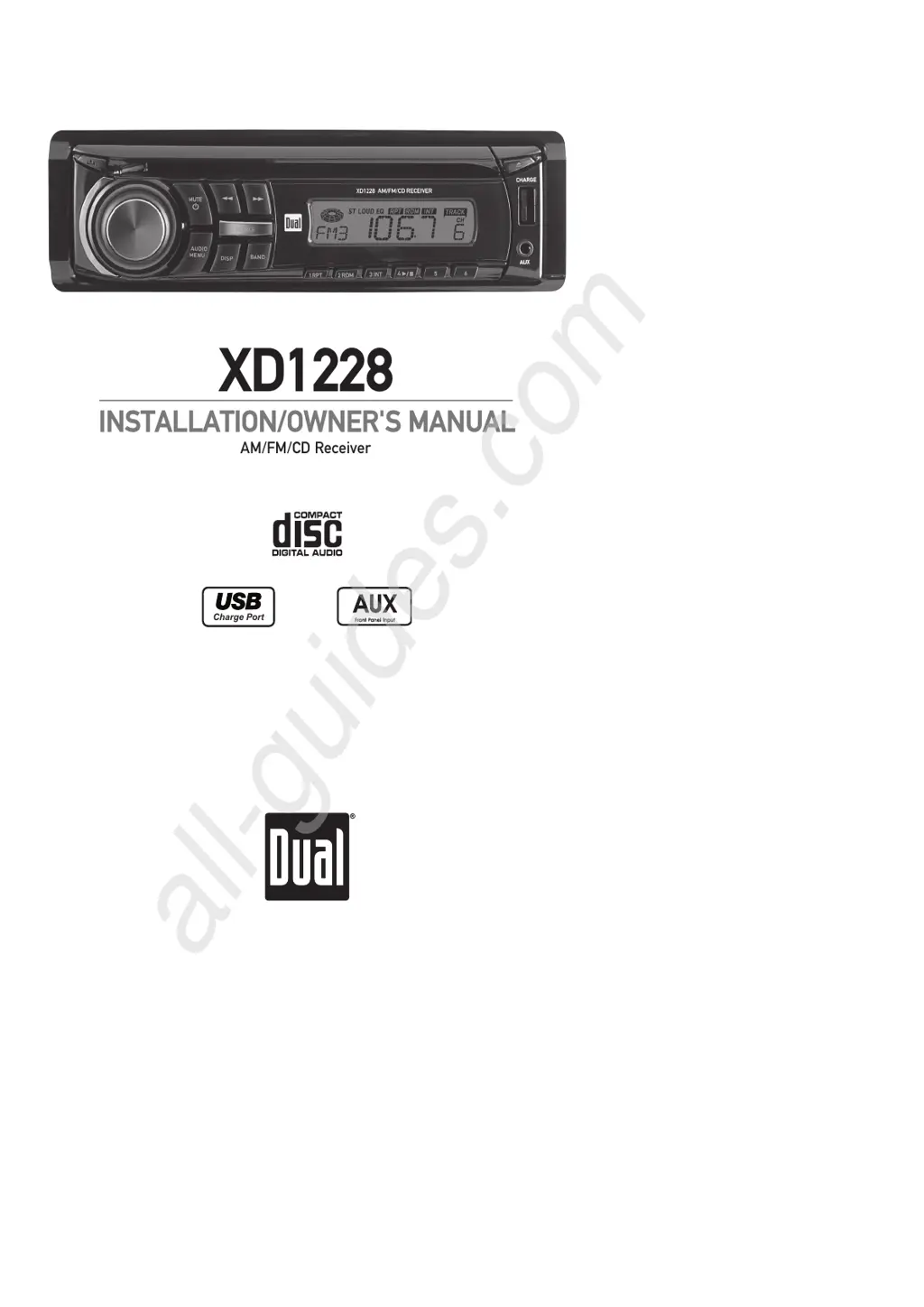
AM/FM/CD Receiver
XD1228
Charge Port
INSTALLATION/OWNER'S MANUAL
All manuals and user guides at all-guides.com
all-guides.com

Questions and Answers

  • M
    Michelle SaundersAug 17, 2025
    What to do if my Dual Car Receiver has power but no sound?
    • B
      Brianna Griffin DVMAug 18, 2025
      If your Dual Car Receiver has power but isn't producing any sound, the issue could be that the speaker wires are not connected properly (check connections at speakers). Also, one or more speaker wires might be touching each other or the chassis ground, in that case you should insulate all bare speaker wires from each other and the chassis ground.
  • C
    carla66Aug 20, 2025
    Why Dual Car Receiver won't turn on?
    • J
      John DavisAug 20, 2025
      If your Dual Car Receiver isn't powering on, several factors could be at play. First, check the yellow and red wires to ensure they are properly connected and receiving the correct voltage (11~16VDC). Also, verify that the black wire is securely connected to ground. Lastly, inspect the fuse and replace it if it's blown.
  • U
    umataAug 22, 2025
    What to do if Dual XD1228 has power but no sound?
    • O
      Oscar ScottAug 22, 2025
      If your Dual Car Receiver has power but isn't producing any sound, the issue likely lies with the speaker connections. Check the connections at the speakers to ensure they are properly connected. Also, make sure that none of the bare speaker wires are touching each other or the chassis ground; insulate them if they are.
  • A
    Ashley ThompsonAug 25, 2025
    Why does my Dual XD1228 Car Receiver keep blowing fuses?
    • T
      tammy52Aug 26, 2025
      If your Dual Car Receiver is blowing fuses, it could be due to a few reasons. Check the yellow or red wire for any contact with the chassis ground, looking for pinched wires. Similarly, inspect the speaker wires to ensure they aren't touching the chassis ground. Finally, verify that you are using a fuse with the correct rating.
  • M
    Mr. Jacob WebbAug 27, 2025
    What to do if ER-1 appears on Dual XD1228 Car Receiver display?
    • C
      Charlotte BrewerAug 27, 2025
      If 'ER-1' appears on the display of your Dual Car Receiver, it indicates a disc error. Try pressing the eject button or the RESET button to resolve the issue.
  • M
    matthew50Aug 30, 2025
    How to fix excessive skipping on Dual XD1228 Car Receiver?
    • M
      martin49Aug 30, 2025
      Excessive skipping on your Dual Car Receiver can often be attributed to mounting issues or defects in the media. Ensure the unit is mounted correctly, checking the mounting sleeve or adding a backstrap support. Also, inspect the CD, CD-R, or CD-RW for any scratches or physical damage.
  • L
    lserranoSep 1, 2025
    What does ER-2 mean on a Dual XD1228?
    • N
      Nicolas HernandezSep 1, 2025
      If 'ER-2' is displayed on your Dual Car Receiver, this indicates a mechanism error or that the disc is upside down. Press the eject button or the RESET button.
  • T
    Tammy BlanchardSep 4, 2025
    What does ER-3 mean on a Dual XD1228 display?
    • R
      Robin StricklandSep 4, 2025
      If you see 'ER-3' on the display of your Dual Car Receiver, it signifies a Servo Error. You can attempt to resolve this by pressing the eject or RESET button.
  • K
    Katherine DavisSep 6, 2025
    What to do if Dual XD1228 will not accept a disc?
    • J
      Jennifer WarrenSep 6, 2025
      If your Dual Car Receiver won't accept a disc, it might be due to the CD mechanism being out of alignment or the CD transit screws still being in place. To reset the CD mechanism position, press and hold the EJECT button for 3 seconds. Also, check for and remove the 2 transit screws located on top of the unit.
  • K
    Kimberly MarquezSep 9, 2025
    What to do if my Dual Car Receiver displays ER-1?
    • C
      cherylweaverSep 9, 2025
      If 'ER-1' appears on the display of your Dual Car Receiver, it indicates a disc error. Try pressing the eject button or the RESET button.

Summary

Installation Guide

Preparation for Installation

Steps for preparing the unit before installation.

Wiring Diagram

Visual representation of the unit's electrical connections.

User Operation

Control Locations Overview

Identifies and explains the location of all unit controls.

General Operation Features

Basic functions like power, mode, volume, and clock settings.

Setup Menu Options

Configuration options for loudness, clock, display, and beep.

Audio Settings and Adjustment

Adjusting bass, treble, balance, fader, and EQ settings.

Tuner and Station Presets

How to use the radio tuner, scan, and store stations.

CD Player Functions

Instructions for inserting, ejecting, and playing CDs.

Troubleshooting Guide

Problem Resolution

Addresses issues like no power, no sound, skipping, and disc errors.

Error Code Explanations

Lists specific error codes and their corresponding actions.

Limited One Year Warranty

Warranty Coverage Details

Details what the warranty covers and what is excluded.

Service and Support

Steps to follow for warranty service and support.

FCC Compliance Information

Regulatory Statements

Statements regarding FCC rules and user guidance.

Product Specifications

Technical Performance Data

Lists performance metrics for CD, FM, AM, and general unit specs.

Dual XD1228 Specifications

General IconGeneral
MP3 playbackNo
CD-R playbackYes
Supported radio bandsAM, FM
Preset stations quantity30
Output power60 W
Product colorBlack
Ready for iPod-
Equalizer bands quantity3
Display typeLCD
USB version2.0
Line outputs (RCA)1
Compatible memory cardsNot supported
RMS rated power28 W

Related product manuals