EasyManua.ls Logo

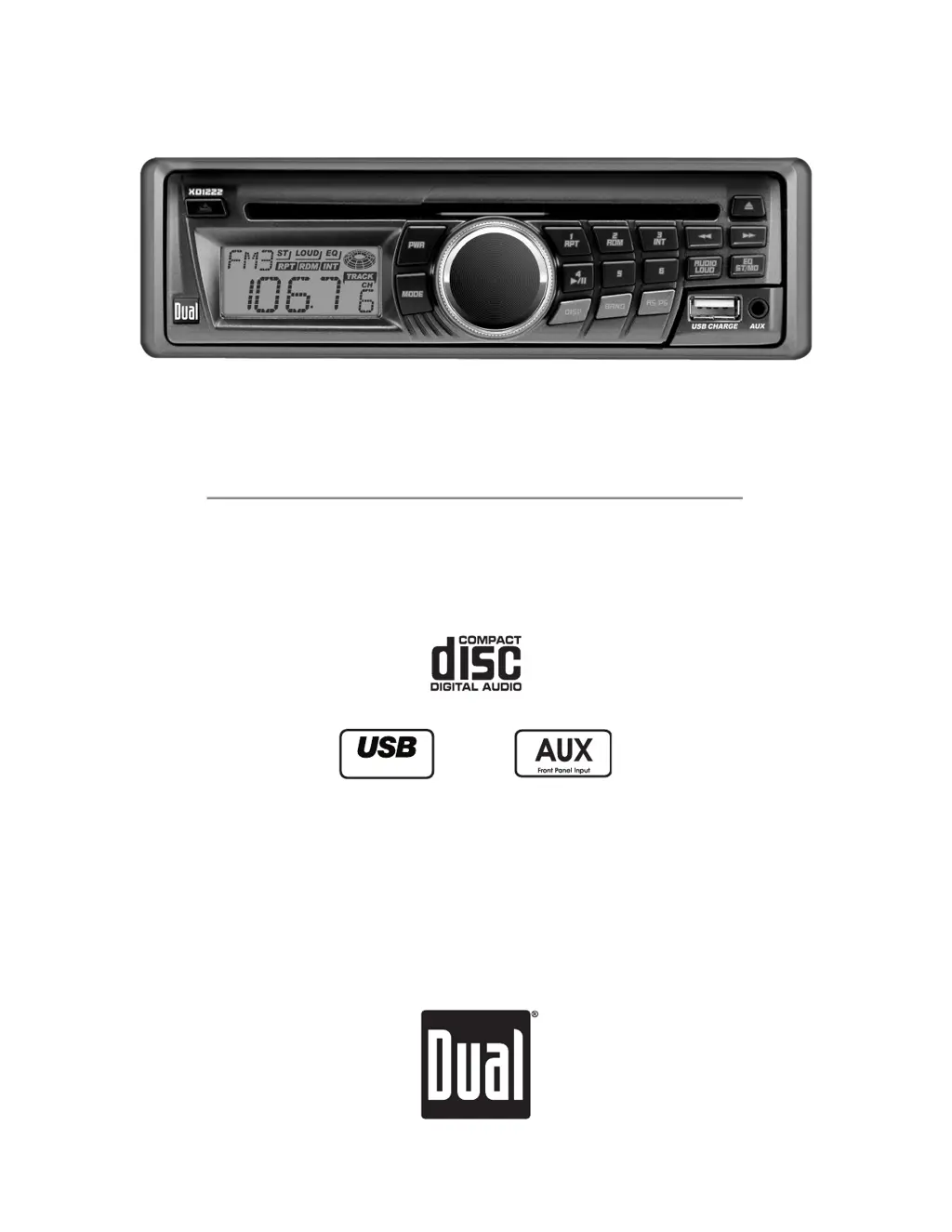
Dual XD1222 - User Manual

Dual XD1222
15 pages
Print Icon
To Next Page IconTo Next Page
Loading...
AM/FM/CD Receiver with Auxiliary Input, USB Charging Port and
Detachable Face
M9&'''
Charge Port
>CHI6AA6I>DC$DLC:GHB6CJ6A

Questions and Answers

  • L
    Laura MyersAug 14, 2025
    How to fix a Dual XD1222 Car Receiver that won't turn on?
    • J
      Joyce RichmondAug 14, 2025
      If your Dual Car Receiver won't turn on, it could be due to several reasons: * The yellow wire might not be connected properly or have incorrect voltage. Ensure it's connected and has the correct voltage (11~16VDC). * The red wire might not be connected properly or have incorrect voltage. Ensure it's connected and has the correct voltage (11~16VDC). * The black wire might not be properly connected. Check the connection to ground. * A fuse might have blown. Replace the fuse.
  • L
    Lauren BurnsAug 17, 2025
    Why does my Dual XD1222 keep blowing fuses?
    • R
      Randall MarshallAug 17, 2025
      If your Dual Car Receiver unit blows fuses, there are several potential causes: * The yellow or red wire might be touching the chassis ground. Check for any pinched wires. * The speaker wires might be touching the chassis ground. Check for any pinched wires. * The fuse rating might be incorrect. Use a fuse with the correct rating.
  • M
    morrisonshawnAug 21, 2025
    What to do if my Dual XD1222 Car Receiver has power but no sound?
    • A
      Anthony ThomasAug 21, 2025
      If your Dual Car Receiver has power but no sound, it could be due to: * Speaker wires not being connected. Check the connections at the speakers. * One or more speaker wires touching each other or the chassis ground. Insulate all bare speaker wires from each other and the chassis ground.
  • K
    Karen CherryAug 25, 2025
    How to fix Dual XD1222 when it will not accept a disc?
    • D
      David HernandezAug 25, 2025
      If your Dual Car Receiver won't accept a disc, it could be due to: * The CD mechanism position being out of alignment. Press EJECT for 3 seconds to reset the CD mechanism position. * The CD transit screws still being in place. Remove the 2 transit screws located on top of the unit.
  • R
    Robert DanielsAug 28, 2025
    Why is my Dual Car Receiver skipping a lot?
    • F
      fitzgeraldlaurenAug 28, 2025
      Excessive skipping on your Dual Car Receiver can be caused by: * The unit not being mounted correctly or the backstrap not being secure. Check the mounting sleeve and backstrap support. * A physical defect in the media (CD, CD-R, or CD-RW). Check the media for scratches.
  • N
    nhurleySep 1, 2025
    What does error code ER-3 mean on my Dual XD1222?
    • T
      Tyler SmithSep 1, 2025
      If Error Code ER-3 appears on the display of your Dual Car Receiver, it indicates a servo error or that the disc is inserted upside down. Press eject or RESET.
  • M
    Mr. Brian Marsh MDSep 5, 2025
    What does error code ER-2 mean on my Dual XD1222 Car Receiver?
    • J
      Joseph ShannonSep 5, 2025
      If Error Code ER-2 appears on the display of your Dual Car Receiver, it indicates a mechanism error. Press eject or RESET.
  • F
    fhernandezSep 8, 2025
    What does error code ER-1 mean on my Dual Car Receiver?
    • K
      Keith TuckerSep 9, 2025
      If Error Code ER-1 appears on the display of your Dual Car Receiver, it indicates a disc error. Press eject or RESET.

Summary

Preparation

Before You Start

Steps to take before commencing installation, including disconnecting the battery.

Getting Started

Steps for the initial installation process, including removing transit screws and mounting.

Wiring Diagram

General Operation

Faceplate Removal

Steps to detach and reattach the front faceplate for security and access.

Semi-permanent Faceplate Installation

Method to secure the unit using the mounting frame and screws.

Set the Clock

Steps to set the unit's clock time accurately.

Reset

Procedure to reset the unit to factory defaults using the reset button.

Tuner Operation

Seek Tuning

Automatically finding the next strong radio station.

Storing and Recalling Station Presets

Saving and selecting favorite radio stations using preset buttons.

CD Player Operation

Troubleshooting

Unit will not turn on (no power)

Steps to diagnose and resolve issues where the unit has no power.

Unit has power (but no sound)

Steps to diagnose and resolve issues where the unit has power but no audio output.

Unit blows fuses

Actions to take when the unit's fuse blows, including checking wiring.

Excessive skipping

Troubleshooting steps to address CD skipping or playback interruptions.

Unit will not accept a disc

Troubleshooting issues related to inserting or reading discs.

Error Codes

Explanation of common error codes and their corresponding solutions.

Limited One Year Warranty

What to do?

Instructions for obtaining warranty service, including contacting support.

Dual XD1222 Specifications

General IconGeneral
DIN SizeDouble DIN
Screen Size6.2 Inches
TouchscreenYes
BluetoothYes
USB InputYes
SD Card SlotYes
AUX InputYes
Subwoofer OutputNo
Steering Wheel Control CompatibleYes
Rear View Camera InputYes
DisplayLCD
USB PortYes
AM/FM TunerYes
Remote ControlNo
CD PlayerNo
Peak Power Output50 watts x 4 channels
Power Output50 watts x 4 channels (Peak)

Related product manuals