EasyManua.ls Logo

Dual XD5250 - User Manual

Dual XD5250
12 pages
Print Icon
To Next Page IconTo Next Page
Loading...
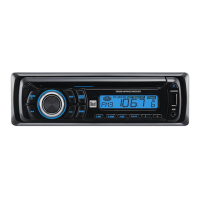
AM/FM/CD Receiver with Auxiliary Input, USB Charging Port,
Remote Control and Detachable Face
XD5250
Charge Port
INSTALLATION/OWNER'S MANUAL

Questions and Answers

  • C
    Cindy LeAug 10, 2025
    How to fix a Dual Car Receiver that won't turn on?
    • D
      Dean FrankAug 10, 2025
      If your Dual Car Receiver won't turn on, there are several potential causes: * The yellow or red wire might not be connected properly or may have incorrect voltage. Check these connections to ensure they're receiving the correct voltage (11~16VDC). * The black wire may not be connected. Verify the connection to ground. * The fuse may be blown. If so, replace it.
  • M
    Morgan EvansAug 16, 2025
    What to do if my Dual XD5250 keeps blowing fuses?
    • N
      nathaniel69Aug 16, 2025
      If your Dual Car Receiver unit blows fuses, it could be due to several reasons: * The yellow or red wire might be touching the chassis ground. Inspect the wire for any pinching. * Speaker wires could be touching the chassis ground. Check the speaker wires for any pinching. * The fuse might have an incorrect rating. Ensure you are using a fuse with the correct rating.
  • E
    Emma DeanAug 22, 2025
    Why does my Dual Car Receiver have power but no sound?
    • E
      Erin ParsonsAug 22, 2025
      If your Dual Car Receiver has power but no sound, the issue might be with the speaker wires. Check the connections at the speakers to ensure they are properly connected. Also, make sure that none of the speaker wires are touching each other or the chassis ground. If they are, insulate all bare speaker wires from each other and the chassis ground.
  • M
    Michael MillerAug 27, 2025
    How to stop excessive skipping on my Dual XD5250?
    • M
      megan71Aug 27, 2025
      If your Dual Car Receiver is skipping excessively, it could be due to incorrect mounting. Check the mounting sleeve or consider adding a backstrap support. Alternatively, the media (CD, CD-R, or CD-RW) might have a physical defect such as scratches. Inspect the media for any damage.
  • S
    Steven AllenSep 2, 2025
    What to do if my Dual XD5250 will not accept a disc?
    • E
      Emily StoneSep 3, 2025
      If your Dual Car Receiver will not accept a disc, it could be due to a CD mechanism position out of alignment. To resolve this, press the EJECT button for 3 seconds to reset the CD mechanism position. Alternatively, the CD transit screws may still be in place. Remove the 2 transit screws located on top of the unit.

Summary

Preparation

Before You Start

Pre-installation checks and safety advice for the unit.

Getting Started

Steps for removing the unit from its mounting sleeve and initial installation.

Wiring Diagram

General Operation

Faceplate Handling

Procedures for removing and installing the detachable faceplate.

Basic Operations

Covers power, mode selection, auxiliary input, volume, and display.

General Operation Features

Setup Menu Configuration

Accessing and adjusting settings via the setup menu.

Audio Operation

Tuner Operation

CD Player Operation

Troubleshooting

Common Problems and Solutions

Addresses issues like no power, no sound, blown fuses, skipping, and disc errors.

Error Code Explanations

Lists specific error codes and their corresponding causes and actions.

Dual XD5250 Specifications

General IconGeneral
BrandDual
ModelXD5250
CategoryCar Receiver
LanguageEnglish

Related product manuals