EasyManua.ls Logo

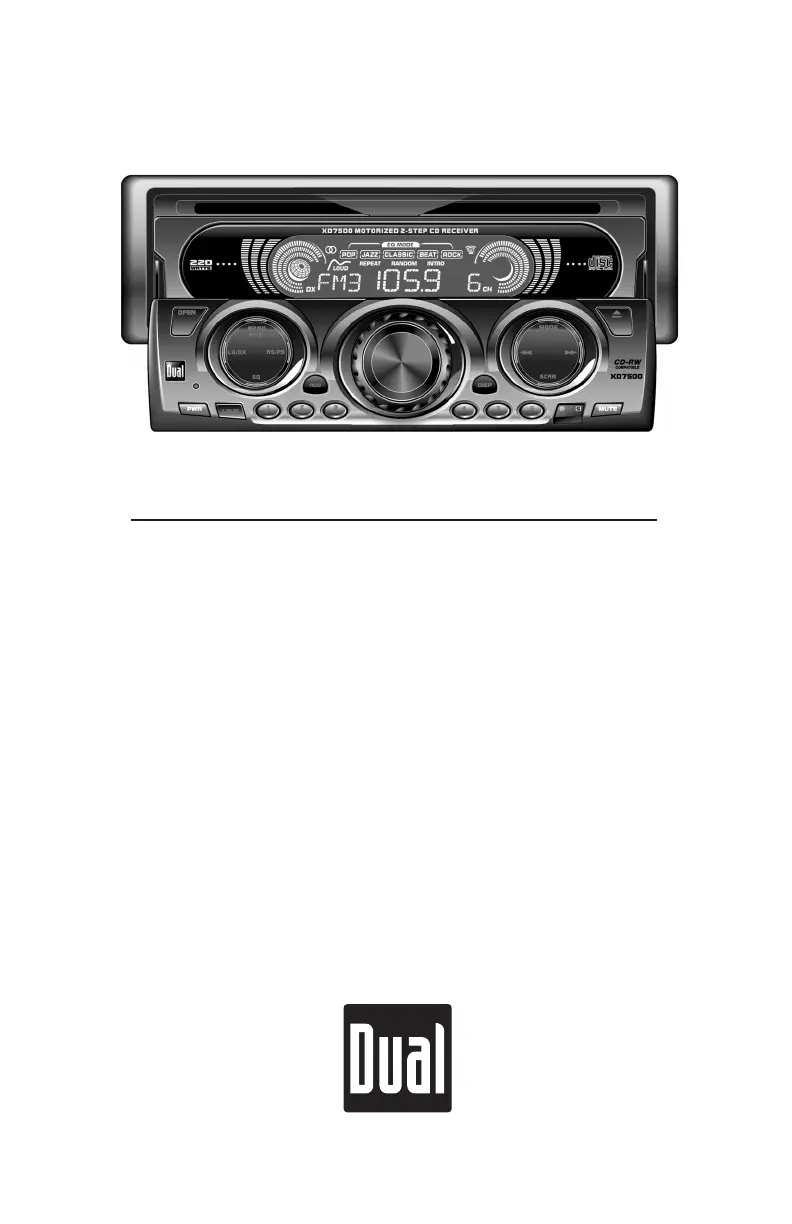
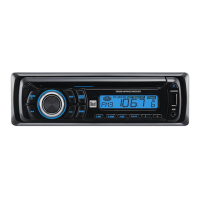
Dual XD7500 - User Manual

Dual XD7500
12 pages
Print Icon
To Next Page IconTo Next Page
Loading...
INSTALLATION/OWNERS MANUAL
AM/FM/CD Receiver with Remote
XD7500

Questions and Answers

  • J
    julie77Jul 29, 2025
    How to fix a Dual Car Receiver that will not turn on?
    • J
      Jake HaneyJul 29, 2025
      If your Dual Car Receiver won't turn on, start by checking the yellow and red wire connections to ensure they're properly connected and receiving the correct voltage (11~16VDC). Next, verify the black wire is securely connected to ground. Lastly, inspect the fuse and replace it if it's blown.
  • L
    lolsonAug 3, 2025
    Why does my Dual Car Receiver keep blowing fuses?
    • R
      Robert ChavezAug 3, 2025
      If your Dual Car Receiver is blowing fuses, it could be due to a few reasons. First, check the yellow or red wire to see if it's touching the chassis ground, looking for any pinched wires. Also, check the speaker wires for the same issue. Finally, ensure that you are using a fuse with the correct rating.
  • D
    dennismoralesAug 8, 2025
    What to do if my Dual Car Receiver has power but no sound?
    • B
      Blake HillAug 8, 2025
      If you have power but no sound from your Dual Car Receiver, begin by checking the speaker wire connections at the speakers. Also, make sure that bare speaker wires are insulated from each other and the chassis ground.
  • L
    Lori BoyerAug 13, 2025
    How to stop excessive skipping on my Dual Car Receiver?
    • J
      Joshua EvansAug 13, 2025
      If your Dual Car Receiver is skipping excessively, check the mounting sleeve and backstrap support to ensure the unit is correctly mounted and secure. Also, inspect the media (CD, CD-R, or CD-RW) for any physical defects such as scratches.
  • A
    Austin DunnAug 18, 2025
    What does ER-2 mean on my Dual Car Receiver?
    • K
      Kristin AcevedoAug 19, 2025
      If 'ER-2' appears on the display of your Dual Car Receiver, it indicates a servo error or that the disc is inserted upside down. Try pressing the eject button or the RESET button.
  • F
    Frank HillAug 23, 2025
    What does ER-1 mean on my Dual Car Receiver?
    • C
      crosbygaryAug 23, 2025
      If 'ER-1' appears on the display of your Dual Car Receiver, it indicates a mechanism error. Try pressing the eject button or the RESET button.

Summary

Preparation

Before You Start

Important initial steps before starting the installation process, including safety precautions.

Getting Started

Steps for initial installation and mounting of the unit into the vehicle.

Wiring Diagram

Fuse Information

Details on fuse type, amperage, and replacement for the unit to prevent damage.

General Operation

Reset Function

How to reset the unit to factory defaults.

Tuner Operation

CD Player Operation

Limited One-Year Warranty

Warranty Coverage

Details on what the warranty covers and excludes.

Who is Covered

Specifies the eligible purchasers for the warranty.

What to Do for Service

Instructions for obtaining warranty service and return procedures.

Exclusion of Certain Damages

Limitations on liability for indirect or consequential damages.

Specifications

CD Player Specifications

Technical performance data for the CD player.

FM Tuner Specifications

Technical performance data for the FM radio tuner.

AM Tuner Specifications

Technical performance data for the AM radio tuner.

General Unit Specifications

Overall power, voltage, dimensions, and other unit specifications.

Troubleshooting

Unit Not Turning On

Solutions for power-related issues.

No Sound Output

Solutions for when the unit has power but no audio.

Unit Blows Fuses

Causes and solutions for blown fuses.

Excessive Skipping

Troubleshooting steps for CD skipping issues.

Error Display Codes

Interpretation and resolution for ER-1 and ER-2 display messages.

Dual XD7500 Specifications

General IconGeneral
Display TypeLCD
BluetoothYes
Radio TunerAM/FM
Remote ControlYes
Detachable FaceNo
Compatible Audio FormatsMP3, WMA
Rear Camera InputYes
Subwoofer OutputYes
Power Output200 Watts
USB PortYes
Aux InputYes
Preamp OutputsYes
Peak Power Output50W x 4

Related product manuals