EasyManua.ls Logo

Dual XD5220 - User Manual

Dual XD5220
12 pages
Print Icon
To Next Page IconTo Next Page
Loading...
INSTALLATION/OWNERS MANUAL
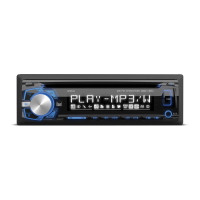
AM/FM/CD Receiver with Detach Face
XD5220

Questions and Answers

  • S
    Stephanie BarajasJul 29, 2025
    What to do if my Dual Car Receiver unit will not turn on (no power)?
    • T
      Tiffany PowellJul 29, 2025
      If your Dual Car Receiver doesn't turn on, there are several potential causes: * The yellow wire might not be connected properly or have incorrect voltage. Check the connections to ensure they have the correct voltage (11~16VDC). * The black wire might not be connected. Verify the connection to ground. * The fuse might be blown. Replace the fuse.
  • S
    Steven CrawfordAug 3, 2025
    Why does my Dual Car Receiver unit blow fuses?
    • S
      ssmithAug 3, 2025
      Your Dual Car Receiver might be blowing fuses due to several reasons: * The yellow or red wire might be touching the chassis ground. Inspect the wires for any pinching. * Speaker wires might be touching the chassis ground. Check the speaker wires for any pinching. * The fuse rating might be incorrect. Ensure you are using a fuse with the correct rating.
  • D
    Daniel PhillipsAug 8, 2025
    What to do if my Dual XD5220 unit has power but no sound?
    • S
      Shane SellersAug 8, 2025
      If your Dual Car Receiver has power but no sound, here are a couple of things to check: * Speaker wires might not be connected. Verify the connections at the speakers. * One or more speaker wires might be touching each other or the chassis ground. Insulate all bare speaker wires from each other and from the chassis ground.
  • C
    Christopher BurtonAug 14, 2025
    What to do if my Dual Car Receiver is excessively skipping?
    • T
      Tara ReidAug 14, 2025
      If your Dual Car Receiver is skipping excessively, it could be due to: * Incorrect mounting or an unsecured backstrap. Check the mounting sleeve and backstrap support to ensure they are properly installed. * Physical defects in the media (CD, CD-R, or CD-RW). Inspect the media for any scratches or damage.
  • J
    James FullerAug 18, 2025
    What to do if my Dual XD5220 unit will not accept a disc?
    • M
      Mr. Michael PrestonAug 18, 2025
      If your Dual Car Receiver won't accept a disc: * The CD mechanism position might be out of alignment. Press the EJECT button for 3 seconds to reset the CD mechanism position. * CD transit screws might still be in place. Remove the 2 transit screws located on top of the unit.
  • L
    Lauren AvilaAug 23, 2025
    What to do if an Error Code appears on the display of my Dual Car Receiver?
    • R
      ryan55Aug 23, 2025
      If an error code appears on the display of your Dual Car Receiver, it could be due to: * A disc error. * A mechanism error. * A servo error, or the disc might be inserted upside down. In any of these cases, try pressing the eject or RESET button.

Summary

Preparation

Getting Started

Step-by-step guide for installing the unit into the vehicle.

Wiring Diagram

Control Locations

Front Panel Button Functions

Explains the purpose of each numbered button on the unit's front panel.

Tuner Operation

Tuning Methods

Explains seek, manual, and scan tuning modes.

FM Reception Settings

Adjusting for local/distance and mono/stereo FM reception.

Band and Frequency Spacing

Switching between radio bands and setting frequency spacing.

Station Presets

Storing, recalling, and automatically scanning radio presets.

CD Player Operation

Troubleshooting

Common Operational Issues

Addresses problems like no power, no sound, blown fuses, skipping, and disc issues.

Error Code Explanations

Lists and explains common error codes displayed by the unit.

Dual XD5220 Specifications

General IconGeneral
BrandDual
ModelXD5220
CategoryCar Receiver
LanguageEnglish

Related product manuals