EasyManua.ls Logo

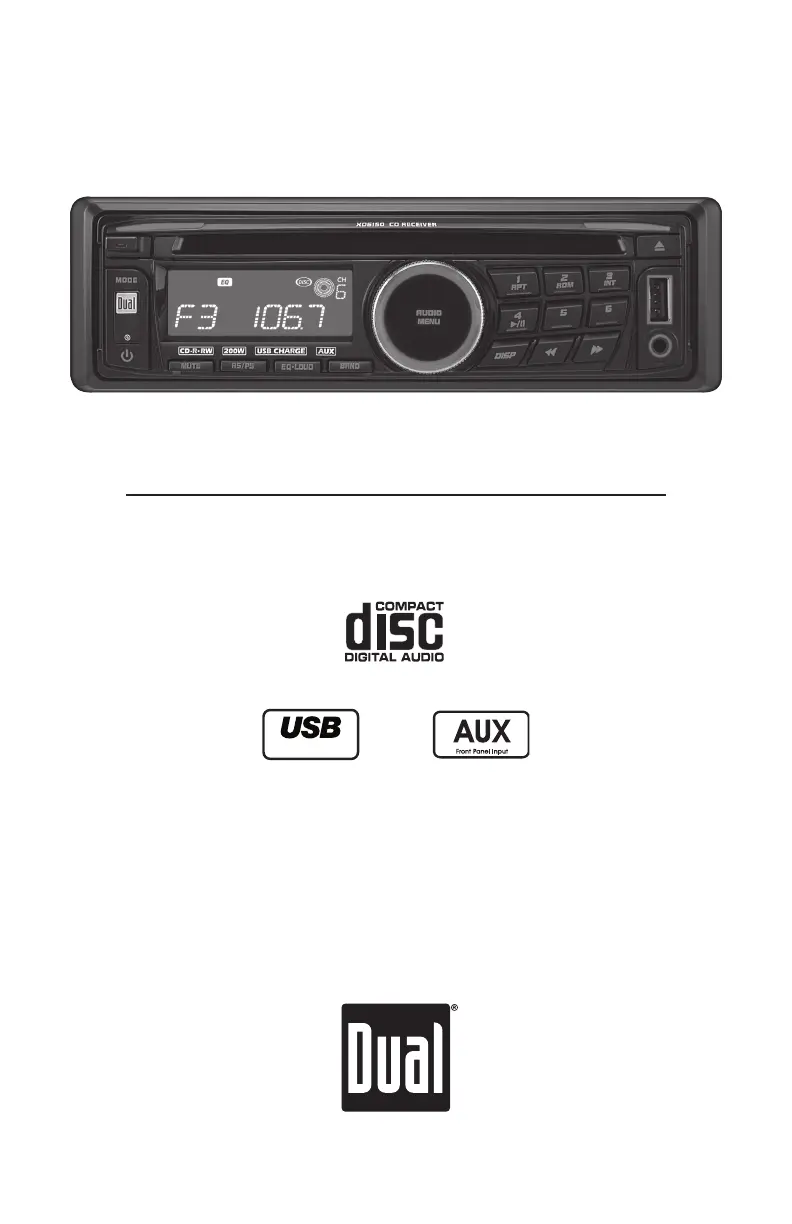
Dual XD6150 - User Manual

Dual XD6150
16 pages
Print Icon
To Next Page IconTo Next Page
Loading...
INSTALLATION/OWNER'S MANUAL
AM/FM/CD Receiver with 3.5mm Auxiliary Input, USB Charging Port 
and Detachable Face
XD6150
Charge Port

Questions and Answers

  • C
    chris16Jul 29, 2025
    How to fix a Dual Car Receiver that won't turn on?
    • C
      codyrichJul 29, 2025
      If your Dual Car Receiver isn't turning on, there are several things to check: * Make sure the yellow and red wires are connected properly and have the correct voltage (11~16VDC). * Verify the black wire is properly connected to ground. * Check the fuse and replace it if it's blown.
  • A
    andrew25Aug 1, 2025
    Why does my Dual XD6150 keep blowing fuses?
    • K
      kelli08Aug 2, 2025
      If your Dual Car Receiver is blowing fuses, the issue might be: * A yellow or red wire touching the chassis ground: inspect for any pinched wires. * Speaker wires touching the chassis ground: again, check for pinched wires. * An incorrect fuse rating: ensure you're using a fuse with the correct rating.
  • S
    suzannehughesAug 6, 2025
    What to do if my Dual XD6150 Car Receiver has power but no sound?
    • C
      Chad BlackwellAug 6, 2025
      If your Dual Car Receiver has power but isn't producing any sound, try the following: * Check the speaker wires to ensure they are properly connected at the speakers. * Make sure that none of the speaker wires are touching each other or the chassis ground. Insulate any bare speaker wires to prevent contact.
  • U
    uporterAug 11, 2025
    Why is my Dual XD6150 Car Receiver skipping a lot?
    • J
      jonesdylanAug 11, 2025
      Excessive skipping on your Dual Car Receiver could be due to: * Incorrect mounting or an unsecured backstrap: verify the mounting sleeve and backstrap support. * Physical defects in the media (CD, CD-R, or CD-RW): inspect the media for any scratches.
  • J
    James MartinAug 14, 2025
    What to do if my Dual XD6150 Car Receiver will not accept a disc?
    • E
      Eric LozanoAug 15, 2025
      If your Dual Car Receiver won't accept a disc: * The CD mechanism position may be out of alignment: Press and hold EJECT for 3 seconds to reset CD mechanism position. * CD transit screws may still be in place: Remove the 2 transit screws located on top of the unit.
  • M
    Michael WallaceAug 19, 2025
    What does ERROR-01 mean on my Dual XD6150 Car Receiver?
    • H
      Heather MartinAug 19, 2025
      If ERROR-01 appears on the display of your Dual Car Receiver, it indicates a disc read error. Try pressing EJECT or RESET.
  • J
    Jasmine JuarezAug 25, 2025
    How do I fix ERROR-02 on my Dual XD6150?
    • T
      Tiffany MckayAug 25, 2025
      If ERROR-02 is displayed on your Dual Car Receiver, it suggests a focus error or that the disc is inserted upside down. Press EJECT or RESET to resolve the issue.

Summary

INSTALLATION

Preparation

User preparation steps before installing the receiver.

Before You Start

Safety and environmental considerations before unit installation.

Getting Started

Step-by-step guide for mounting the receiver unit.

Wiring Diagram

Visual guide for connecting the unit's wiring harness and antenna.

OPERATION

Control Locations - Receiver

Identification of all buttons and indicators on the receiver unit.

Control Locations - Remote

Identification of all buttons on the remote control.

General Operation - Basic Controls

Explanation of faceplate, power, mode, volume, mute, and display.

General Operation - Settings

Instructions for setting the clock and accessing the setup menu.

General Operation - Audio Adjustments

Guide to adjusting bass, treble, balance, fader, EQ, and loudness.

AM;FM Tuner Operation

How to use the AM/FM tuner, including presets and scanning.

CD Player Operation

Instructions for CD playback, track selection, and compatibility.

Troubleshooting - General

Common issues, causes, and solutions for the receiver unit.

WARRANTY

Limited One Year Warranty

Details of the product's one-year limited warranty and coverage.

SPECIFICATIONS

Specifications

Technical data for CD player, tuners, and general unit features.

FCC COMPLIANCE

FCC Compliance

Information regarding the device's compliance with FCC rules.

Dual XD6150 Specifications

General IconGeneral
MP3 playbackYes
USB direct playbackNo
Supported radio bandsAM, FM
Preset stations quantity30
Output power200 W
Product colorBlack
Ready for iPod-
Volume controlDigital
Equalizer bands quantity5
USB version2.0
Line outputs (RCA)1

Related product manuals