EasyManua.ls Logo

Dual XDM6400 - User Manual

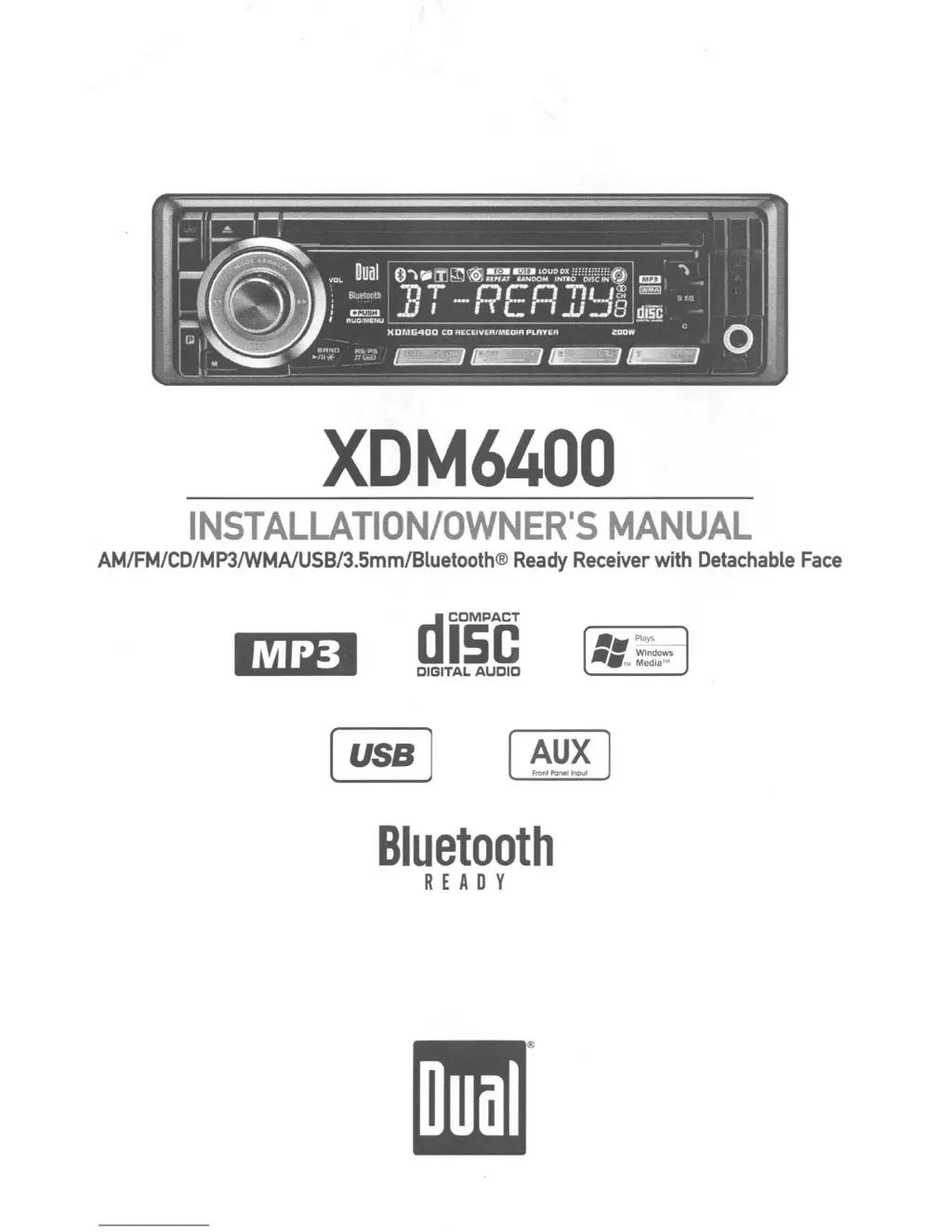
Dual XDM6400
32 pages
Print Icon
To Next Page IconTo Next Page
Loading...
XDM6400
INSTALLATION/OWNER'S
MANUAL
AM/FM/CD/MP3/WMAlU5B/3.5mm/Bluetooth®
Ready
Receiver
with
Detachable
Face
diOse
OIGITAL
AUDIO
••
PI~
_.
Windows
1M Media'"
AUX
Front
Panellnpui
Bluetooth
REA DY

Questions and Answers

  • L
    Laura ReedAug 18, 2025
    How to fix a Dual Car Receiver that won't turn on?
    • S
      Susan LeachAug 18, 2025
      If your Dual Car Receiver isn't powering on, here's what you should check: * **Wiring:** Make sure the yellow and red wires are correctly connected and receiving the proper voltage (11~16VDC). Also, verify the black wire is securely connected to ground. * **Fuse:** Inspect the fuse and replace it if it's blown.
  • R
    Robert DavisAug 21, 2025
    What does it mean when my Dual XDM6400 display says 'PAIRING FAILED'?
    • S
      shortkathleenAug 21, 2025
      The 'PAIRING FAILED' message on your Dual Car Receiver indicates a problem with the Bluetooth pairing process. This can happen if the pairing attempt takes longer than 60 seconds, so retry the pairing sequence and make sure that it completes within 60 seconds. It can also happen if the phone is not set up correctly to connect to a Bluetooth hands-free device, so check the owner's manual for instructions on enabling Bluetooth.
  • A
    Alexandra MyersAug 23, 2025
    What to do if my Dual XDM6400 has power but no sound?
    • L
      Laura ZavalaAug 23, 2025
      If your Dual Car Receiver turns on but you're not getting any sound, the issue likely lies with the speaker connections. Check the speaker wires at the speakers themselves to ensure they are properly connected. Also, make sure that bare speaker wires are insulated from each other and the chassis ground.
  • C
    christopherperezAug 26, 2025
    Why does my Dual XDM6400 keep blowing fuses?
    • R
      rscottAug 26, 2025
      If your Dual Car Receiver is blowing fuses, it could be due to a wiring issue or an incorrect fuse. Inspect the yellow and red wires to ensure they are not touching the chassis ground. Also check the speaker wires for contact with the chassis ground. Finally, make sure you are using a fuse with the correct rating.
  • K
    Kelly WalshAug 28, 2025
    How to stop my Dual XDM6400 Car Receiver from skipping?
    • N
      Natalie WrightAug 28, 2025
      If your Dual Car Receiver is skipping, it might be due to installation or media issues. Check that the unit is mounted correctly and the backstrap is secure. Also, examine the CD for any scratches or physical defects.
  • B
    Brittney KennedyAug 30, 2025
    Why won't my Dual Car Receiver accept a disc?
    • M
      Martin RiddleAug 30, 2025
      If your Dual Car Receiver won't accept a disc, try pressing and holding the EJECT button for 3 seconds to reset the CD mechanism position. Also, check for and remove the two transit screws located on top of the unit.
  • O
    ocallahanSep 2, 2025
    What does ERROR-01 mean on my Dual Car Receiver?
    • S
      Sherri YuSep 2, 2025
      The ERROR-01 message on your Dual Car Receiver indicates a disc read error. Try pressing the EJECT or RESET button.
  • J
    jvalenciaSep 5, 2025
    What does ERROR-02 mean on Dual Car Receiver display?
    • K
      Kathleen LarsonSep 5, 2025
      The ERROR-02 message on your Dual Car Receiver indicates a focus error or that the disc is inserted upside down. Try pressing the EJECT or RESET button.
  • J
    Joshua MooreSep 7, 2025
    What does INVALID mean on the display of my Dual XDM6400?
    • S
      shelley75Sep 7, 2025
      The 'INVALID' message on your Dual Car Receiver indicates that the file format is incompatible. Ensure you are using valid audio files with .mp3 or .wma file extensions when writing the disc.
  • E
    Eric WilliamsSep 9, 2025
    What does PROTECT mean on my Dual XDM6400 display?
    • K
      Kathleen CollinsSep 10, 2025
      The 'PROTECT' message on your Dual Car Receiver indicates that the WMA file is copy-protected by DRM (Digital Rights Management). Use WMA files that are not copy-protected when writing the disc.

Summary

XDM6400 Installation

Preparation

Steps to prepare the unit for installation, including safety checks.

Wiring Diagram

Visual representation of the unit's electrical connections and wiring.

XDM6400 Operation

Receiver Control Locations

Identifies and explains the functions of the receiver's front panel controls.

General Operation

Basic operational procedures like faceplate removal and power on/off.

Setup Menu Configuration

How to access and configure the unit's setup menu options.

Audio Settings

Adjusting volume, bass, treble, balance, and fader settings.

AM;FM Tuner Operation

Tuning, scanning, and storing radio stations.

CD Player and MP3;WMA Operation

Inserting, ejecting, playing CDs, and managing MP3/WMA files.

USB Operation - MP3;WMA

Connecting and playing MP3/WMA files from a USB device.

USB File Navigation and Controls

Navigating USB files and using playback controls.

Bluetooth Operation

Connecting and preparing a Bluetooth device for use.

Bluetooth Phone Functions

Making, receiving, and managing phone calls via Bluetooth.

Bluetooth Settings and Streaming

Configuring Bluetooth settings and streaming audio.

Troubleshooting Guide

Solutions for common unit problems and errors.

Technical Specifications

Technical details of the unit's performance and features.

BTM60 Installation

Typical Installation

Step-by-step guide for installing the BTM60 Bluetooth module.

BTM60 Operation

Quick Start Guide

Basic operations for receiving and placing calls with the BTM60.

XDM6400 Limited One Year Warranty

Warranty Details

Coverage, exclusions, and service procedures for the main unit.

BTM60 Limited One Year Warranty

Warranty Details

Coverage, exclusions, and service procedures for the BTM60 module.

Dual XDM6400 Specifications

General IconGeneral
Display TypeLCD
BluetoothYes
USB PortYes
Preamp OutputsYes
AM/FM TunerYes
Subwoofer Preamp OutputYes
CEA-2006 CompliantYes
MP3 PlaybackYes
WMA PlaybackYes
ID3 Tag DisplayYes
AM Sensitivity30 dB
RDS TunerYes
iPod Connection/ControlYes
USB InputYes
AUX InputYes
Memory Card SlotNo
Remote ControlYes
Power Output200 W
Compatible FormatsMP3, WMA
Faceplate SecurityDetachable
Peak Power Output200W
Compatible Audio FormatsMP3, WMA

Related product manuals