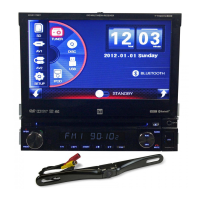
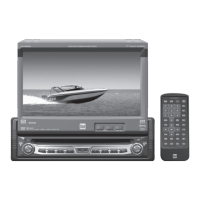
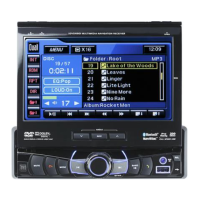
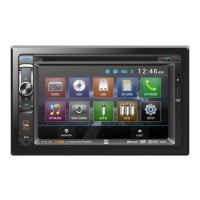
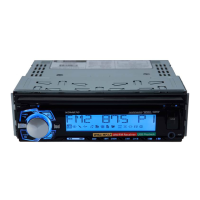
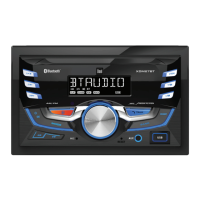
The Dual XDVD156BT is a DVD multimedia receiver with Bluetooth connectivity, featuring a 7-inch touch screen display. This device is designed for in-dash installation in vehicles and offers a range of audio and video playback options, along with hands-free communication capabilities.
Function Description:
The XDVD156BT serves as a central entertainment and communication hub for your vehicle. Its primary function is to play DVDs, CDs, and various digital media files from USB devices and SD cards. The integrated Bluetooth module allows for wireless audio streaming and hands-free calling, enhancing convenience and safety while driving. The unit also includes an AM/FM tuner for radio reception and auxiliary inputs for connecting external audio/video sources. A rear camera input is provided for enhanced parking and reversing safety.
Usage Features:
General Operation:
The device features a user-friendly interface with a 7-inch touch screen display. The faceplate can be aligned and snapped into place for installation. The unit is powered on or off by momentarily pressing the power button. Volume is adjusted via a rotary knob, and the MUTE function can be toggled by pressing the MUTE button. The MODE button allows users to cycle through various input modes, including Radio, Disc (DVD/CD), USB, MicroSD, Bluetooth Phone, Bluetooth Music, Rear Camera, Auxiliary Input, AV Input, and Setup. An auxiliary input jack is conveniently located on the front panel for connecting external audio/video devices. A USB port is available for playing MP3 files or viewing AVI video files and JPG photos, while an SD card slot (located behind the faceplate) supports MP3 playback, AVI video, and JPG photos from SD cards. The LCD screen can be opened or closed by pressing the OPEN button, and its angle can be adjusted using the UP or DOWN buttons. The Main Menu, accessible via a house icon in the top left corner when the monitor is open, provides access to various functions, including standby mode, screen closing, screen tilt, and disc eject.
The Setup menu, accessed from the Main Menu, offers six categories: General, Time, Video, Language, Calibration, and SWC.
- General settings include animation length (Off, 10, 30, 60, 90 seconds, 2, 3, or 4 minutes), Key Beep (On/Off), Disc options (NTSC, PAL, AUTO format; 4:3PS, 4:3 LB, 16:9 TV type; desired rating), Radio options (STEREO/MONO, LOCAL/DX tuning; EUROPE, AMERICAN1, AMERICAN2, JAPAN, RUSSIAN region settings), Bluetooth options (On/Off, Auto Answer On/Off, Auto Connect On/Off), Wallpaper selection (three options), Demo mode (Off/On), Dimmer levels (1-6), Camera Icon (NORMAL/MIRROR), and About (unit information).
- Time settings allow adjustment of hour, minute, format (12HR/24HR), year, month, and day.
- Video settings enable adjustment of brightness, contrast, color, and tint (0-14), with a reset option for factory video settings.
- Language settings allow selection of the unit language (English).
- Steering Wheel Controls (SWC) settings are available for programming.
- Audio settings, accessible from any mode, include EQ (JAZZ, CLASSIC, POP, ROCK, BEAT, FLAT, or USER for manual bass/treble adjustment from -7 to 7), Fader/Balance (10F/10R and 10L/10R), Subwoofer/Loudness (subwoofer volume 1-12 or OFF; loudness levels OFF, LOW, HIGH), and ASP (Subwoofer Center Frequency: FLAT, 80Hz, 120Hz, 160Hz).
AM/FM Tuner Operation:
The Radio icon on the Main Menu accesses the tuner. The current mode indicator shows the operating mode. Frequencies can be tuned up or down using the << and >> buttons for seeking, or < and > for single-step tuning. The Phone button accesses Bluetooth phone functions. Previous/Next Options buttons navigate through screens. Mute toggles sound. Audio button adjusts audio options. AS/PS scans presets and stores strongest stations. Band cycles through AM and FM bands. Six preset stations can be stored and recalled. Local/Distance toggles tuning. Loudness adjusts sound levels. Screen angle can be tilted up or down. Stereo toggles between Stereo and Mono operation.
CD/USB/SD Card Operation:
Inserting a disc, USB device, or SD card automatically begins playback. The Main Menu icon returns to the main screen. The current mode indicator shows the operating mode. Repeat options include Repeat 1, Repeat Folder, or Repeat Off. Random playback can be enabled or disabled. The Phone button accesses Bluetooth phone functions. Direct File Access allows browsing folders and files, with options to display Music, Photo, or Video files. Previous/Next Options buttons navigate through screens. Mute toggles sound. Audio button adjusts audio options. Play/Pause controls playback. Backward/Forward buttons allow fast reverse/forward at various speeds (FRx2, FRx4, FRx8, FRx20). Screen angle can be tilted up or down. Stop button ends playback.
DVD Operation:
Inserting a disc automatically begins playback. The eject button removes the disc. Touching the LCD displays touchscreen controls. The Main Menu icon returns to the main screen. Elapsed Time displays playback duration. Mute toggles sound. Previous/Next Chapter buttons navigate chapters. Play/Pause controls playback. Backward/Forward buttons allow fast reverse/forward at various speeds (FRx2, FRx4, FRx8, FRx20). Next Options button displays additional menu options. Random plays chapters in random order. Circulate offers repeat options (Repeat Chapter, Repeat Title, Repeat All, Repeat Off). Audio button adjusts audio options. Dial button accesses Bluetooth phone functions. Menu button accesses the main menu. Goto allows direct access to a specific chapter. Subtitle accesses subtitle options. Title accesses the title menu. Screen angle can be tilted up or down. Previous Options button views the previous option screen.
Bluetooth Operation:
Before use, a Bluetooth device must be paired and connected. The unit broadcasts its pairing signal as "Dual Multimedia Receiver" with passcode "0000". Most Bluetooth devices support auto-connect. The Bluetooth Phone function is accessed via the Main Menu or phone icon. The Main Menu icon returns to the main screen. The current mode indicator shows the operating mode. The Phone Keypad is used for dialing. Redial calls the last number. Talk connects a call. Backspace deletes characters. End Call terminates a call. The Dial button displays the keypad. History displays recent calls. Connect views active and available connections. Bluetooth Music allows streaming audio. Mute toggles sound. Previous/Next File/Track buttons navigate tracks. Audio button adjusts audio options. Play/Pause controls playback. Screen angle can be tilted up or down.
An optional audio source can be connected to the front 3.5mm auxiliary input. The AV Input allows connection of an optional audio/video source to the rear RCA connectors (Red/White/Yellow). The parking brake must be engaged to watch video from these inputs.
Rear Camera Operation (Optional):
An optional rear camera can be connected to the Camera Input (Black RCA connector). The unit automatically selects camera mode when connected to the reverse lamp circuitry. The external video output is not active when using the rear camera input.
Maintenance Features:
- Cleaning: To clean the monitor, use a dry silicone cloth or soft cloth. Avoid stiff cloths or volatile solvents like paint thinner and alcohol, as they can scratch the surface or remove printing.
- Fuse Replacement: When replacing a fuse, use only a new one with the prescribed rating (15 amp ATM mini style fuse). Disconnect the wiring harness first to prevent short circuits.
- Reset Function: In case of abnormal operation or if the unit is inoperable, press the RESET button (located behind the faceplate) with the tip of a pen. This will reset the main processor to default settings.
- Battery for Remote Control: The remote control uses one 3-volt Lithium CR2025 battery. Remove the battery if the remote will not be used for a month or longer. Dispose of the battery properly and avoid storing it with metallic objects.
Safety Features:
- The DVD video display will not operate while the vehicle is moving to prevent driver distraction. Video functions only operate when the vehicle is in Park and the parking brake is engaged.
- The unit includes a parking brake lock-out feature, which must be properly connected to the parking brake mechanism during installation. Do not ground the parking brake detect wire to a metal portion of the vehicle.
- The volume level should be kept low enough to hear traffic-related sounds.
- JPG files cannot be viewed on the in-dash monitor while the vehicle is moving. The JPG image viewer function operates only when the vehicle is in park and the parking brake is engaged.


 To Next Page
 General