EasyManua.ls Logo

Dual XDVD236BT - User Manual

Dual XDVD236BT
28 pages
Print Icon
To Next Page IconTo Next Page
Loading...
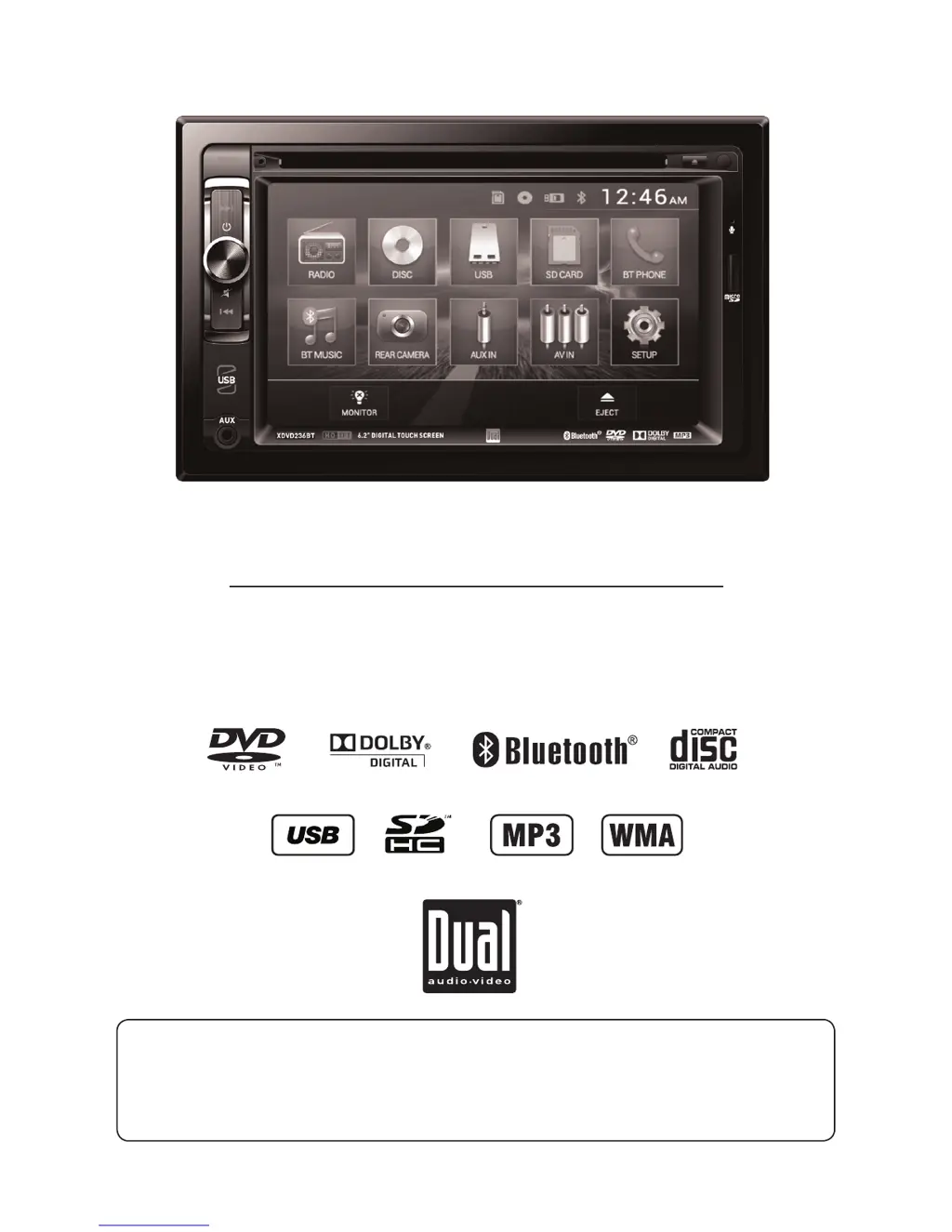
INSTALLATION/OWNER’S MANUAL
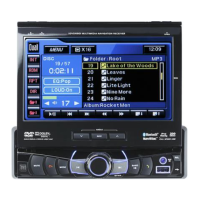
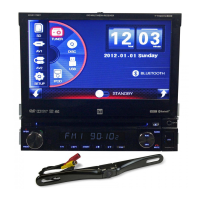
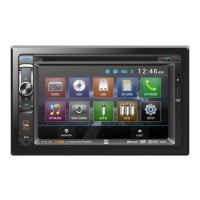
DVD Multimedia Receiver with Bluetooth
featuring a 6.2" Touch Screen Display
XDVD236BT
The DVD video display of the in-dash unit will not operate while the vehicle is moving. This is a safety feature
to prevent driver distraction. In-dash DVD video functions will only operate when vehicle is in Park and the
parking brake is engaged. It is illegal in most states for the driver to view video while the vehicle is in motion.
Safety Notes:
®

Other manuals for Dual XDVD236BT

Questions and Answers

  • M
    Manuel NewtonAug 14, 2025
    How to fix a Dual Car Receiver that won't turn on?
    • A
      Angela TorresAug 15, 2025
      If your Dual Car Receiver won't turn on, it could be due to several reasons: * The yellow or red wire might not be connected properly or have incorrect voltage. Ensure these wires are correctly connected and have a voltage between 11 and 16VDC. * The black wire may not be connected to ground. Check this connection. * The fuse might be blown. If so, replace it with a new one.
  • C
    Christopher HernandezAug 17, 2025
    Why does my Dual XDVD236BT keep blowing fuses?
    • O
      olsonsharonAug 18, 2025
      If your Dual Car Receiver keeps blowing fuses, there are a few potential causes: * A yellow or red wire might be touching the chassis ground. Inspect these wires for any pinching. * Speaker wires could also be touching the chassis ground. Check them for pinching as well. * The fuse rating might be incorrect. Make sure you are using fuses with the correct rating.
  • B
    Brenda CamachoAug 21, 2025
    What to do if my Dual XDVD236BT has power but no sound?
    • C
      Charles OsbornAug 21, 2025
      If your Dual Car Receiver has power but no sound, consider the following: * The speaker wires might not be connected properly. Check the connections at the speakers. * One or more speaker wires might be touching each other or the chassis ground. Insulate all bare speaker wires from each other and the chassis ground.
  • S
    Scott MartinezAug 25, 2025
    Why does my Dual XDVD236BT have audio but no video?
    • Z
      zachary72Aug 26, 2025
      If your Dual Car Receiver has audio but no video, it might be because: * The parking brake safety circuit is not connected. Check the connections at the parking brake. * The parking brake is not applied. Apply the parking brake.
  • S
    Sandra OsborneAug 28, 2025
    How to stop my Dual Car Receiver from skipping?
    • J
      Jeffery MoranAug 28, 2025
      Excessive skipping on your Dual Car Receiver can be caused by: * Incorrect mounting of the unit. Check the mounting sleeve. * Physical defects in the media. Inspect the disc for scratches.
  • P
    Priscilla KingAug 31, 2025
    Why is there no video display when reversing with my Dual XDVD236BT?
    • J
      Joe RuizAug 31, 2025
      If there is no video display when your Dual Car Receiver is in reverse, it could be due to: * The reverse circuit not being connected. Check the connections at the reverse lamp. * The vehicle not actually being in reverse. Select reverse gear.
  • M
    Mindy ButlerSep 3, 2025
    What to do if DVD does not start playback on my Dual Car Receiver?
    • C
      Cristian DeckerSep 3, 2025
      If your Dual Car Receiver DVD does not start playback, it may be due to: * Physical defects in the media. Check the disc for scratches. * Using the wrong region code. Use discs labeled "Region 1" or "All" only.
  • E
    Emily PaceSep 6, 2025
    What does 'Disc Region Incorrect' mean on my Dual XDVD236BT?
    • M
      Mason LopezSep 7, 2025
      If 'Disc Region Incorrect' appears on the display of your Dual Car Receiver, it means there is a region code error. Use discs labeled "Region 1" or "All" only.
  • J
    jennifer03Sep 12, 2025
    Why is the IR remote not working on my Dual Car Receiver?
    • S
      Stacey WebbSep 12, 2025
      If the IR remote for your Dual Car Receiver isn't working, the battery may be dead. Replace it with a new one.

Summary

Safety Warnings

Safety Information

Installation Preparation

Wiring Diagram

Control Locations Overview

Remote Control Setup

General Operation

Setup Menu Configuration

Advanced Setup Options

AM;FM;RDS Tuner Operation

Tuner Settings and Presets

CD;USB;SD Card Operation

Playback Controls

Media Compatibility CD;DVD

Media Compatibility USB;SD Card

Media Compatibility Overview

DVD Operation

Disc Handling

Instructions for inserting and ejecting discs.

DVD Touchscreen Controls

Explains on-screen controls for DVD playback.

DVD Playback Options

Playback Features

Various playback options like random, repeat, chapter access, and menus.

Bluetooth Operation - Phone

Bluetooth Pairing and Connection

Steps for pairing and connecting Bluetooth devices.

Phone Interface

Accessing and using the phone interface via Bluetooth.

Bluetooth Phone and Music Controls

Bluetooth Audio and Call Controls

Controls for dialing, call history, music playback, and audio settings.

Auxiliary and AV Inputs

Audio;Video Input Setup

Connecting external audio and video sources.

Rear Camera Operation

Rear Camera Setup

Connecting and using a rear camera for viewing.

Limited One Year Warranty

Product Specifications

Troubleshooting Guide

Dual XDVD236BT Specifications

General IconGeneral
Display Size6.2 inches
BluetoothYes
USB PortYes
Aux InputYes
Radio TunerAM/FM
CD/DVD PlaybackYes
Screen Resolution800 x 480
SD Card InputYes
Steering Wheel Control CompatibleYes
Backup Camera InputYes
Video OutputYes
Subwoofer OutputYes
Remote ControlYes
Power Output50W x 4

Related product manuals