EasyManua.ls Logo

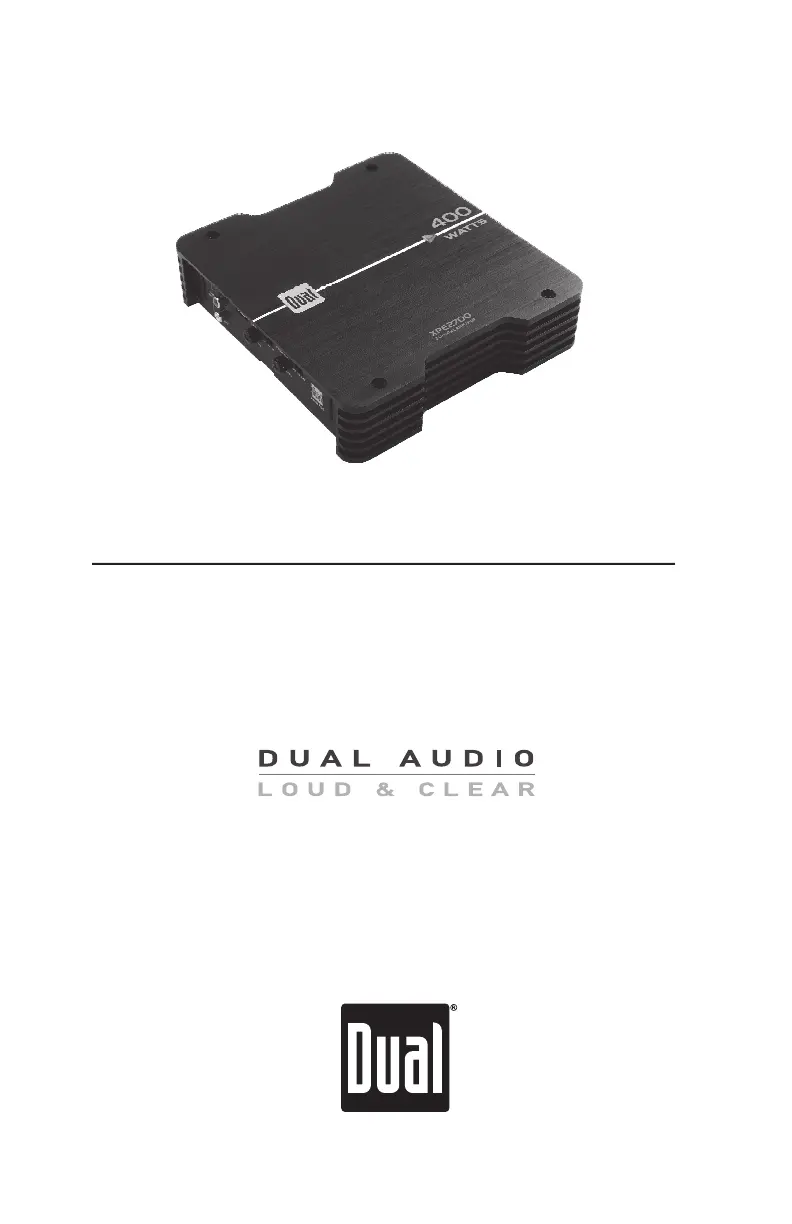
Dual XPE1700 - User Manual

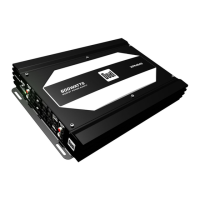
Dual XPE1700
12 pages
Print Icon
To Next Page IconTo Next Page
Loading...
INSTALLATION/OWNERS MANUAL
Mobile Power Amplifiers
XPE SERIES
XPE1700
XPE2700
XPE4700

Questions and Answers

  • M
    Mariah Stewart PhDAug 13, 2025
    What to do if my Dual XPE1700 Amplifier unit blows fuse(s)?
    • D
      Dr. Jerry Scott DDSAug 13, 2025
      If your Dual Amplifier keeps blowing fuses, it could be due to several reasons. First, ensure you are using fuses with the correct rating. An incorrect rating can cause them to blow prematurely. Second, check for any pinched +12V wire touching the chassis ground, as this can cause a short. Finally, defective or damaged speakers can also cause fuses to blow, so inspect and replace them if necessary.
  • M
    Michael BraunAug 16, 2025
    Why is my Dual Amplifier LED red (protect mode)?
    • A
      Alexander WilsonAug 16, 2025
      If the LED on your Dual Amplifier is red, indicating protect mode, there are several potential causes. First, check if any speaker wires are touching each other or the chassis ground and insulate any bare wires. Second, your speakers might be defective or internally shorted, so inspect and replace them if necessary. Finally, ensure the speaker load is not less than 2 ohms in stereo mode or less than 4 ohms when bridged, and adjust the speaker load accordingly.
  • P
    Patricia LeeAug 20, 2025
    How to fix engine noise in my Dual XPE1700 Amplifier?
    • M
      Manuel CherryAug 20, 2025
      To resolve engine noise in your Dual Amplifier, start by ensuring the amplifier is grounded to a clean, bare metal surface for a good ground connection. Also, try re-routing the RCA cables away from existing high current wiring to avoid signal ground loops or radio frequency interference (RFI).
  • L
    Lori WillisAug 25, 2025
    What to do if my Dual XPE1700 Amplifier has power but no sound?
    • J
      Jenny CisnerosAug 25, 2025
      If your Dual Amplifier has power (blue LED) but no sound, check the following: 1. Ensure the speaker wires are properly connected at the speakers. 2. Increase the volume level at the head unit, as the volume might be turned all the way down. 3. Check for any speaker wires touching each other or the chassis ground, and insulate them. 4. Inspect the speakers for any defects or damage, and replace if necessary. 5. Verify that the input signal is properly connected, checking both high and low level inputs.
  • S
    Steven MeyersAug 28, 2025
    How to fix distorted audio output on Dual XPE1700?
    • T
      Tracey NormanAug 28, 2025
      If you're experiencing distorted audio output from your Dual Amplifier, it could be due to an incorrect input signal type or an input level that is too high. Check your connections and reduce or adjust the input level accordingly.
  • C
    christinemasonAug 31, 2025
    How to fix low audio output on Dual Amplifier?
    • J
      Jessica SanchezAug 31, 2025
      If you're experiencing low audio output from your Dual Amplifier, it could be due to an incorrect input signal type or an input level that is too low. Check the connections and increase or adjust the input level accordingly.
  • D
    Donald MorganSep 4, 2025
    How to troubleshoot Dual XPE1700 not turning on?
    • J
      Jamie WilliamsSep 4, 2025
      If your Dual Amplifier won't turn on (no power LED indicator), check the following: * Ensure the +12V wire is connected and has the correct voltage (11~16VDC). * Verify the REM wire is connected and has the correct voltage. * Confirm the GND wire is properly connected to ground. * Check and replace any blown fuses.
  • T
    tparkSep 8, 2025
    Why does my Dual XPE1700 Amplifier have weak bass?
    • W
      William RodgersSep 8, 2025
      If your Dual Amplifier has weak bass, the speakers might be wired out of phase. Check the (+) and (-) speaker connections to ensure correct polarity is observed.

Summary

Connection Descriptions

Power Wire (+12 V)

Connecting the primary power wire and associated safety precautions.

Ground Wire (GND)

Instructions for establishing a secure amplifier ground connection.

Audio Inputs and Controls

Control Descriptions

Detailed explanations of all numbered control functions and features.

Power and Speaker Connections

XPE1700 Connections

Diagram and labels for power and speaker terminals on the XPE1700.

XPE2700 Connections

Diagram and labels for power and speaker terminals on the XPE2700.

XPE4700 Connections

Diagram and labels for power and speaker terminals on the XPE4700.

Typical Wire Routing

Main Power Connections

Guidance on safely connecting power, ground, and remote wires.

Amplifier Connections

Speaker Connections

Wiring details for stereo/bridged modes and impedance limits.

Input Signal Connections

Explanation of low-level (RCA) and high-level input options.

Configuration;Setup

Input Level Control

Adjusting gain for optimal audio matching between head unit and amplifier.

Troubleshooting

Unit will not turn on (no power LED indicator)

Diagnosing and resolving power-on issues.

Unit has power - LED is blue (but no sound)

Troubleshooting steps when the unit powers on but produces no audio output.

Dual XPE1700 Specifications

General IconGeneral
Channels2
Power Output1700 Watts
RMS Power @ 4 Ohms170 Watts x 2
Frequency Response20Hz - 20kHz
Input Sensitivity200 mV - 6 V
Impedance2 - 8 Ohms
Low Pass Crossover40 Hz - 250 Hz
Operating Voltage10V - 16V
Fuse Rating25A
Bass Boost0-18dB @ 45Hz

Related product manuals