EasyManua.ls Logo

Dual XIA2340 - User Manual

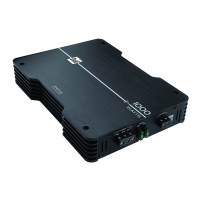
Dual XIA2340
12 pages
Print Icon
To Next Page IconTo Next Page
Loading...
INSTALLATION/OWNERS MANUAL
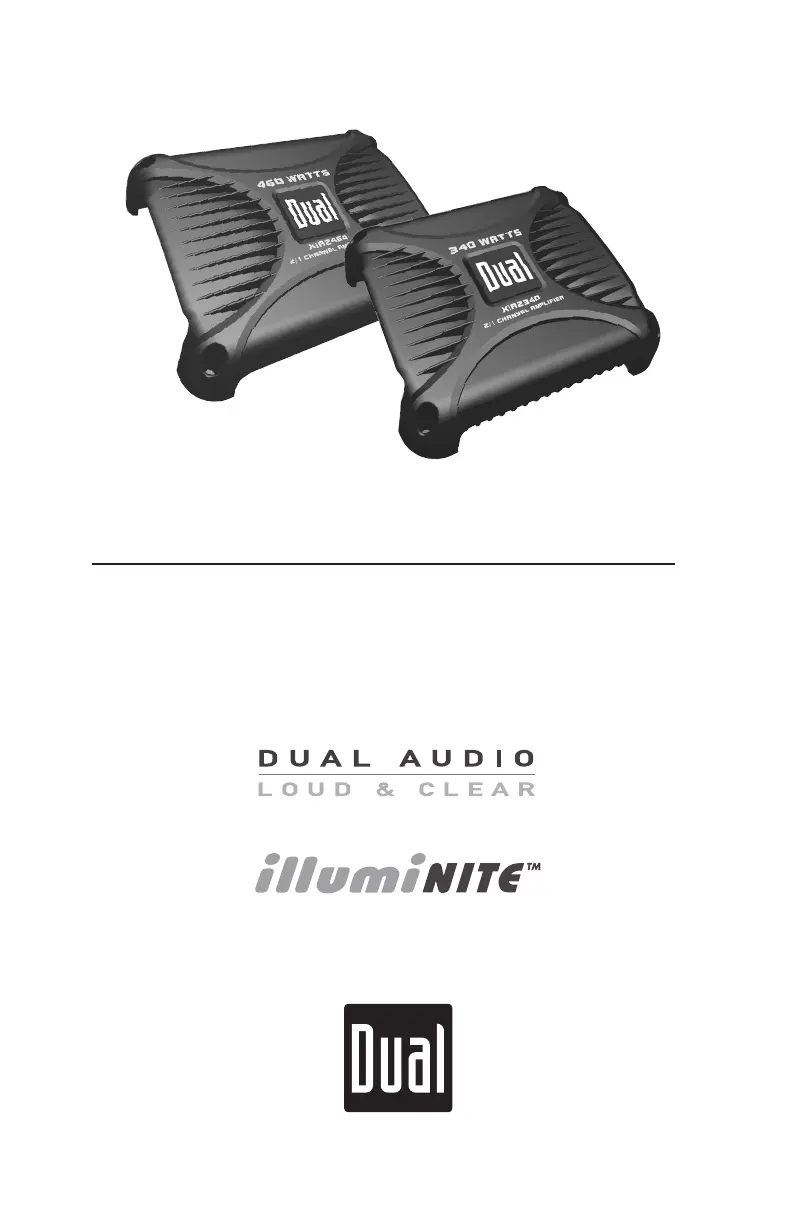
Mobile Power Amplifiers
XIA SERIES
XIA2340
XIA2460

Questions and Answers

  • A
    Adam BennettAug 13, 2025
    What to do if my Dual Amplifier will not turn on?
    • D
      dhartAug 14, 2025
      If your Dual Amplifier is not turning on, there are several potential causes: * The +12V wire or REM wire may not be connected, or the voltage may be incorrect. Ensure connections have the proper voltage (11~16VDC). * The GND wire might not be connected. Check the connection to ground. * The fuse(s) may be blown. In this case, replace the fuse(s).
  • B
    brian61Aug 17, 2025
    Why does my Dual XIA2340 have power but no sound?
    • B
      Brett JohnsonAug 17, 2025
      If your Dual Amplifier has power but no sound, consider the following: 1. Speaker wires might not be connected. Check the connections at the speakers. 2. Speaker wires may be touching each other or the chassis ground. Insulate all bare speaker wires from each other and the chassis ground. 3. The input signal may not be connected. Check the high or low level inputs for proper connection.
  • A
    Amanda JenningsAug 21, 2025
    What causes engine noise in my Dual XIA2340 Amplifier and how to fix it?
    • L
      lloyddavidAug 21, 2025
      Engine noise in your Dual Amplifier can be caused by: * A bad ground connection. Make sure the amplifier is grounded to clean, bare metal. * A signal ground loop or RFI (radio frequency interference). Try re-routing the RCA cables away from existing high current wiring.
  • P
    patkinsonAug 25, 2025
    What to do if my Dual Amplifier blows fuses?
    • R
      rnewtonAug 25, 2025
      If your Dual Amplifier is blowing fuses, it could be due to: * An incorrect fuse rating. Use fuses with the correct rating. * The +12V wire touching the chassis ground. Check for a pinched wire. * Defective or damaged speakers. Check or replace the speaker(s).
  • A
    Amy VillanuevaAug 28, 2025
    Why is the LED on my Dual XIA2340 red (protect mode)?
    • T
      Teresa SmithAug 29, 2025
      A red LED (protect mode) on your Dual Amplifier indicates: * Speaker wires touching each other or the chassis ground. Insulate all bare speaker wires from each other and the chassis ground, then reset the amplifier. * Defective or internally shorted speakers. Check or replace the speaker(s). * A speaker load less than 2 ohms (stereo) or less than 4 ohms (bridged). Adjust the speaker load; the amplifier will not operate at less than 4 ohms when bridged.
  • S
    Steven SimmonsSep 1, 2025
    Why is my Dual XIA2340's audio output distorted?
    • A
      Alicia CooperSep 1, 2025
      Distorted audio output from your Dual Amplifier can be caused by an incorrect input signal type or an input level that is too high. Check the connections and reduce or adjust the input level.
  • A
    Angelica VillarrealSep 5, 2025
    What causes low audio output in my Dual XIA2340 Amplifier?
    • K
      kfischerSep 5, 2025
      Low audio output from your Dual Amplifier may be due to an incorrect input signal type or a low input level. Check the connections and increase or adjust the input level.
  • C
    Christina ThomasSep 8, 2025
    Why is there no illuminite output (no lights) on my Dual XIA2340?
    • R
      Robert HigginsSep 8, 2025
      If there's no illuminite output (no lights) on your Dual Amplifier, the possible causes are: * A blown fuse or the illuminite output (+12VDC) wire touching the chassis ground. Check or replace the fuse. * The illuminite (+) or (-) wires are not connected. Check the connections at the speakers. * Incorrectly wired illuminite connections (reverse polarity). Reverse the (+) and (-) connections, observing correct polarity. * Defective or damaged illuminite speaker(s). Check or replace the speaker(s).

Summary

Preparation

Before You Start

Key steps and precautions before beginning amplifier installation.

Mounting Location

Guidelines for choosing an optimal and safe mounting position for the amplifier.

Connection Descriptions

Power Wire (+12 V)

Detailed instructions for connecting the main power wire to the amplifier.

Ground Wire (GND)

Guidance on properly connecting the amplifier's ground wire for safety and performance.

Remote Turn-on Wire (REM)

Information on connecting the remote turn-on wire for amplifier power control.

Speaker Wires

Instructions for connecting speaker wires, emphasizing polarity and connections.

Iluminite Circuit (12 VDC Output)

Specifics for connecting the illuminite circuit for DUAL illuminite speakers.

Input Signal

Details on connecting audio input signals from the head unit to the amplifier.

Features and Control Locations

Low Level Inputs

Location and function of the low-level audio inputs (RCA).

High Level Inputs

Location and function of the high-level audio inputs (speaker wire).

Input Level Control

Details on the input level control for matching head unit and amplifier output.

Crossover Frequency

Location of the crossover frequency adjustment control.

Crossover Mode Switch

Location of the switch to select crossover modes (HP, LP, Full).

Bass Boost

Location of the bass boost control for enhancing low frequencies.

LED Indicator

Description of the LED indicator for power and protection status.

Power Connections

Location of the power input terminals (GND, REM, +12V).

Main Fuse

Location of the main fuse for amplifier protection.

illuminite Fuse

Location of the fuse for the illuminite circuit.

illuminite Outputs

Location of the illuminite output terminals.

Speaker Connections

Location of the speaker output terminals.

Typical Wire Routing

Main Power Connections

Diagram and explanation for routing power, ground, and remote wires.

Fuse Rating

Recommended fuse types and ratings for amplifier protection.

Power;Ground Wire Size

Guidelines for selecting appropriate wire gauges for power and ground connections.

illuminITE Output Connections

Typical illuminite Connections

Illustrates how to connect DUAL illuminite speakers to the amplifier's output.

Speaker Connections

Input Signal Connections

Low Level Input (RCA)

Details on using RCA cables for audio input, including cable length recommendations.

High Level Input (Speaker Wire)

Instructions for using speaker wire inputs when RCA outputs are unavailable.

Configuration;Setup

Input level Control

Guide to adjusting the input level (gain) for optimal audio matching.

Crossover Mode

Explanation of crossover modes (HP, LP, Full) for frequency filtering.

Crossover Frequency Control

How to precisely adjust the crossover frequency for desired sound.

Bass Boost

Information on using the bass boost feature and its potential effects.

LED Indicator

Understanding the LED indicator's colors for operational status and faults.

Limited One-Year Warranty

What to do?

Steps to follow for obtaining warranty service within the USA.

Exclusion of Certain Damages

Details on damages and liabilities not covered by the warranty.

Specifications (XIA2340)

Specifications (XIA2460)

Troubleshooting

Dual XIA2340 Specifications

General IconGeneral
BrandDual
ModelXIA2340
CategoryAmplifier
LanguageEnglish

Related product manuals