A
B
C
D
E
F
G
H
L
M
N
P
Uso e manutenzione
Use and Maintenance
sezione / section
D 5
66 Monster 400 - 620 Aggiornamento/Update - M.Y. 2006 - edizione/edition 00
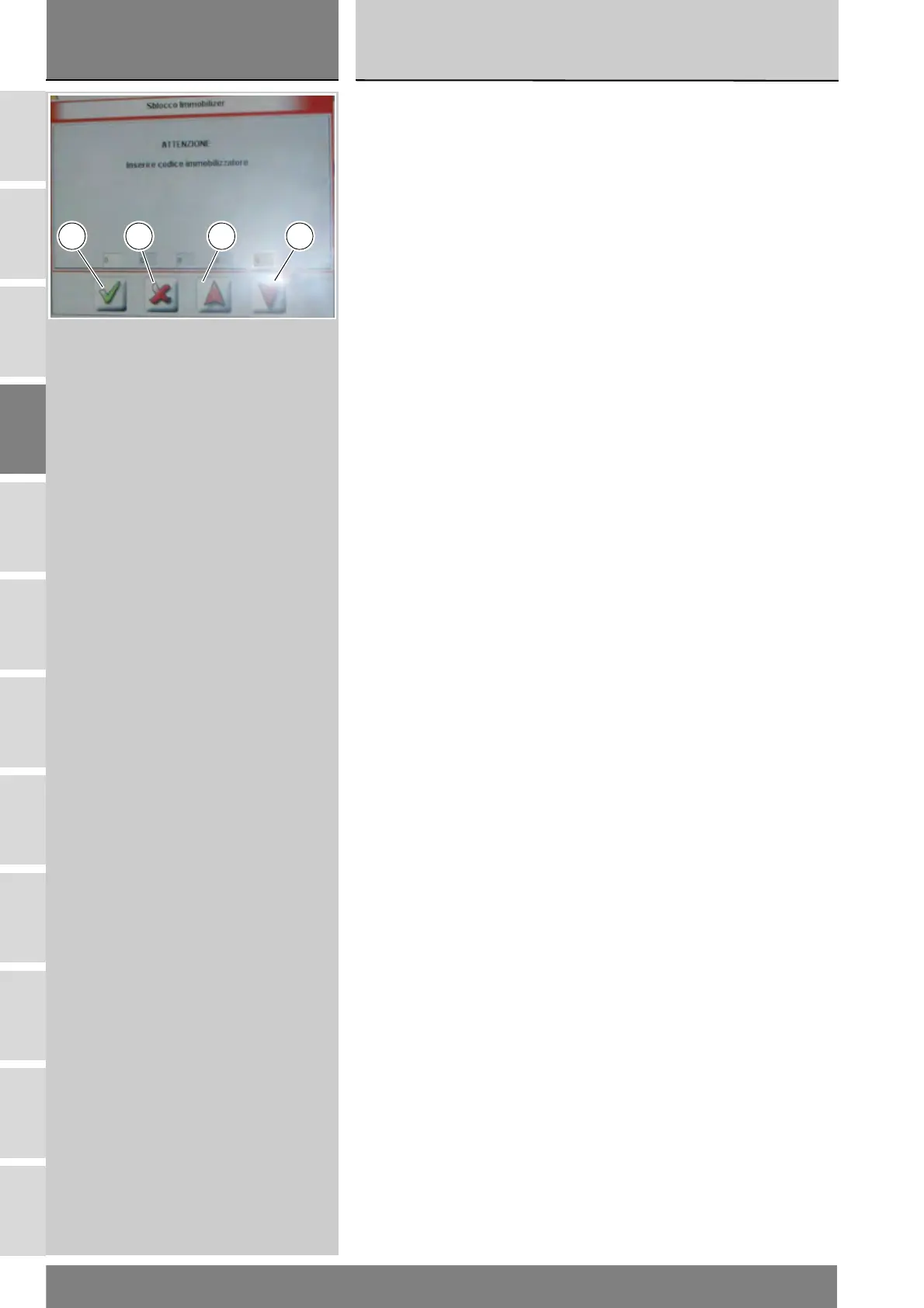
Compare la schermata dove è
possibile inserire le cinque cifre del
codice segreto. Per inserire ogni cifra
utilizzare le frecce rosse (E) e (F): ogni
cifra inserita deve essere confermata
premendo l'icona "Conferma" (B).
Una volta inserito il codice completo,
confermare premendo l'icona
"Conferma" (B).
Se l'operazione è stata effettuata,
compare il messaggio "L'operazione è
andata a buon fine?" e premere l'icona
"Conferma".
Nel caso si presenti dei problemi
all'effettuazione dell'operazione,
compariranno i relativi messaggi
indicanti gli errori verificatesi: ogni
messaggio deve essere confermato,
premendo l'icona "Conferma", oppure
rifiutato, premendo l'icona "Uscire"
(G).
Rimuovere lo strumento di Diagnosi.
A box is displayed with a field for the
five figures of the emergency code.
Use the red arrows (E) and (F) to enter
each digit: confirm each digit entered
pressing "Confirm" (B).
Once the code is complete, press
"Confirm" (B).
If the operation is performed, the
message "Was the operation
successful?" is displayed, press
"Confirm".
If there are problems in performing
the operation, the relevant error
messages are displayed: you need to
confirm or reject each message by
pressing "Confirm" or "Exit" (G),
respectively.
Remove the Diagnosis instrument.
B FG E










 To Next Page