30
Owner's Manual for Duke Flexbake 5
TM
Proof and Bake Oven with WiFi Connectivity
NETWORK CONFIGURATION cont.
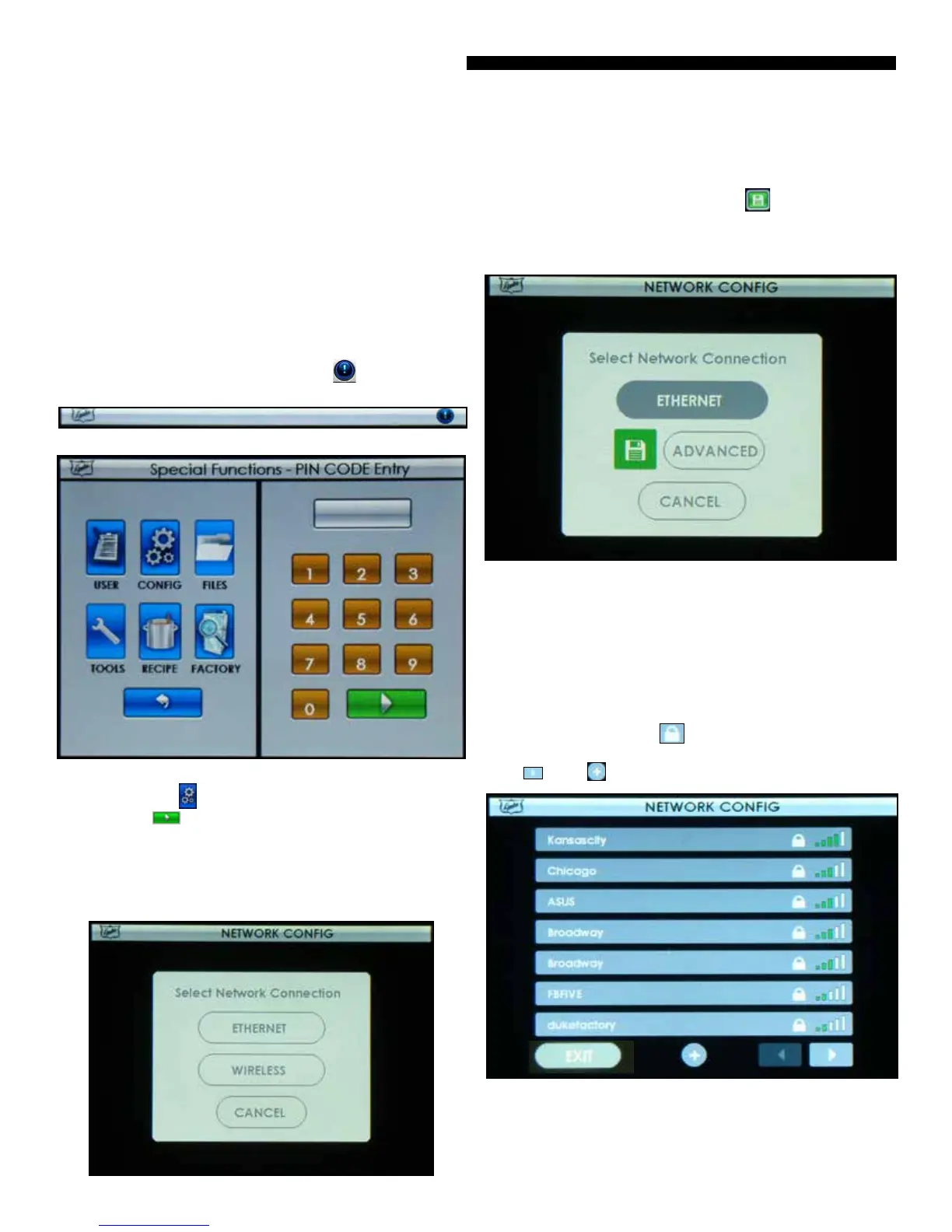
To access the SPECIAL FUNCTIONS, touch button on the
Main Tool Bar.
Figure: Main Tool Bar
Figure: Special Functions Screen
Step 1 Touch the button and then enter pin code 2 3 4 5
and Touch the button when prompted.
Step 2 Select NETWORK CONFIG
Step 3 Select Ethernet, Wireless or Cancel back to
Congurations screen.
Figure: Network Conguration
NETWORK CONFIGURATION
a. If ETHERNET is selected, “SAVE” button sets
Ethernet and DHCP mode.
Note: ADVANCED will allow setting of static IP.
Figure: Ethernet Selection
b. Selecting WIRELESS will display a list of available net-
works (routers). Select your preferred network by touching the
name in the list. The
network you selected will be displayed on the
wireless selection screen (for example, FBFIVE), touching the
Password eld allows text entry, if required.
NOTES:
If a password is required, a will be displayed on the Net-
work List. To display additional networks available,
press or the to manually enter your network name.
Figure: Wireless Selection
Content Filters
If you operate a restrictive content lter on your premise for
controlling access to Internet Content, we request that you
whitelist trac to the following URL for access to the Duke
Connected Equipment Platform.
URL
https://connected.dukemfg.com



 To Next Page