34
Owner's Manual for Duke Flexbake 5
TM
Proof and Bake Oven with WiFi Connectivity
CONNECTED OPERATION AND AVAILABLE FEATURES continued
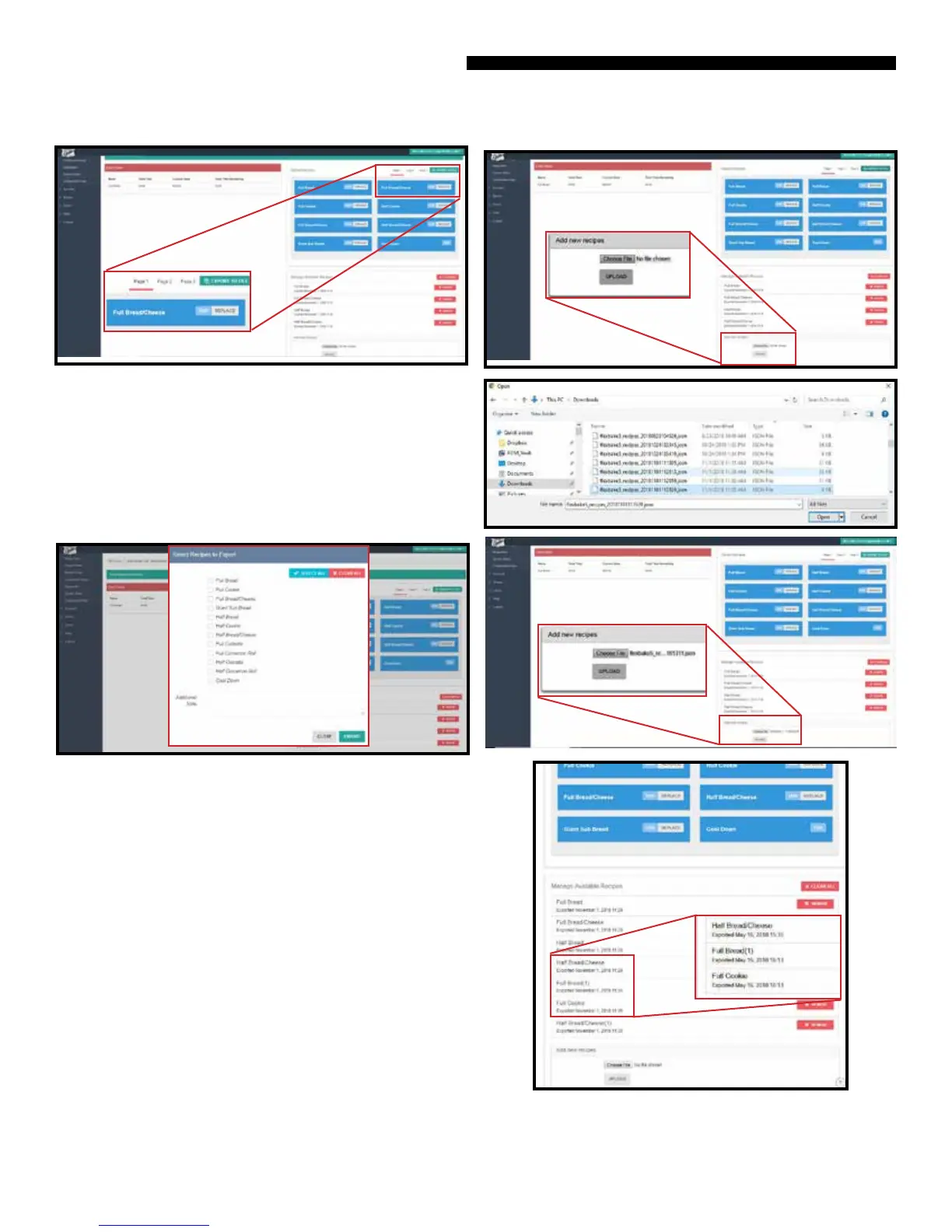
Step 5 EXPORT TO FILE allows you to export the full recipe
set or individual recipes in the unit to a le by selecting them
from a drop down list. The exported le will be saved in your
computer’s or other smart device’s download folder. The le
name will be of the following format:
exbake5_recipes_YYYYMMDDHRMMSS.json.
This le can then be shared, for example with other stores.
To export a le, select EXPORT TO FILE, select the recipes you
want to export from the drop down list, and select EXPORT.
Once it is selected, the le name will be displayed on the
Web App adjacent to the Choose File button. Select UPLOAD
and the recipes will be loaded and appended to the Manage
Available Recipes list. In this example below, the .json recipe
le contained recipes named Full Bread, Full Cookies and
Half Bread/Cheese. As you can see, these 2 recipes have been
appended to the list and the detail text
description shows the exported date and time stamp.
Additionally, the Web App appended (1) to the recipe names to
dierentiate them from the existing recipes of the same name
in the Manage Available Recipes list.
Step 7 Recipes in the Manage Available Recipes list may
be removed from the list by selecting the REMOVE button
adjacent to the recipe or CLEAR ALL button.
Step 6 To UPLOAD recipes from an available
exported .json recipe le, select Choose File, browse to the le’s
folder location and select the recipe le.
NOTE: This must be an exported .json le from the Duke
Connected Equipment Platform Web App.



 To Next Page