25
Farmscan Jackal v3 Settings Setup
Refer to the manual supplied with your Farmscan Jackal kit for information and operation.
Farmscan Jackal v3 Factory Setup for EcoSeeder
Refer to pages 6,9,11 of the Farmscan Jackal v3 manual.
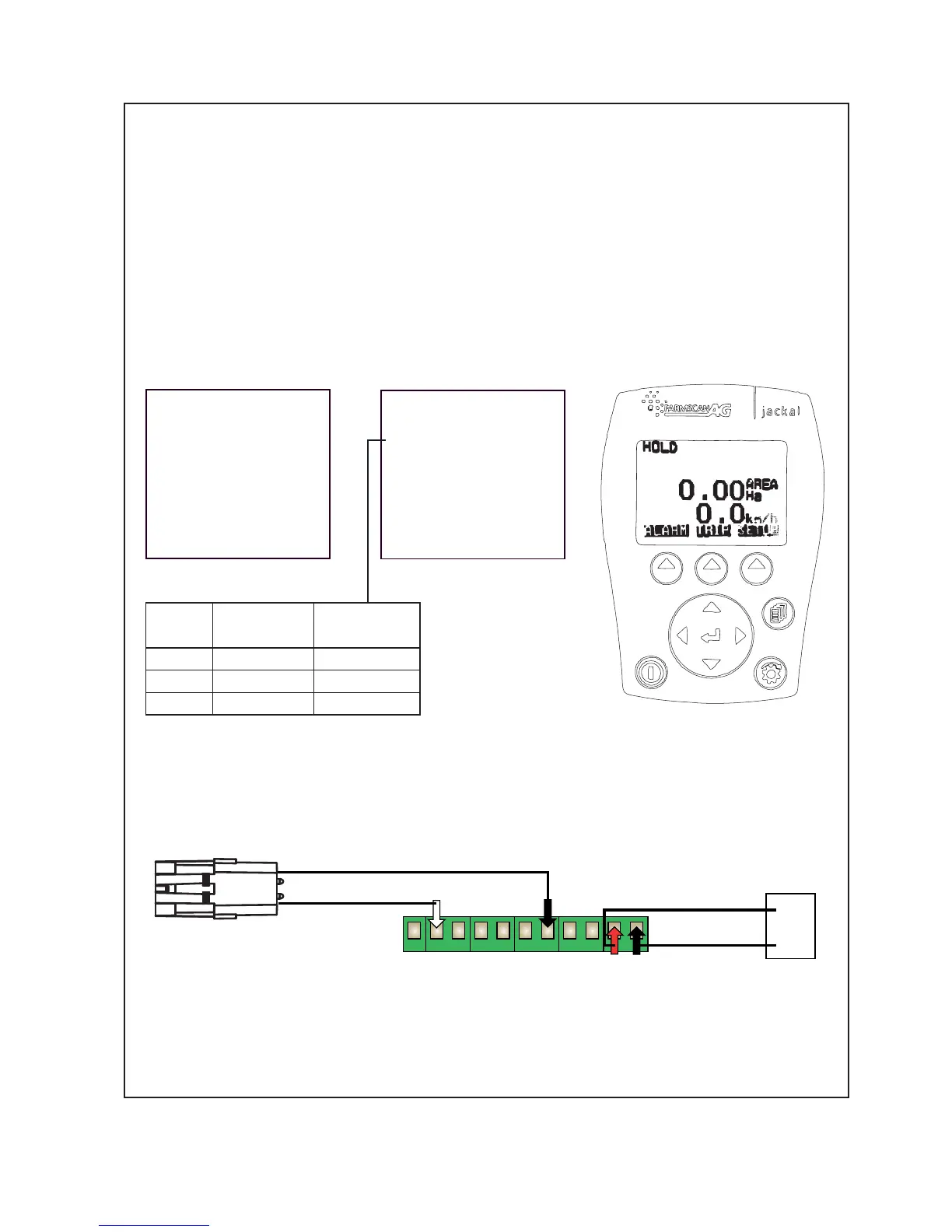
Input 2 -Two wire ‘reed’ sensor for ‘Area/Speed Wheel’ measurement taken from shaft on drive
pedestal.
The white ‘signal’ lead is connected to input A2.
Refer to the Farmscan manual if you want to make additional sensor connections.
It is advisable, as with all things electronic, to have a backup of your totals. We suggest you record
these on a daily basis in a notebook or diary.
Input 2 Edit
m/pulse
Auto Set:
Target:0.000m
Meas.pulses: 0
Manual Ratio:
2.750000
NEXT EDIT
Other Settings
Implement Width:
x.xxx m
Extern.Run/Hold:
Disabled
Alarm Beep:2
NEXT EDIT
A1 A2 A3 A4 A5 A6 A7 A8 A9 A10 A11
1 Gnd
A2 Signal
Connect to Pedestal Shaft
2 Wire Sensor via extension
cable.
Connect directly
to Tractor Battery
+12v
0v
red
black
white
black
Pt. No. 67392
Issue 0918
Machine
Size
Row Spacing
(mm)
Sowing Width
(m)
14 Run 148.5 2.08
16 Run 148.5 2.38
18 Run 148.5 2.67



 To Next Page