17
5.4 Manual activation/deactivation
pH
pH
pH
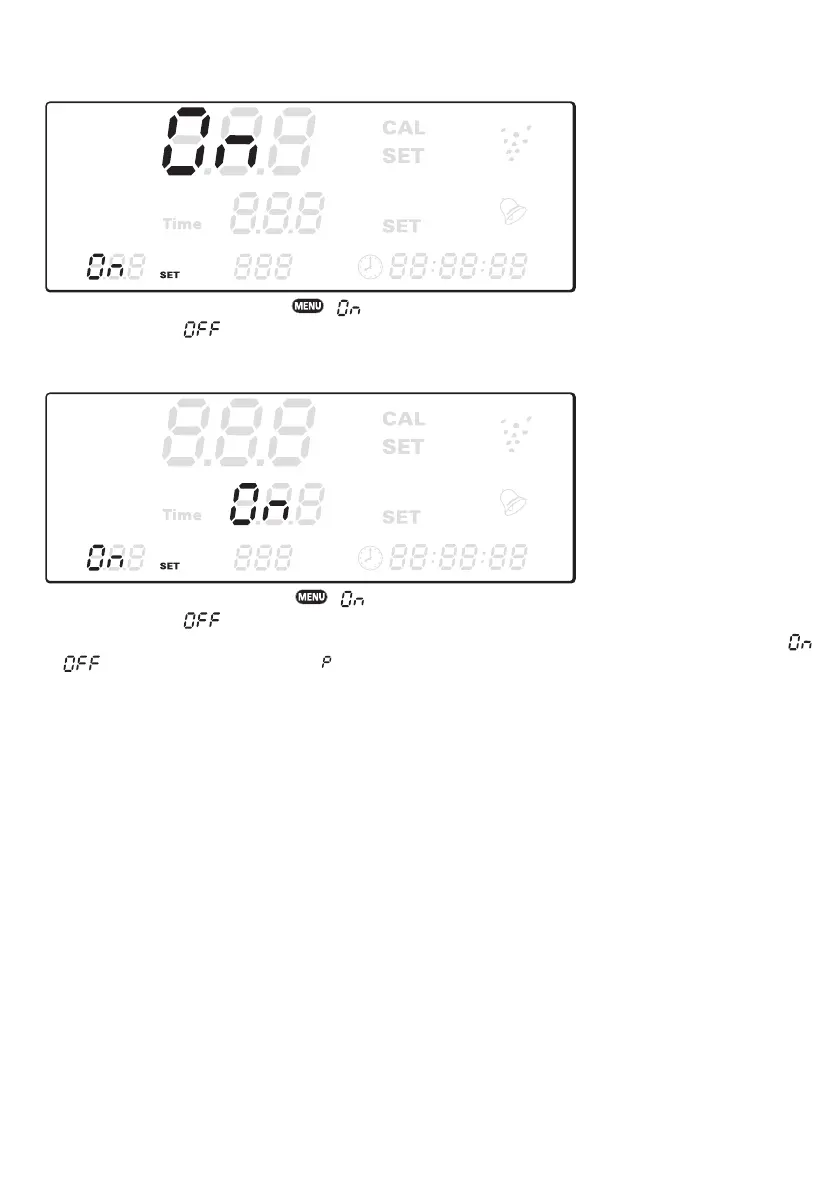
To activate slot 1, hold ▲ then press . is displayed on the first line. Press these buttons a second time,
slot 1 is deactivated. is displayed in the first line. If you press it a third time, the programme mode for slot 1 is
reactivated. The display shows your set values again.
pH
pH
pH
To activate slot 2, hold ▼, then press . is displayed on the second line. Press these buttons a second time,
slot 2 is deactivated. is displayed on the second line. If you press it a third time, the programme mode for slot 2
is reactivated. The display shows your set values again. If slot 2 is time-controlled and not temperature controlled
or on the second line together with on the third line is displayed, indicating permanent on- or off- switch.
5.5 Display light
To change the automatic adaptation of the display light to full illumination, press and hold the ▲ button in operating
mode and then press the ▼ button. When you hear a single beep, the display will remain permanently fulley illumina-
ted. To set the display illumination in automatic mode (down dimming automatically after 120 seconds of inactivity)
again, press the ▲ button again. Immediatly the illumination is dimmend down and the device beeps twice.


 To Next Page