pH
pH
pH
4
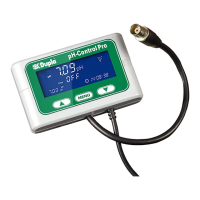
1.2 Display
pH
pH
pH
= Displaying measured pH
= Displaying measured Temp2 or Time
= Displaying set pH
= Displaying set Temp or Time
= Displaying current time
= Symbol for pH (slot 1)
= Symbol for Timer (slot 2)
= Symbol for calibration
= Symbol for Set values
= Symbol for CO
2
supply
= Symbol for alert (flashes simultaneously with
pH
symbol in case for alert
or flashes simultaneously with
CAL
to remember pH electrode calibration)
1.3 Safety instructions
The Dupla pH-Control Pro is designed exclusively for use in enclosed rooms. All electronic components of the device
must only be operated whilst they are free from defects. Should the mains supply be damaged, please please return it
to your dealer for repair. Continued operation of the device may cause fatal injury from electric shock. Ensure that the
control unit and connection strip do not come into contact with water.
Technical products must only be operated as supplied. Electronic components must not be modified in any way, and
the leads must not be shortened. Covers or housings must not be opened. If the product is damaged cease useage or
shut down immediatly by pulling the mains plug.


 To Next Page