9
5. Programming instructions
Connect the pH electrode to the Dupla pH-Control Pro. To start the programming mode press the button
Please note: Without connected pH-elctrode the error
will be displayed.
5.1 Clock programming
5.1.1 Time setting
pH
pH
pH
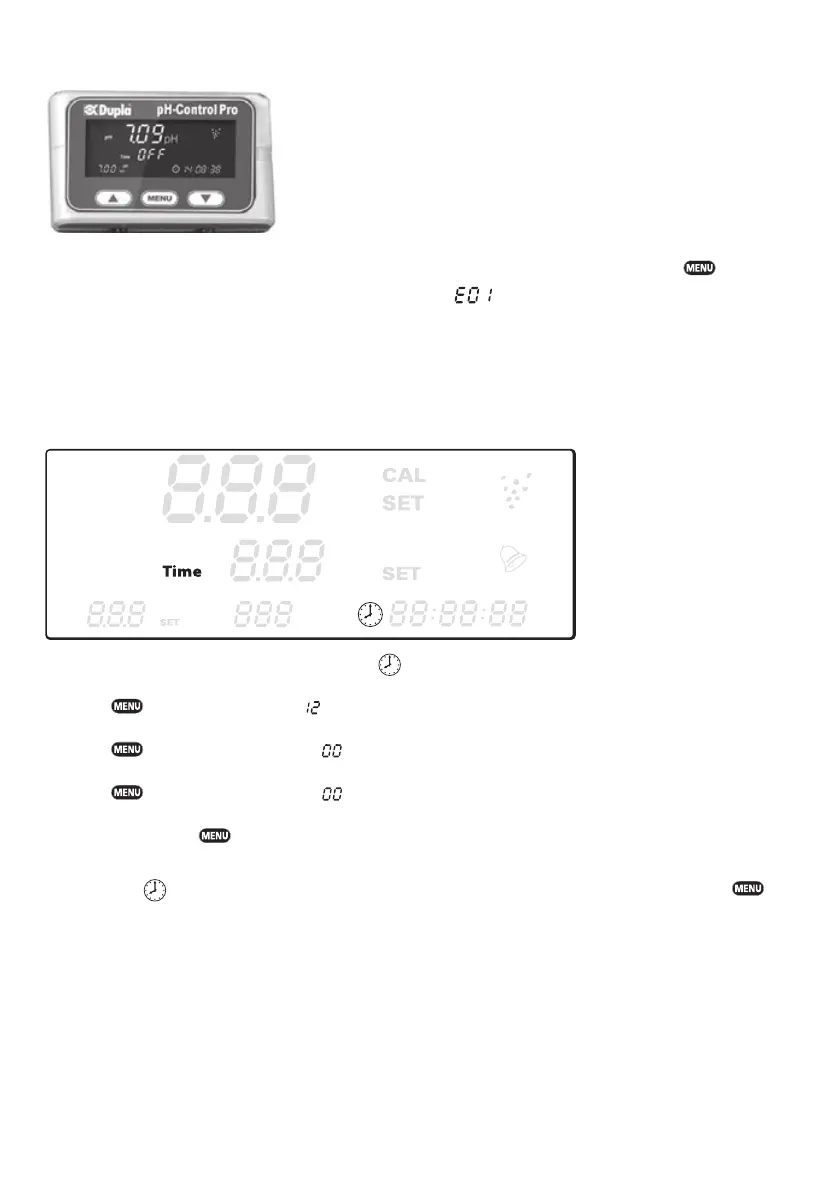
Entering the programming mode, the clock symbol
fl ash.
Press the
button, the hours digits fl ash.
Use the ▲ or ▼ button to set the hours between 0 and 23.
Press the
button, the minutes digits fl ash.
Use the ▲ or ▼ button to set the minutes between 0 and 59.
Press the button, the seconds digits fl ash.
Use the ▲ or ▼ button to set the seconds between 0 and 59.
Acknowledge with the button.
When fi nished
will fl ash again. Scroll to the next main menu item with the ▼ button, then press the
button.
Please note: Once the clock has been set at least once, you can use ▲ or ▼ to directly access the settings
pH or
Time
.
Please note: The Dupla pH-Control Pro does not automatically switch between summer time and winter time.
This change must be entered manually.


 To Next Page