Page 17
4
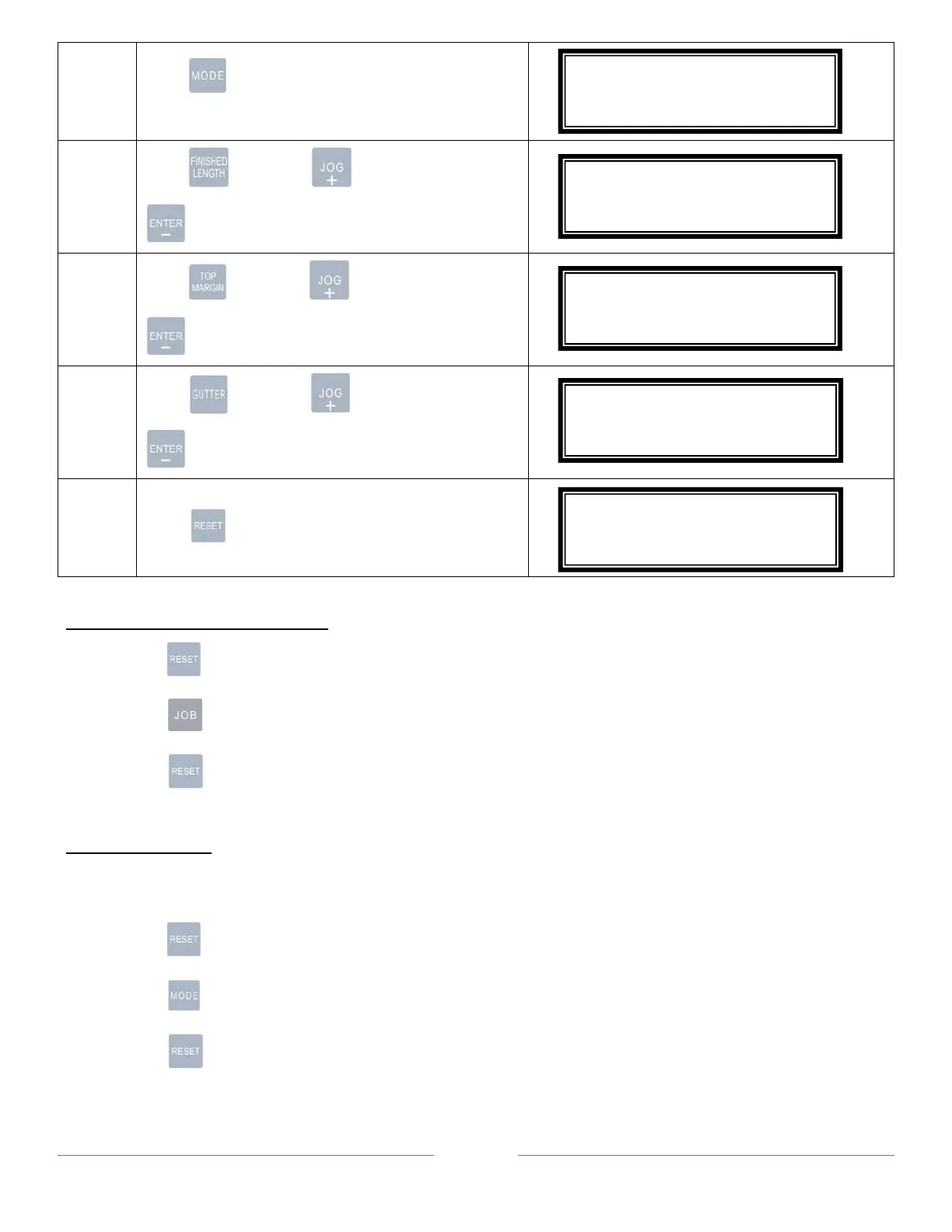
Hold for 4 seconds. “Edit” will appear
indicating machine in “Program Mode”.
5
Hold and press to increment or
to decrement change finished length in mm.
6
Hold and press to increment or
to decrement change top margin in mm
7
Hold and press to increment or
to decrement change gutter length in mm
8
Press to save settings.
TURBO AND NORMAL MODE
1. Hold for 4 seconds.
2. Press to select “Normal Mode” or “Turbo Mode (Default)”.
3. Press to save settings.
PAPER WEIGHT
Adjust paper weight settings if paper is skewing or miss-feed.Set 1 or 2 for lighter paper and 4 or 5 for
heavier paper.
1. Hold for 4 seconds.
2. Press to select settings 1-5. Use table below for references.
3. Press to save settings.
#10L000.0M00.0G00.0
ED 89
#10L127.0M00.0G00.0
ED 89
#10L127.0M12.7G00.0
ED 89
#10L127.0M12.7G06.0
ED 89
#10L127.0M12.7G06.0
NM 89



 To Next Page