Page 7
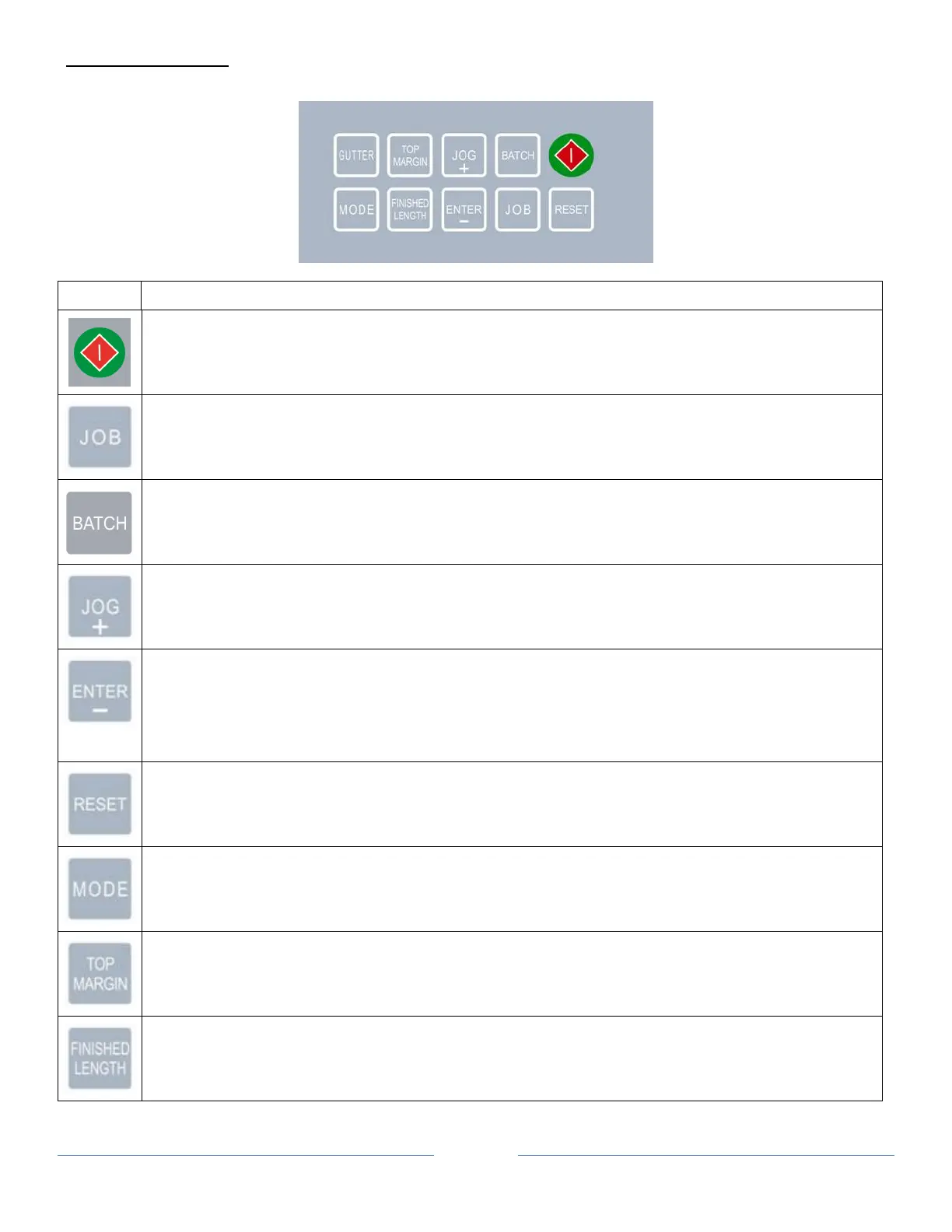
CONTROL PANEL
Keys Function
• Start and Stop the cutter
• Change job
• Toggle between “Normal Mode” and “Turbo Mode” (Paper Weight Setting Mode)
• Select batch count
• Pre-feed (Mark Reader Calibration Mode)
• Jog forward
• Increment settings by 0.1 mm when press.
• Confirm job and batch count setting.
• Decrement settings by 0.1mm when press (Mark Reader Calibration Mode).
• Jog backward
• Reset counter (use with “RESET” button simultaneously)
• Save settings
• Hold (4s) paper weight setting mode
• Reset counter (use with “ENTER” Button simultaneously)
• Enter program mode
• Change paper weight
• Set top margin
• Set finished length


 To Next Page