Chapter 2
16
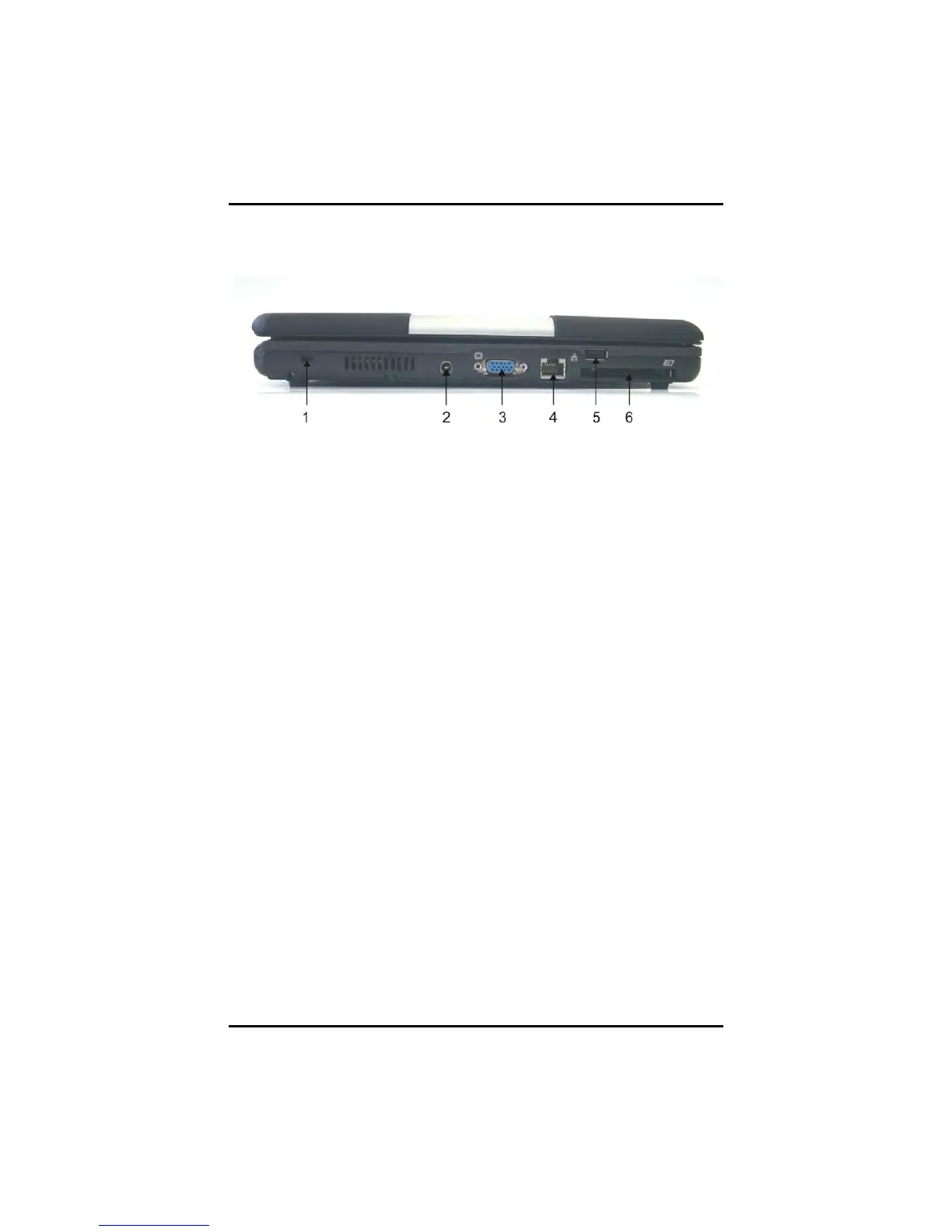
Left View
1. Kensington Lock
Your computer includes a Kensington lock hole to be used with a
standard Kensington lock. You can connect the notebook to a large
object with the Kensington lock to prevent theft of your notebook.
See the documentation that comes with your Kensington lock for
more information.
2. DC-IN Jack
Connect the DC power cable from the AC adapter to this jack.
3. VGA Out (External Video Display) Port
The 15-pin VGA port can be used to connect your computer to an
external monitor. (See the Graphics System in chapter 2 for more
information).
4. LAN RJ-45 Jack
With the built-in Ethernet LAN function, you can make LAN
connections without installing PC cards. Connection speed is
10/100/1000 Mbps.



 To Next Page