Chapter 2
18
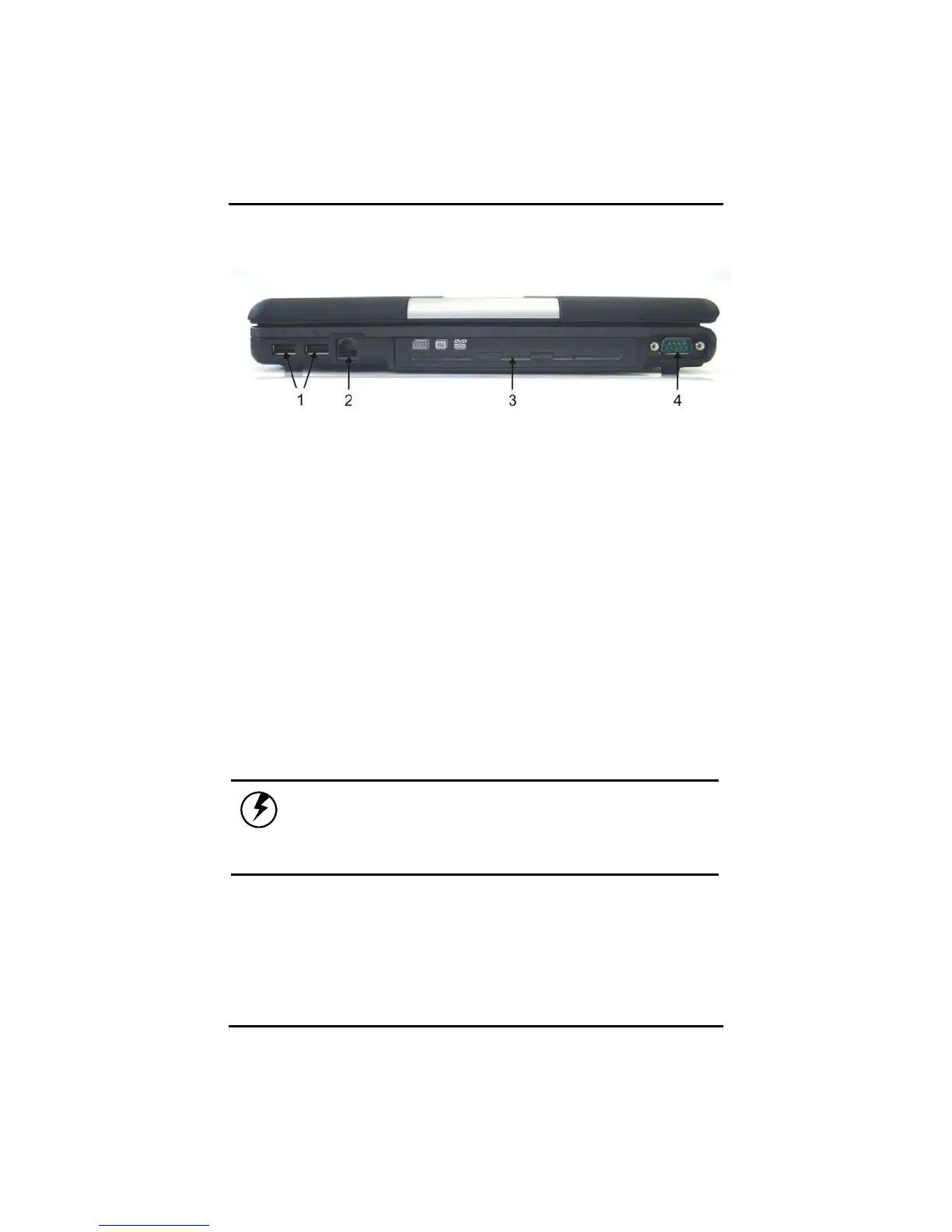
Right View
1. USB (Universal Serial Bus) Ports
The Universal Serial Bus (USB) is the latest standard for attaching
monitors, input devices, scanners, and other devices to a PC. USB
devices can be chained together on a single cable.
2. Fax/modem RJ-11 Jack
The fax/modem can transmit data using the 56 Kbps V.92 protocol,
and send and receive faxes at 14.4 Kbps. In some countries, local
regulations may not permit the use of the fax/modem designed for
this system. In this case, you may use a PCMCIA modem.
Warning:
Plug your modem into an analog telephone
jack only. Most homes use analog lines. Do
not use digital lines, such as the PBX and
ISDN systems found in many offices. Digital
lines may damage your modem.



 To Next Page