Chapter 2
23
Function Keys
Hold the Fn key while pressing the numbered function key.
Function key Description
Fn + F3 Toggles backlight On/Off
Fn + F4
Suspend to RAM/HDD
Suspend mode-Setup from Power Management
Fn + F5
Toggles between LCD/CRT displays
(LCD CRT LCD+CRT)
Fn + F6
Brightness Decrease
Fn + F7
Brightness Increase
Fn + F8
Volume down
Fn + F9
Volume up
Fn + F10 Mute
Fn + F1 (F11)
Select Boot device after POST finished
Fn + F2 (F12)
Select Boot from LAN function after POST finished
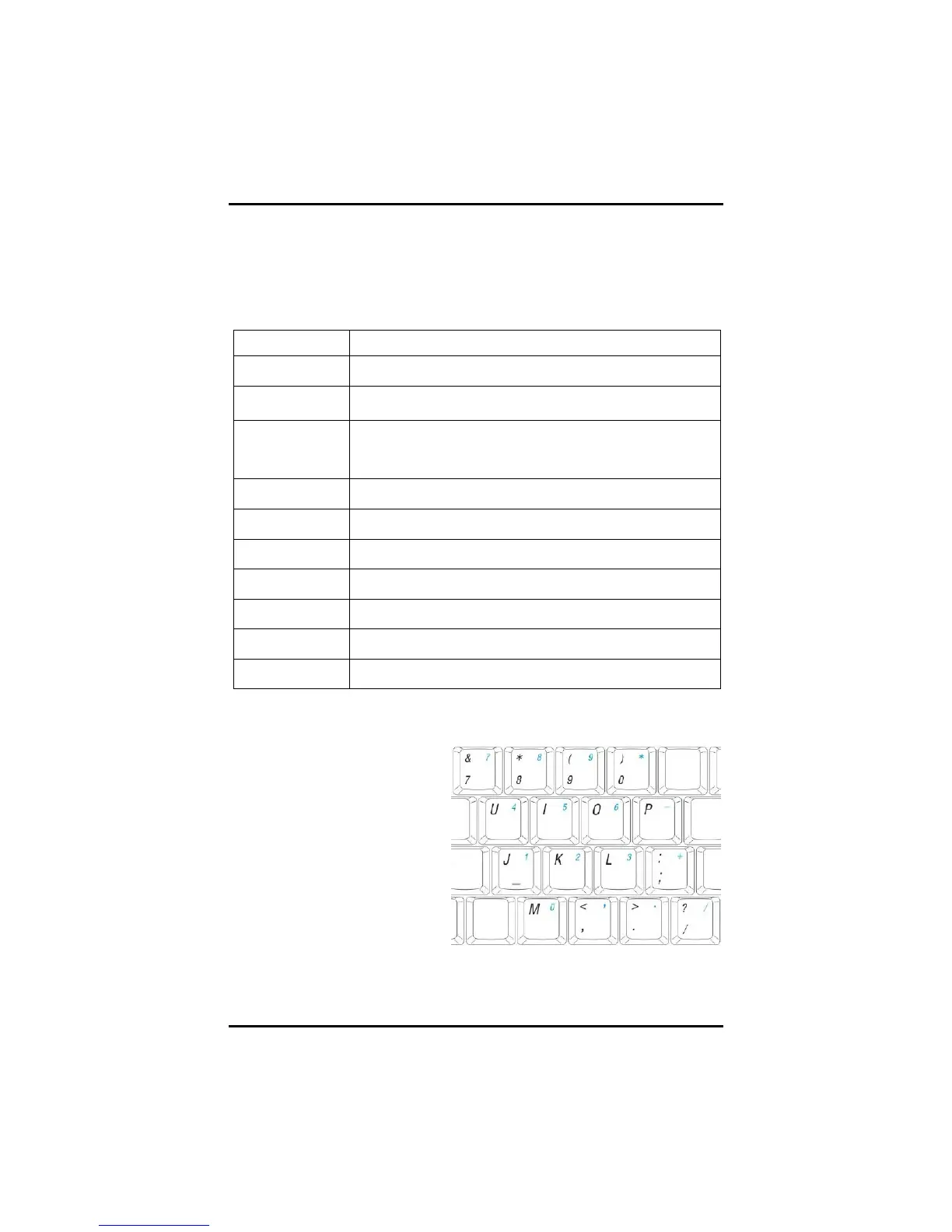
Numeric Keypad
The embedded numeric keypad
consists of ten keys that make
number intensive input more
convenient. Press <Num Lock>
to enable or disable the numeric
keypad.



 To Next Page