32
10. Conguration and Operation
10.1. Charging Operation
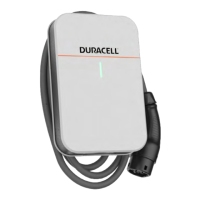
10.1.1. Connect the Charger to EV
1. Plug the charger gun into the EV Charging Port
2. Afterplug-in,pleasecheckthechargergunisconnectedsecurely.
3. Whenthechargergun&EVconnectionissecured,theLEDindicatorwillstartashinggreen,meaningthechargeris
ready to initiate a charging session.
10.1.2. Start Charging & Stop Charging
The charging session can be initiated and stopped by the following options.
1. ByRFIDcard:UsingtheregisteredRFIDcardtostart&stopsession.
2. Plug&Playmode:Inasituationwithnointernetconnectionaccess,thechargercanbesetintoplug&playmode,
meaningafterplugginginconnector,thechargingsessionwillbeinitiatedandafterpluggingouttheconnector,the
chargingsessionwillbestopped,pleasecontactPuredriveEnergyLtdtoenablethisfunction.
3. ByApp:ThechargercanbemonitoredandcontrolledbyeitherPureChargerApp,DuracellEnergyApporMontaApp.
Please refer to the App manual.


 To Next Page