GraphicProducts.com | 800-788-5572
Getting to Know Your Bronco Max | 5
GETTING TO KNOW YOUR BRONCO MAX
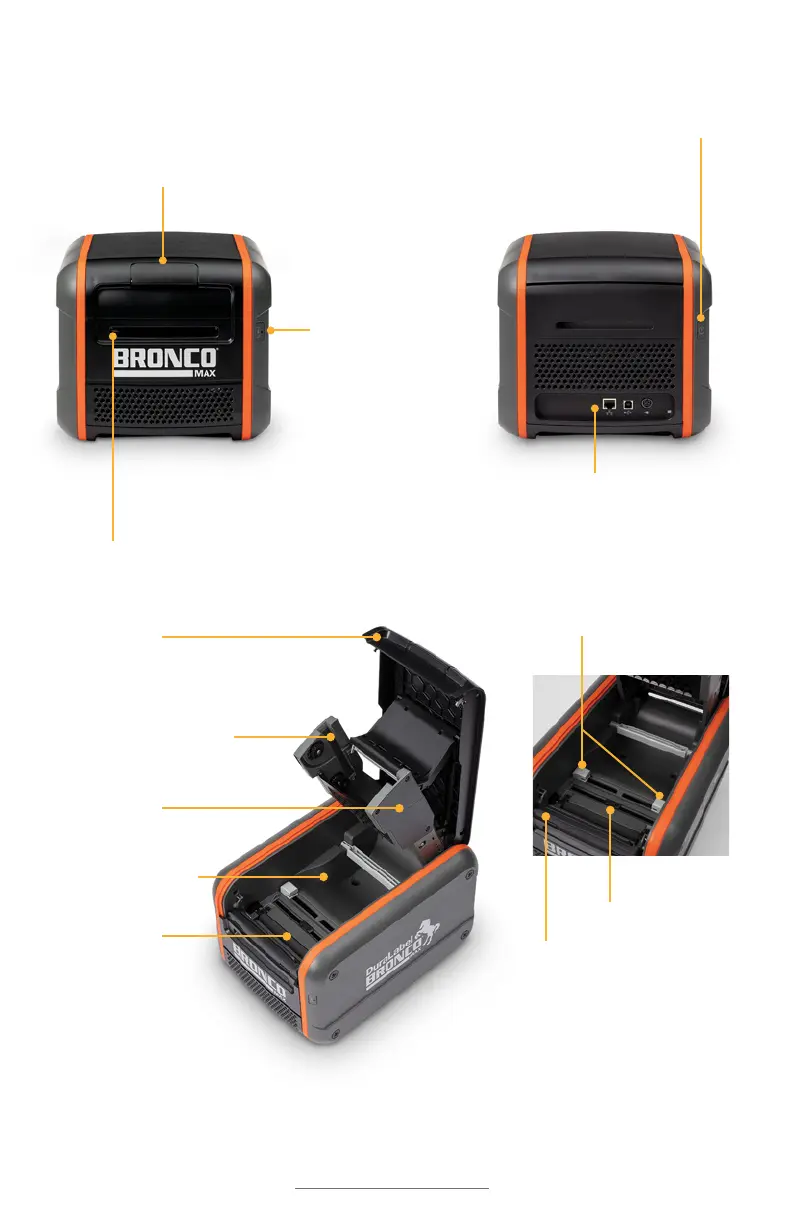
Your Bronco Max
Cover Release Latch Lift to
release the printer’s lid.
Power Button Press
this button to power
the printer on or off.
Cutter Opening Printed labels will feed
out from this slot. The cutter blade is
sharp; do not insert any objects here.
Input/Output (I/O) Panel
Plug in power and other cables
here, along with any USB devices.
Feed Button
Press and hold
this button to
feed supply
through the
printer.
Adjustable Guides
Cutter Module
Raised Cover
Ribbon Rails
Ribbon Cartridge Slot
Label Stock Area
Platen Roller
Blackmark
Sensor



 To Next Page