6 | Getting to Know Your Bronco Max
GraphicProducts.com | 800-788-5572
GETTING TO KNOW YOUR BRONCO MAX
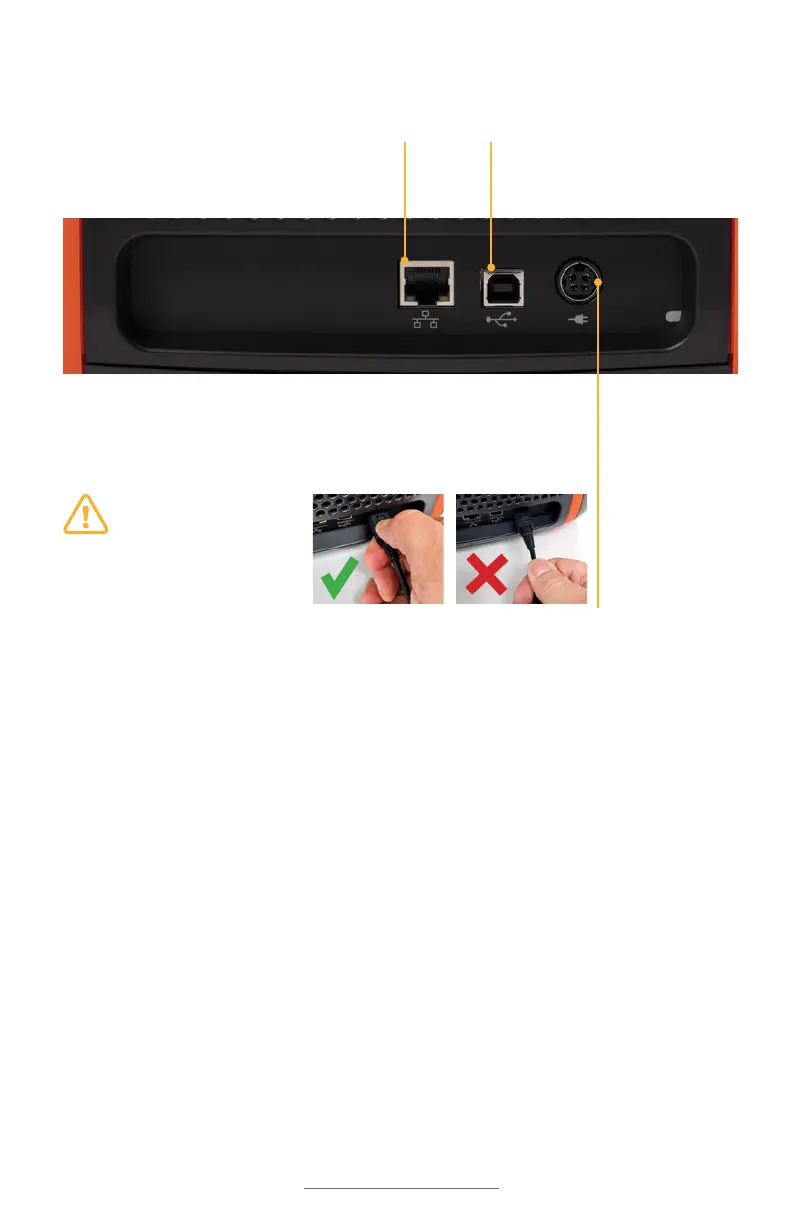
Power Socket: Connect the power supply here, using the included AC
Adapter (model WDS5150240). This six-pin connector uses a slider to
latch into place, preventing accidental disconnects.
USB-B Port: Connect Bronco
Max to a PC, allowing that PC
to send print jobs.
Ethernet Port: Connect
Bronco Max to a wired
network.
Important: To unplug
the connector, grasp
the power plug release
slider and pull it away
from the printer.
CORRECT WRONG
Input/Output (I/O) Panel



 To Next Page