DuraLabelKodiakUserGuidev0.6(Prerelease)Page10of28
Loading Supplies
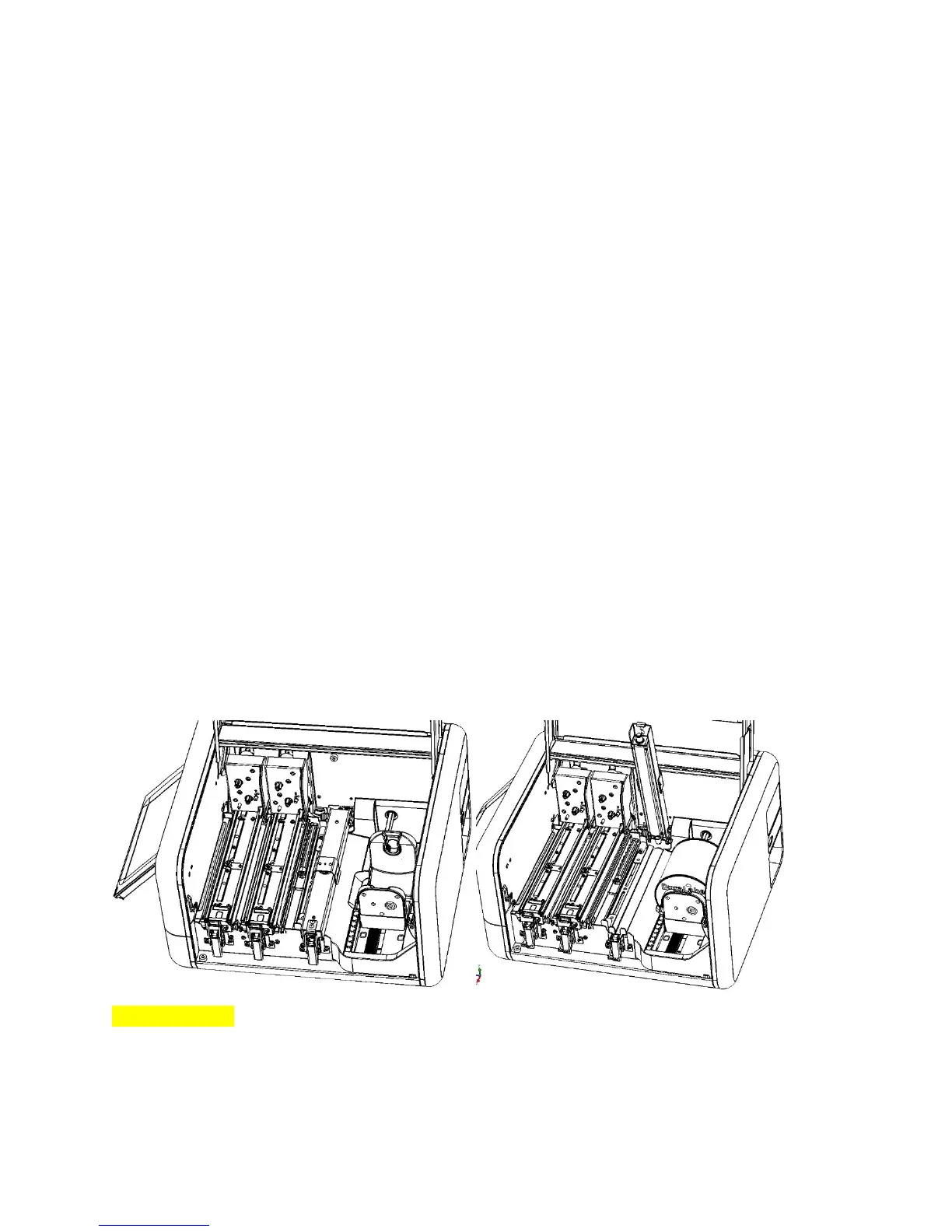
ToloadyourKodiakwithsupplies,raisethehingedlid.Thelidwillholdatthefully‐raisedposition.
Loading Label Stock
Thelabelstockisthebasematerialforyourlabelsorsigns,servingasthe“paper”fortheprinting
process.Labelstockisavailableinawidevarietyofmaterials,types,sizes,andcolors.EachrollofKodiak
labelstockissoldasarollwithgearedplasticendcaps.Donotremovetheseendcaps,orthesupplywill
notfitproperlyinyourKodiak.
Whenloadinglabelstock,makesurethatitisnotfolded,andliesflatandsmooth.Thiswillprevent
supplyjamsduringprinting.
Toloadlabelstock,followthesesteps:
1. Squeezetheorangetabonthefrontadjustablesupplyholder,andslidetheholdertothe
positionmarkedforyoursupplywidth.(Theadjustablesupplyholdersarepairedtomove
togetherandkeepyoursupplycenteredproperly.)
2. HoldtherolloflabelstocksothattheendcapwithaKodiaklabelfacesyou.Then,restthegears
onthesupply’sendcapsintotheslotsonthesupplyholders.
3. Unlatchthefeedrollerbarandallowittoraise.(Thisbarisspring‐loaded.)Pulltheendofyour
labelstockawayfromtheroll,andunderthisbar.
4. Slidetheadjustablesupplyguidessothattheedgesofyourlabelstockfitunderthewhite
rollers.Then,feedthelabelstockundertheserollers,andunderthemetalguideimmediatelyto
theleftofthosesupplyguides.
5. Lowerthefeedrollerbarandlatchitdown.
Whenyoufinishloadingsupplies,Kodiakwillautomaticallydetectwhichtypeoflabelstockhasbeen
loaded.
[Imagesnotfinal]



 To Next Page